


42069
Members
-
Joined
-
Last visited
Everything posted by 42069
-
Sorry for the bump, I was just looking through some GTA IV files :P Here are some interesting ones:
-
Here is the link: '?do=embed' frameborder='0' data-embedContent>> Just remove a few parts and you're done.
-
I intend to download this ware, thanks man!
-
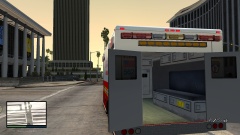
From the album: Custum ambulance interior
This is a picture of an old project in-game, I probably won't be releasing this, but if you want it, feel free to shoot me a PM :) Peds can go in the back :) Polygon count: 130 -
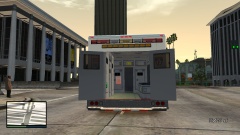
From the album: Custum ambulance interior
This is a picture of an old project in-game, I probably won't be releasing this, but if you want it, feel free to shoot me a PM :) Peds can go in the back :) Polygon count: 130 -
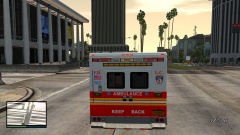
From the album: Custum ambulance interior
This is a picture of an old project in-game, I probably won't be releasing this, but if you want it, feel free to shoot me a PM :) Peds can go in the back :) Polygon count: 130 -
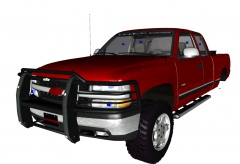 Dat red chevy sign tho Nice job though!
 -
-
There are no other IONs other than ComanderHurricane's (Lccop). You can use some CVPI mirror lights by Heisenberg (not allowed to link them cuz dey on a site dat aint allowed here) they require rotation and lots of adjustments though.
-
The photo was taken in 1964. It's the only one that I can find of my department.
-
Damn! That is spot on! You sir, have some skillz :)
-
He is right, it's a hollywood siren. Try >this out
-
Not taking the request, but you can't use ZModeler to create peds, you can only view them. To create peds, you must use 3DS Max and Gims IV (I think).
-
I know that there have been quite a few ZModeler support topics and I apologize to add onto those. I have no experience with lights_emissive or whatever it's called, I have been trying to convert my >Rockwell Collins iForce police computer and I am having a few issues: The screen textures are way too bright, the screen is barley visible when the glass is there, but when the glass is broken it is all white. I looked at another laptop as an example and set the texture layers exactly the same (I made the lights_emissive only connected to the screen [2 pollys]) and after I export, the normal map is gone and so is the "vehicle_generic_smallspecmap" and it's only the diff that shows up. I am very stumped and I can't seem to find any tutorials regarding lights_emissive. My other "issue" is that the entire screen disappears when it's in rear view (all of the laptops that I have used also have this issue). Any help would be appreciated, thanks :) Some screenshots:
-
That means that you have multiple "extra_1_L1's" or "_L0's" don't re-name them, it will cause errors, attach the extras (go to Modify>Attach and click on both extras). If you only have one lightbar, it's possible that you may have accidentally made a copy of the extra.
-
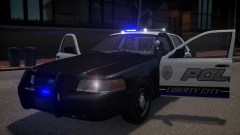 Wow! Excellent job on this car man! :)
 -
-
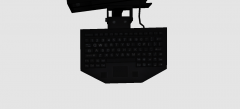
From the album: Sergiyj's WIP's
As soon as I properly convert this, I will try to release this as development support :) Here is the Rockwell Collins iForce in real life: -
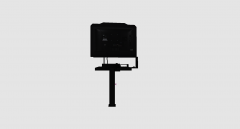
From the album: Sergiyj's WIP's
As soon as I properly convert this, I will try to release this as development support :) Here is the Rockwell Collins iForce in real life: -
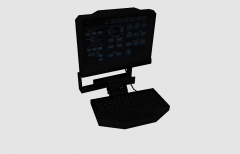
From the album: Sergiyj's WIP's
As soon as I properly convert this, I will try to release this as development support :) Here is the Rockwell Collins iForce in real life: -
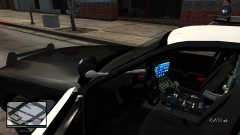 Thanks! I fixed it now :)
 -
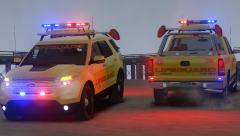 I agree with lazzy on the lights. The rims aren't that big of a deal though.
 -
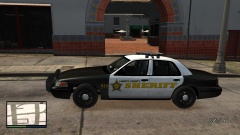 For those wondering, the CVPI window bars are cantwell's, but heavily modified by me :P
 -
-


