



CoreZer0
Members
-
Joined
-
Last visited
Everything posted by CoreZer0
-
 This is what I have been waiting for! Amazazaing work with the lighting, please keep making more vehicles.
- 445 comments
- 108 reviews
-
-
 Ok I found the culprit, I forgot I was playing around the prison the other day and put in a prison entrance mod in. I must have over looked it when checking the folder. Long story short (to late) it is not compatible. Thank you for your assistance.
- 3,646 comments
- 306 reviews
-
-

- 1
-
-
just updates to current plugins I had and I already removed them to verify which one if any with no luck. law callouts secondary callouts safer chases
- 3,646 comments
- 306 reviews
-
So, I am having a problem. Everything was working fine, then traffic policer just stopped working. The log shows it as loaded, just none of the functions seems to be running. I have tried taking out some new plugins I installed with no results, any help would be greatly appreciated. Here is my log, thanks RagePluginHook.log
- 3,646 comments
- 306 reviews
-
sweet thanks!
-
I am aware its not a callout, I get what its for...I was just talking in general when you call for a chopper during a pursuit it leaves right after and does not stay for the cleanup. So this would just be a different chopper that shows up.
-
Can I recommend something for the crime scene, Can you make an option for night time to have a chopper fly over and provide a spotlight...just an option though I'm sure some people get annoyed with the helicopters...but man that would be helpful for a night time, especially since when you do request one now they just leave when the suspect is arrested.
-
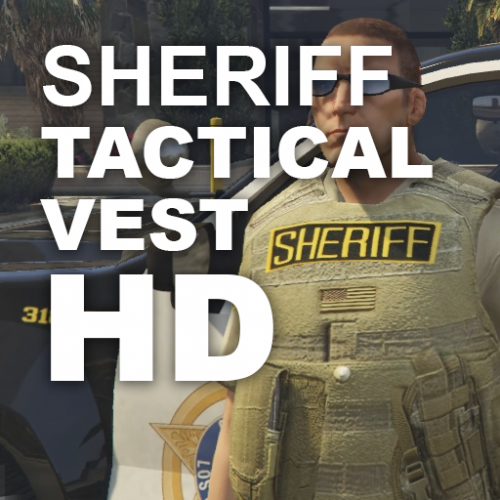 More "military".... Bub this is the USA we put flags on everything, trust me it would be unrealistic not to have the flag
- 17 comments
- 4 reviews
-
-
- 4
-
-
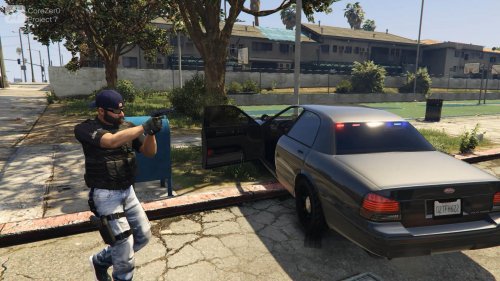 you know you can take the vest and beard off...that's Why I chose this ped it had a lot of options
- 29 comments
- 4 reviews
-
I'm really excited about this mod, Good luck
-
 Maybe he can do two versions (time permitting) or maybe just an option for a squad car for one person(or to keep people separated) or a van for multiple i.e. you role up to a domestic find one person was beating on the other, but the victim had a warrant anyways and the witness was hiding narcotics which you saw. Why not put them in that same van, no stories to work on just people going to jail for different reasons.
- 1,915 comments
- 242 reviews
-
-
- 2
-
-
Heh ok thanks, and I get the whole roleplay thing but I'm trying to keep the traffic to a minimum you know. If thats the case I don't see a use for a van, just a patrol car would be fine, but who knows. thanks for the quick response
- 1,915 comments
- 242 reviews
-
Ok so I finally got my game loaded with it working, but then I noticed it just stopped working and I couldn't ask for pick or even drop off myself...welp. Its because I'm using an "invalid ped" so it seems the only peds you have this working for are the main lspdfr officers which is fine, but there are some custom officer peds that you might want to consider putting in your next release small list that might grow ( s_m_y_blackops_01 through 03 and s_m_m_chemsec_01 ). Not harping on your work I love it, I give it a 5/5 it's very useful. I just don't use the main officer peds that often. Also do you plan on making it were the transport officer knows that there is multiple arrests so he can just pick up 3 or 4 at once. I'll attach my log from my last crash and I was using s_m_y_blackops_01. Thanks RagePluginHook.log
- 1,915 comments
- 242 reviews
-
-
start up lspdfr pick any unit pick the car you want, then use a trainer to select this skin and your good to go
- 29 comments
- 4 reviews
-
-
- 1
-
-
So I have good news for you, if you want both sheriff and police models to work. First run OpenIV, navigate to were you find the files for s_m_y_blackops_01 and 02 and be in edit mode. make a back up of s_m_y_blackops_02 all the files that means the (.ydd , .ytf , .ymt , ytd) files you will be replace them next take the s_m_y_blackops_01.ydd ,s_m_y_blackops_01.ytf, s_m_y_blackops_01.ymt and drag them to a folder to rename the files to s_m_y_blackops_02 place them back and replace the s_m_y_blackops_02 files then take either the sheriff file or police file which ever one you dont have and replace the YTD file. and there it is make sure you do the same thing with the pedprops file or the hats wont be the same it looks like s_m_y_blackops_01_p.ytd, but you have to replace both file for that as well . If i would have known this worked I would have just uploaded it that way (sorry)
- 29 comments
- 4 reviews
-
Thats why i use simple trainer its give you individual clothes options not just randomizer well these weren't meant to be "undercover" just low profile units that's why you have the option for civilian ball caps.
- 29 comments
- 4 reviews
-
You need a trainer to access them right now, I use simple trainer and in the screenshots folder is were to find the models
- 29 comments
- 4 reviews
-
Good I was hoping it was that one.
-
-
By any chance can you give use what dog model you're using for the K-9 backup I would like to start putting some new textures i.e. like a K-9 police harness.
-
Based off of my "Sheriff Task Force Operators" I bring you the police version to use in the city with all those pesky gang members running around. this still uses the s_m_y_blackops_01 ped, so it will replace the Sheriff Operators if you have them.
- 29 comments
- 4 reviews
-
-
- 5
-
-
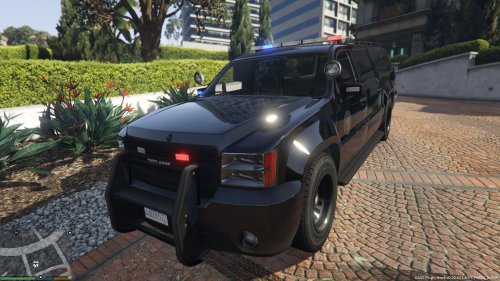 sadly I had to replace something, but I'm combing the scripts as we speak to make spawns currently missing on piece
 -
Police SUV Ghost Decal with clear overhead glass!


