



CoreZer0
Members
-
Joined
-
Last visited
Everything posted by CoreZer0
-
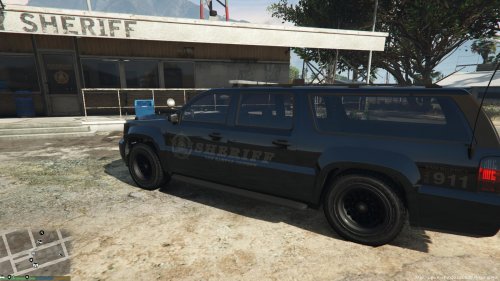 Yeah me too, and I've been working with the fbi2 with no luck so I decided to just take out the glass color as a work around.
 -
Sheriff SUV with Ghost Decal and clear overhead glass.
-
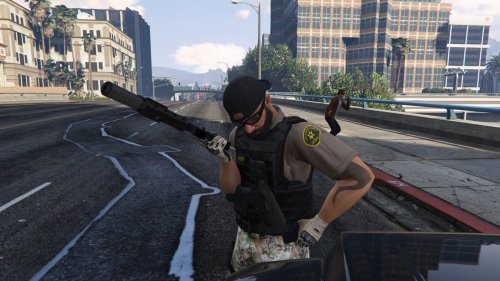 I know the native trainer works, but if you use simple trainer you get to choose what options you want including the hats
- 22 comments
- 5 reviews
-
 I'm running all the featured plugins + vehicle search, pedsearch, keep calm, speed radar, spikes, traffic control and there are no error messages.
- 1,915 comments
- 242 reviews
-
I seem to be getting some conflict with your mod and LSPDFR, I can't finish the challenge to arrest a ped and backup seems to freeze when I call them.
- 1,915 comments
- 242 reviews
-
Run OpenIV follow the path to x64e.rpf\models\cdimages\componentpeds_s_m_y.rpf and make sure you're in edit mode find s_m_y_blackops_01.ytd double click then find the pattern you want to replace click save and thats it
- 22 comments
- 5 reviews
-
-

- 1
-
-
I will be working on new variations for these in the future, to include Gang Task Force city units as well as revising these a bit more.....I didn't think so many people would get these so I'll take my time on the next ones. It will be a few days because I'm out of town.
- 22 comments
- 5 reviews
-
Cool Np, I'm going to see if an admin will move this to the proper category under GTA 5
- 22 comments
- 5 reviews
-
I use ScripthookV + simple trainer, its compatible with .20 Ragehook as of now Just scroll down to model spawning, I'm away from my computer buts its the spawn menu that start with S_m_m_ ust keep going till you hit s_m_y_blackop_01, then a few down is the accessory list or you can randomize it
- 22 comments
- 5 reviews
-
Hmm... not sure why this was put in the gta 4 section as I click on 5 to upload.
- 22 comments
- 5 reviews
-
*Revised* Los Santos Sheriff Task Force adds a variety of different skins. Beards, bald heads, big arms and tattoos..... these aren't your run of the mill deputies. please note these skins replace Merryweather Security peds and you need to use a trainer to access them. These skins use the s_m_y_blackops_01 ped file. I am new to reskinning and made these for myself originally, but enjoyed them so much I thought I would share...enjoy.
- 22 comments
- 5 reviews
-
-
- 4
-
-
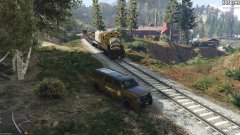 Surprisingly he lived and a unit came and picked him up
 -
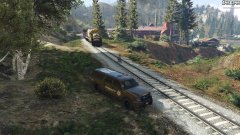 backup caught this guy on the tracks, probably should have moved him.
 -
-
-
-
I'm not real sure if anyone as suggested this or not but I was kinda thinking of a Helicopter mode, where you could patrol in a chopper. The call outs could be anything but it puts you in kinda of a commander setting where you could give ground patrol info on where the suspect is (by point and click on map) or where to setup road blocks. Maybe a missing persons in the woods and you could work with park rangers or a highway patrol where you can spot traffic collisions and call it in, assisting on swat raids by dropping off fast ropers. I don't know the sky is the limit( pun intended) I just though it would bring in some of the support roles with flying and something different to the game mode.


