


RascarDK
Members
-
Joined
-
Last visited
Everything posted by RascarDK
-
All of them are Whelen's, except the 4th one which sounds like a Federal Signal.
-
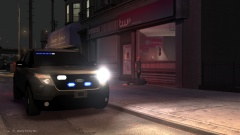
From the album: RascarDK's Gameplay
Got reports of suspicious activity at the local internet café. At arrival, the unmarked unit were met with a gunman aiming for them, so they responded with a few shots and suspect were down!Any screenshots from me playing GTA IV.-
Man With Gun At Internet Café
-
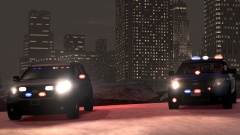 Two New FPI's For Liberty City Police
-
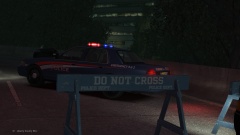 Alderney Police Ford Crown Vic At Highway Incident
-
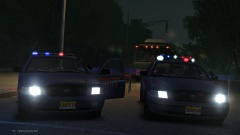 Alderney Police On Scene Of Arrest#2
-
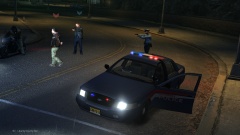 Alderney Police On Scene Of Arrest#1
-
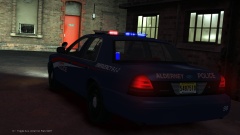 Alderney Police Testing Cruiser Emergency Signals
-
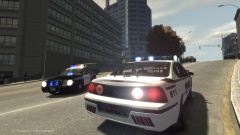 Impala On Scene Of A Mugging Incident
-
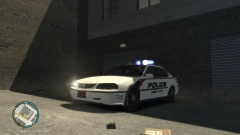 Impala Receiving A 911 Call At Station
-
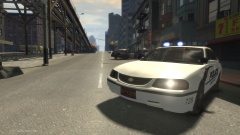 Impala On Scene Of Ended Pursuit
-
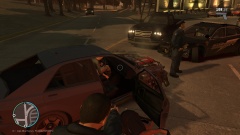 Dodge Charger In Pursuit Of Sultan#2 The End
-
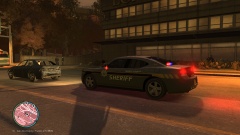 Dodge Charger In Pursuit Of Sultan#1
From the album: RascarDK's Gameplay
Two new cars for the fleet being shown off.
From the album: RascarDK's Gameplay
Alderney Police blocking off a lane at a burnt out vehicle.
From the album: RascarDK's Gameplay
Alderney Police doing what they do best.
From the album: RascarDK's Gameplay
Alderney Police doing what they do best.
From the album: RascarDK's Gameplay
Officer testing the vehicle's equipment, including emergency lights, at shift start in the backyard of Acter Industrial Park Police Station.You've managed to do something perfectly right in this version! With the previous version, i had frequent crashes, whatever i did. Now, i can play nonstop with no issues at allFrom the holidaysProduct Features: Wail, Yelp, HyperYelp, Hi Lo and Air Horn. Loud and clear, realistic tones. Video Preview: https://www.youtube.com/watch?v=C_uBvxqffdw Real life example https://www.youtube.com/watch?v=alD2pVhfhGQ Real siren: Code 3 Screenshot: www.sirennet.com Gathering sound material and editing: RascarDK Exclusive to lcpdfr.com- 7 comments
- 1 review
From the album: RascarDK's Gameplay
From the album: RascarDK's Gameplay
From the album: RascarDK's Gameplay
XxiJumpxX did a really nice job with it!


Account
Navigation
Search
Configure browser push notifications
Chrome (Android)
- Tap the lock icon next to the address bar.
- Tap Permissions → Notifications.
- Adjust your preference.
Chrome (Desktop)
- Click the padlock icon in the address bar.
- Select Site settings.
- Find Notifications and adjust your preference.
Safari (iOS 16.4+)
- Ensure the site is installed via Add to Home Screen.
- Open Settings App → Notifications.
- Find your app name and adjust your preference.
Safari (macOS)
- Go to Safari → Preferences.
- Click the Websites tab.
- Select Notifications in the sidebar.
- Find this website and adjust your preference.
Edge (Android)
- Tap the lock icon next to the address bar.
- Tap Permissions.
- Find Notifications and adjust your preference.
Edge (Desktop)
- Click the padlock icon in the address bar.
- Click Permissions for this site.
- Find Notifications and adjust your preference.
Firefox (Android)
- Go to Settings → Site permissions.
- Tap Notifications.
- Find this site in the list and adjust your preference.
Firefox (Desktop)
- Open Firefox Settings.
- Search for Notifications.
- Find this site in the list and adjust your preference.