



Double Doppler
-
Joined
-
Last visited
Everything posted by Double Doppler
-

From the album: Double Doppler's WIP & Gameplay
Coming soon to LCPDFR. @youtube/TheDoubleDoppler @facebook/groups/BritishModding -
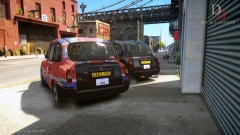
From the album: Double Doppler's WIP & Gameplay
Coming soon to LCPDFR. @youtube/TheDoubleDoppler @facebook/groups/BritishModding -
A friend of mine made it. It's a conversion I did
-
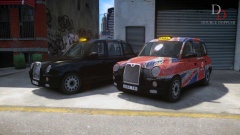
From the album: Double Doppler's WIP & Gameplay
Coming soon to LCPDFR. @youtube/TheDoubleDoppler @facebook/groups/BritishModding -
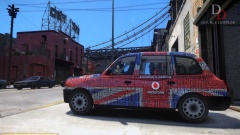
From the album: Double Doppler's WIP & Gameplay
Coming soon to LCPDFR. @youtube/TheDoubleDoppler @facebook/groups/BritishModding -
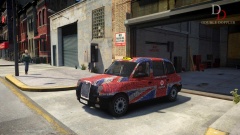
From the album: Double Doppler's WIP & Gameplay
Coming soon to LCPDFR. @youtube/TheDoubleDoppler @facebook/groups/BritishModding -
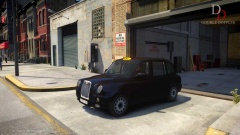
From the album: Double Doppler's WIP & Gameplay
Coming soon to LCPDFR. @youtube/TheDoubleDoppler @facebook/groups/BritishModding -
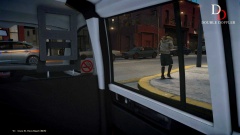
From the album: Double Doppler's WIP & Gameplay
Coming soon to LCPDFR. @youtube/TheDoubleDoppler @facebook/groups/BritishModding -
Well, it's finally here! Thought I'd do one since no one took up the challenge... Will fit in perfectly with all the British mods out there, as well as adding an eccentric touch to your game should you feel the need for something different. Some places in the USA also use these cabs purely for the novelty.
-
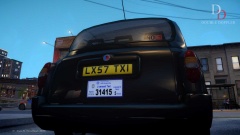
From the album: Double Doppler's WIP & Gameplay
Coming soon to LCPDFR. @youtube/TheDoubleDoppler @facebook/groups/BritishModding -
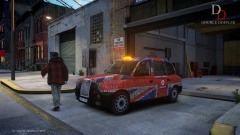
From the album: Double Doppler's WIP & Gameplay
Coming soon to LCPDFR. @youtube/TheDoubleDoppler @facebook/groups/BritishModding -
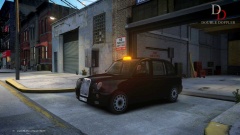
From the album: Double Doppler's WIP & Gameplay
Coming soon to LCPDFR. @youtube/TheDoubleDoppler @facebook/groups/BritishModding -
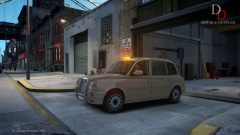
From the album: Double Doppler's WIP & Gameplay
Coming soon to LCPDFR. @youtube/TheDoubleDoppler @facebook/groups/BritishModding -
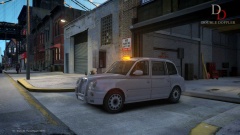
From the album: Double Doppler's WIP & Gameplay
Coming soon to LCPDFR. @youtube/TheDoubleDoppler @facebook/groups/BritishModding -
RyanG (wow in one go - I guess I'm a keyboard commando)
-
True - in GTA IV Nevermind, someone posted while I was typing. The answer to me using Steam: True - even with my GTA IV. The person below me uses Sub4Sub on YouTube.
-
Sort of has an 'r' and a 'h' in it also.
-
The best part would probably be the MP gameplay. Despite it being partly buggy from time to time, it is generally quite decent and it's fantastic that you can gather a few friends, a dispatcher, and recreate practically any police force in the world (provided you have the correct mods) in any style you wish. And you can have up to 32 of those people in your game
-
I'm thinking of a word beginning with 'C', and ends with an 's'. But I think it's too obvious and I won't post that here. Fuck it, I'll just say it anyway: C-R-A-S-H-E-S. Especially when you're recording a brilliant pursuit, with all backup units, helicopter in the air, just about to perform a PIT on the suspect and -
-
This version features the new halogen effects used in ELS 8. Make sure you install the config with the vehicle or you won't be able to use them.
- 2 comments
- 2 reviews
-
A 2007 Vauxhall Zafira used by the Metropolitan Police as a DPG/IRV unit. Used to patrol and guard the embassies in Westminster and the royal parks. Subscribe to the official YouTube channel for exclusive updates on your favorite British mods - never miss a single upload! Handling lines and other configs included. Features ELS-enabled New ELS v8 style halogen effects View doesn't sink while driving Bonnet cam fixed Dirt mapped Multiple liveries Templates Based on the REAL vehicles Highest quality skins Exclusive lightbar and equipment ELS v8 config with wig-wags Installation guide is INCLUDED in the readme. Please follow it before messaging me for help with installing mods. License Uploaded to LCPDFR.com for the LCPDFR community. You are free to use this addon as long as you abide by the following terms: §1. Do NOT redistribute without my permission §2. Do NOT edit any file in this pack and redistribute it without my permission §3. I accept no responsibility for the damage caused to your PC or game directory during the installation, use or removal of this mod. You are responsible for backing up your original files first. If you want to include this mod in a pack, ask me first! Clan and private packs are an EXCEPTION to the rules above, as long as they do not leave the clan. CORRECT credits must be given at ALL TIMES. The "DOUBLE DOPPLER" and "DD" trademark is the property of Double Doppler. All other trademarks listed used in this mod are property of their respective owners. The use of these trademarks in this mod serve only as representation of the actual/real items where indicated and used on a good faith basis with no benefit or profit. NOTICE: if you are UNCREDITED for your work, please contact me privately with an explanation of where it's being used along with reasonable evidence.
- 2 comments
- 2 reviews
-
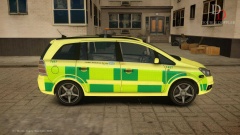
From the album: Double Doppler's WIP & Gameplay
Coming soon to LCPDFR. @youtube/TheDoubleDoppler @facebook/groups/BritishModding -
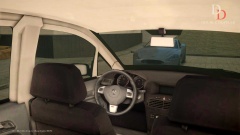
From the album: Double Doppler's WIP & Gameplay
Coming soon to LCPDFR. @youtube/TheDoubleDoppler @facebook/groups/BritishModding -
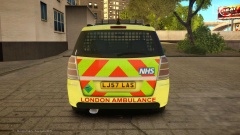
From the album: Double Doppler's WIP & Gameplay
Coming soon to LCPDFR. @youtube/TheDoubleDoppler @facebook/groups/BritishModding -
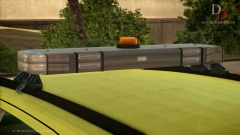
From the album: Double Doppler's WIP & Gameplay
Coming soon to LCPDFR. @youtube/TheDoubleDoppler @facebook/groups/BritishModding


