


.jpg.de7988310dd078104ca58b3672478156.jpg)

STEVETHEGAMER
Members
-
Joined
-
Last visited
Everything posted by STEVETHEGAMER
-
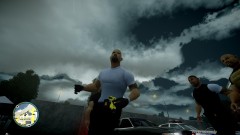 1.0.7.0, I'm still editing it to a way that the screen will flicker but in a way that you would barely notice it, as you could see in most of my latest videos that the screen don't even flicker for daytime but the night time is still giving me some problem...
 -
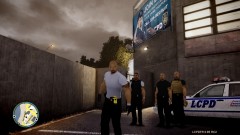 SNT( Simple Native Trainer) Bodyguard....
 -
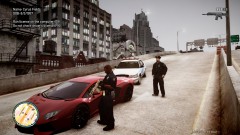 You could edit it with notepad or any handling editor out there. When I used notepad, I would raise the horsepower, common sense it's mostly three number, it will be like around 150 to 300 and right after it or one space after, you will get the MPH or traction which is around 15 to 45, that's the only two things that I would change and I leave everything else alone...
 -
 Thanks guys...
 -
This one always give me a great chase, but i was just not up for it this time...
-
i know, lol...
-
Only if you knew how fast that lambo is, I changed the handling for myself and it's too fast, so the only way to catch it's by shooting it down before it even accelerate, so that why I a carrying that on the traffic stop, the gun is http://www.gta4-mods.com/weapons/magpul-masada-f9757 "Rookie" Lmao....
-
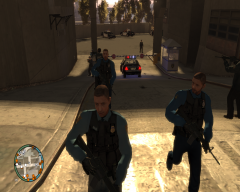 great job...
 -
It's the L3EVO (2012 NY) by Lpf312
-
From the album: LCPDFR
-
-
-
-
-
A way that I fix mine is by paying online on LAN not live, if you are playing lcpdfr so you have no plan on saving anyway, so whenever I play now, I just play online with less conflict to the game and no traffic bug.
-
Here' s one from PoliceWag that I've been using for a while Screenshot: Download: http://www.mediafire...r97eli0w9sol9ef Location where I found it's in this thread: http://gtapolicemods...e-Troopers-Pack
-
-
-
For some reason, I was unable to record video for weeks, but now I figured out my problem with FRAPS, by cutting the videos to half which allows me to record longer videos, but not clear HD. We all know that LCPDFR is still in progress so we have to expect to run into some errors with the script but other than that, this is one of the best mod for GTA IV so far other than all the car mods. This is just a short video that i made while playing the game for about 20 to 30 today, so enjoy and let me know what you think... http://www.youtube.com/watch?v=cFQBdUbs6p0
-
-
-
-
-
I want you to try this first since we have about the same rig but different company names, make a new text document in your GTA IV folder or EFLC, then paste this in it -noprecache -availablevidmem 2.2 I have a gtx 580+570= to my 2.2, just make sure you have the same video mem, but if you are using a single 580 = 1536MB = 1.5GB = -availablevidmem 2.2 -forcehighqualitymirrors -norestriction
-

