


.jpg.de7988310dd078104ca58b3672478156.jpg)

STEVETHEGAMER
Members
-
Joined
-
Last visited
Everything posted by STEVETHEGAMER
-
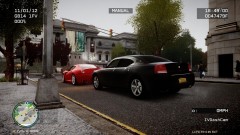
From the album: LCPDFR
-
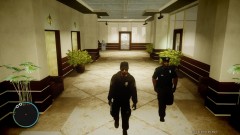
From the album: LCPDFR
-
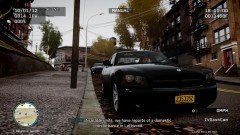
From the album: LCPDFR
-
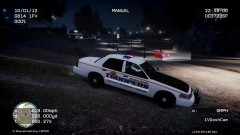
From the album: LCPDFR
-
-
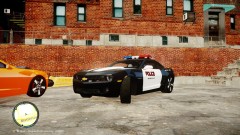 http://gtamania.ru/load/cars_for_gta_4/special_vehicles/chevrolet_camaro_police_beta/205-1-0-4713#tabs-2
 -
-
-
The average That I am running Gta Iv is about 40 to 59, but it get around 36 to 40 when I am chasing someone. I actually change every cars, helicopters and police cars in the game, except for bikes and the boats. I have two video card, a gtx 570 that handle everything but I have my old gtx 460 for phyx,which I think he 460 barely help me, It felt like the 570 is doing all the work. The main thing is that you could have a Beast computer but they can barely run the game on all high, because you have to learn how to tweak or lie to your system in order to run Gta Iv without no problem. In order to do so you have to use commandline, they have this new software exactly for Gta Iv or EFLC that could clean your register, window explorer cff or something like that allow your game to use more than 2gb of ram. Everyone don't have the same system so you have to find your system weak spot for Gta Iv. There are many tweaks out there, just be careful with which one you use. For me, I could run everything on max except for shadow which kills a lot of fps, with 1.0.7.0, mix enb settings, els v6, all cars mods but to my preferences, all cops cars with els, lcpdfr, dashcam and traffic control mod. I could play from 1 to 2 hours without no crashes. I also use software like MSI afterburne, h50 to h100 water cooling which is easy to install. You need to know your system and all the fixes or shortcut and the tweaking you could use to get a good average fps.
-
You should try Gta Iv commandline, you could google it to learn more about it, I think should also download a software call MSI afterburn which allow you to control your GPU fan.
-
I think you basically have to trick your system, just remember that GTA IV does not support SLI or crossfire. I am getting about 36FPS the lowest and 59FPS the highest all thanks to commandline and my system config just for GTA IV My settings: Resolution: 1980 x 1080 (60Hz) Aspect Ratio: 16:9 Texture Quality: High Reflection Resolution: Very High Water Quality: Very High Shadow Quality: Highest Night Shadows: High Texture Filter: x16 View Distance: 100 Details Distance: 100 Vehicle Density: 25 I just hate having too much car around Definition: On VSync: On My System: EVGA P55 MICRO- The worst for overclock but I used turbo boost CORE I7 875k OVERCLOCK? @ 4.0 GHZ- It's finally stable since I have the H100 12GB DUAL CHANNEL OCZ- I crank up the voltage to 1.65 for overclock 500 GB Internal OCZ SSD- This only help me with loading time, that was a gift, cost too much.. 2TB Caviar Green WD- This where I stored most of my mods GeForce GTX 570 XLR8 Edition 1.5GB- As long as I keep the Temp between 35 to 70 degrees celcius, my FPS is stable Nvidia GTX 460 1GB- which I used for PhysX only, my fist graphic card Corsair H100 water cooling- Keep the system very cool Rocketfish 900w- I was on a budget but it does the job
-
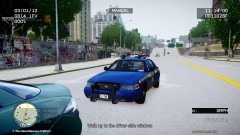 Car: http://gtapolicemods.com/downloads.php?do=file&id=660
 -
From the album: LCPDFR
-
-
-
-
There have been some request for these uniforms, so I am planning on releasing them, but here's some screenshot, I made them for personal use. From my point of view, I think they looks crappy, so tell me what you guys think about them... DOWNLOAD: http://www.gta4-mods.com/player/random-police-skin-f11919
-
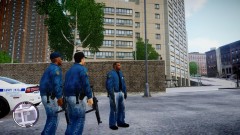 I was going for this http://www.taramtamtam.com/wallpapers/Music/B/Bad_Boys_Blue/images/Bad_Boys_Blue_1.jpg with the police sign, But I ended putting the FBI jacket...
 -
From the album: LCPDFR
© Stevetrackboyz
-
From the album: LCPDFR
© Stevetrackboyz
-
Video Recording Software: Fraps: http://www.fraps.com/ Bandicam: http://www.bandicam.com/downloads/ Video Editing: Windows video movie maker: it should be already install in you PC, If not it's free : http://explore.live....ker-get-started Powerdirector 8, 9, 10, free for 30days or buy it: http://www.cyberlink...en_US.html?&r=1 Sony Vegas Pro, free for 30days or buy it: http://www.sonycreat...re.com/vegaspro
-
-
-
-
You guys have some beast computers, I can't wait to upgrade my system like that, but I see my system as a medium PC. So here's some of the tweaks and settings that did it for me... FIRST The main thing you have to play around with is the commandline: I have mine set like this -noprecache -availablevidmem 2.2 -forcehighqualitymirrors -norestrictions -nomemrestrict or if you want more http://www.gamespot....ptions-46867982 SECOND Download this CFF explorer: http://www.ntcore.com/exsuite.php Right click on LaunchGTAIV Open with CFF explorer Go down to File Header and click on it Find characteristics and in that same row find click here and click on it. go down to to "App can handle>2gb address space" and make sure to check it and then OK Click on File and save (don't save it as), then it's going to tell you " Overwrite original file?" so click on No, save it somewhere else like desktop or anywhere other than the GTA IV folder. Now go to where you save it and drag to you Grand Theft Auto IV folder and that's all. This will allow GTA IV to use more than 2gb of memory. The guy with i7 930, you could buy a water or air cooling system for your CPU, but I would advice you to get the corsair h100 or the Noctua NH-D14, I just bought the H100 and GTA IV is sweet at 30 to 40FPS even if I am recording with Fraps. Check this out: http://www.youtube.com/watch?v=JfkRmS710e8 or if your overclock is not stable enough let the Intel



