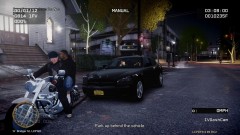
.jpg.de7988310dd078104ca58b3672478156.jpg)

STEVETHEGAMER
Members
-
Joined
-
Last visited
Everything posted by STEVETHEGAMER
-
Thank you guys...
-
Here's a great movie that you guys should watch and let me know what you think about it: The movie is called "Courageous"
-
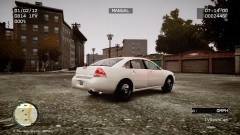 Yeah: right here http://gtapolicemods.com/downloads.php?do=file&id=1402
 -
-
-
-
-
-
-
-
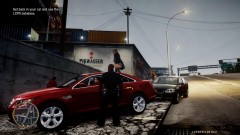
From the album: LCPDFR
-
Can you please, just make two version, one with the civilian rims+ lights, and one with the black one, and also please include window tints+ some antenna just like the 9C1_DEV_V2.1, I live in NY and that's the one that I see cruising around everyday and once again thank you for creating these cars.
-
Wow, great job. I have been waiting for this for a while.
-
PNY GTX 580 1.5GB+ GTX 570 1.25GB PhyX+ and a NVIDIA 460 1GB just sitting in there, since i just got the 580.
-
Here it is http://www.ny-rp.net//
-
-
-
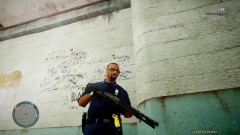 The taser comes with RC2 by pressing Alt+T and you could add the glasses with Simple Native Trainer...
 -
I didn't really care that he copy the video cuz there's at 20 copy of my video flying around you-tube and I am happy that they like them, and no I can't file a complain since I just own a copy of GTA IV but not the copyright of it, which is the main reason why we have to keep all these mods free or Rockstar will make sure they sued us for every single dollars we earn for copyrights. Here's why I don't even bother reporting them to you-tube anymore they say; " We can only process copyright complaints submitted by authorized parties in accordance with processes defined in law. There may be significant legal penalties for false notices. Please refer to our Copyright Center for more information and the complete instructions." Just like I always say in all my video, I makes all these videos for fun and entertainment only. My intention is to share it with my friends and others that cares to even watch it. I just wanted to show you how hype people are about GTA V and how much people that have not finish the game before not to recognize that is GTA4. But Thank you for all the advice.
-
This was one of my video that I posted last year, someone took it and made a little commentary about it assuming that it's GTA 5 when I clearly stated that it was GTA 4 (IV) on my video title, right now i am at 264,777 view for that short clip, so I clearly thinks he's just trying to get some views, so tell me what you think... http://www.youtube.com/watch?v=Q3ntLpAzi0M
-
 Nice
Nice -
-
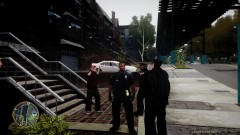
From the album: LCPDFR
-
-
The last time I reinstalled GTA IV was back around Dec 2010, It's always good to have an original copy somewhere safe, one that you're not planning on touching. Instead of reinstalling it, we have this tool called GTA Registry Repair from http://www.gtagarage.com/mods/show.php?id=18515 and every time you think your game crash is due to registry error but not a mess up mod or script and mostly savegame issues which is causing your game to not run, then use the registry Repair, i hope that helps...