


GTALIBERTYPOLICE
Members
-
Joined
-
Last visited
Everything posted by GTALIBERTYPOLICE
-
No it will not work, :/
-
No i have that card and now man not at all, im upgrading to a gtx 660 now because that card is horrible
-
FDLC>?
-
Hi LCPDFR I am making an awesome skinpack for East rivanna volunteer fire co. i will make a skin for every vehicle they use http://www.ervfc.com/apparatus/ Atm i have fully made one http://www.lcpdfr.com/uploads/monthly_05_2013/post-7448-0-75601100-1368464212.jpghttp://www.lcpdfr.com/uploads/monthly_05_2013/post-7448-0-93901400-1368464219.jpghttp://www.lcpdfr.com/uploads/monthly_05_2013/post-7448-0-93229600-1368464228.jpg
-
Thanks alot for explaining the cruise lights i honestly never knew that, thats awesome! and thanks for the Alt + J tip i hated that, Thats now my only two quarels about v7 sorted
-
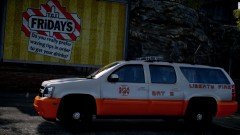 The Light bar on this is amazing, The skin is different, not sure if i like it yet
 -
ELS V7 Is Great, It works for me personally 100% of the time no crashes in SP, (low end pc) However the only problems i can pick out so far are that it crashes alot online with Clans. Heres my opinion on it and how to use it https://www.youtube.com/watch?v=_wNhQ6L6xGg
-
-
I have somehow managed to get it working Here is a list of the things i did Cleaned everything with Ccleaner Did a Disk defrag Did a Disk Cleanup Re-installed AVG antivirus Repair .net framework 4 installed the new ++C stuff Did a restart and scheduled disk check fell asleep, Woke up had breakfast tried it IT WORKED
-
Still not working, made a new post
-
open .inin and turn them all on
-
Please help me guys
-
I cant wait to get in game
-
Ok Hi everyone, Firstly. I have searched the internet ENDLESSLY for this problem to no avail. I have Gta iv Pc Steam copy patched to 1.0.7.0 I have Das Els Trainer LCPDFR Installed, When i go ingame and Try to use the trainer this is what happesn - The F3 button works perfectly, The left right up and down buttons ( Num:8,4,6,2 ) Works perfectly, But when i press 5 i have to hold it down for AGES. When i go ingame and try to use Els this is what happens - The J,k buttons when pressed down take AGES to respond and eventually they do. When i try to use DAS - The F5 key takes AGES to respond and eventually it does Now to help you guys troubleshoot. There is NO conflicting keys, And YES i do have Keys disabled in my trainer. For the purposes of people having questions about my directory i have attached its contents inn a screenshot Update - Ive tried a fresh installl of the game and redownloaded everything. Still no luck. My Pc SPECS Intel Core i5-2320 @ 3.00Ghz 8Gb DDR3 Ram AMD HD 6670 2Gb This is only a recent thing Please Refer to theeese threads for the same darn problem : ( the only solution people are saying disable keys. That doesnt work dont say that please ) Same Problems :
-
Nickie, thanks i eventually gave up with everyone saying the same thing, how many people does it take to say disable keys.. LMAO I got that done and so did the first guy, It was eventually workign as you said and i wasnt spawning cars so dont worry Anyway i just reinstalled the game and its downloading now hopefully it will work this time :) thank god for steam haha
-
I tryed that second option i reinsalled them from the zip folder, but no luck, ill do option one now
-
well i am livestreaming and i have sony vegas open and photoshop? if i close all this do you think itll respond quicker? the only thing is i can go left or right or up or down in the trainer instantly but to press enter it takes ages to respond, the games not lagging though
-
Guys none of theese tips have helped me ive disabled my keys constantly, but to use the J or k keys or the 5 key for trainer or even f5 for DAS Takes YEARS

