GlitchGamer
Members
-
Joined
-
Last visited
Everything posted by GlitchGamer
-
 Sure, why not
 -
-
-
 Love it
 -
-
 I'm doing everything I can to figure this out. It doesn't have to do with the locking feature.
- 118 comments
- 18 reviews
-
-
-
-
-
-
-
I would hope so. I'd have to see if bugs would let me, he let me release it locked.
- 118 comments
- 18 reviews
-
-
While I think it's ok to critique and criticize someone's prohetct, remember we are a community and need to be respectful no matter how good or bad the model or texture or what ever is. They were learning while they did a bunch of things for that model. Moving AT THE MOMENT. I will update it as soon as I can. Good job though my friend. Like my friend said, it's part of GTA. Though I will be working on having it utilize the fire truck light bar lights. But I'm currently moving so my updates are going to be slow.
- 118 comments
- 18 reviews
-
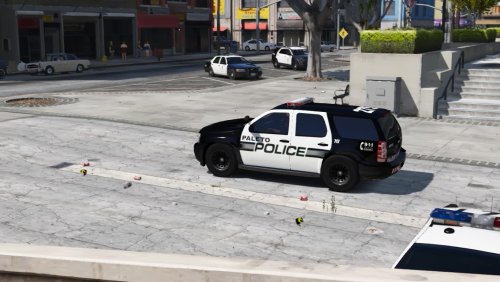 Looks amazing good job !
 -
I am not sure what model you are talking about, but just know uv mapping is quite hard and tricky to get used to. Thank you though. I hope you enjoy!
- 118 comments
- 18 reviews
-
-

- 1
-
-
I personally cannot tell a difference. When it comes to bloom, its just how the lightbar by f5544 was made. 2 "lights" to make it look like many. It is what I did with my siderunners. skin looks nice BTW
- 118 comments
- 18 reviews
-
-
I know. It uses left and right turn signals, you have to use your hazard lights
- 118 comments
- 18 reviews
-
-
- 1
-
-
I will look into it. I heard the Arjent sometimes looks dull if you dont use RadianceV or something of that sort. It looks the same to me, but I will look into it still;. Its part of the turn signal for now. You would have to use some trainer or something to use them.
- 118 comments
- 18 reviews
-
-
-
-
Model works fine. I have to figure out the issue. It happens to anyone. You can't view it via open iv for now
- 118 comments
- 18 reviews