Royal Jay
Members
-
Joined
-
Last visited
Everything posted by Royal Jay
-
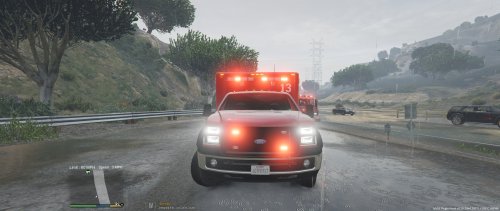 Love the models you've been releasing recently. I currently use the MTL fire truck and I'll be adding this ambulance to my collection
- 48 comments
- 24 reviews
-
-

- 1
-
-
-
 Nothing short of the perfection we've come to expect from Gump, this is another masterpiece.
- 62 comments
- 44 reviews
-
 @Gump will you be releasing this in the future? Thank You
 -
So I followed this tutorial: on how to add additional police cars and for the most part it worked, I was able to add a dodge charger to police5 slot, which I created and ELS worked. Unfortunately, the car has no sound, the sirens work but the engine is mute. Does this have something to do with the default carvariations.meta I used which was provided? Thank You Edit: So I feel really stupid asking a question I just answered. I went back into the vehicle.meta to search around and see if I messed up. Technically, I did everything correct however I did overlook one aspect. Creating a new unit called police5 was fine, but I was also calling the game to load <audioNameHash> </> for police5, of course none existed thus the car's engine was mute. I resolved this issue by replacing it with audioNameHash>police2</audioNameHash> so I was able to duplicate police2 engine sound and now everything works fine. So sorry about this pointless topic now.
-
 Dang that sucks this model would have been perfect if it had ALPR. I love the ELS version over the non-ELS, it just would have been the cherry on top if it did though.
- 427 comments
- 75 reviews
-
Wait what am I missing, this model has ALPR? I didn't see it in the extra's, am I missing something
- 427 comments
- 75 reviews
-
-
This unit out already by chance?
-
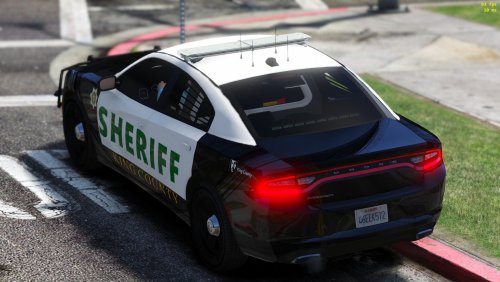 @DevinKanMods You are deserving of SO many negative things, especially after you released that atrocity of a model and texture, but I'm not going to go there. Instead, I will follow with @downcoldkiller and leave you with this, delete your account and never return to this community. Your toxic comments are unnecessary, unwarranted and unwanted. @VEKTR0 please ignore Devin he's a dumbass and can't help himself. The community loves your textures if it isn't already apparent. I personally use this skin and also look forward to the Tahoe skin
- 16 comments
- 5 reviews
-
-
- 1
-
-
-
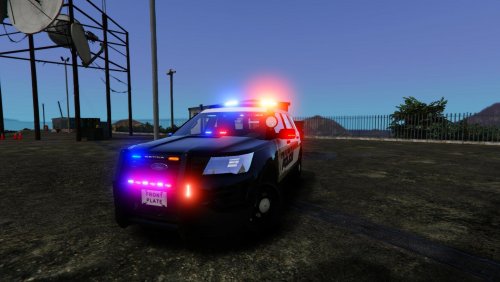 If you are going to shout "I make my models realistic" at least follow through on that comment and provide the appropriate picture. For starters, that is an older Ford Expedition, not a Ford Explorer which you created. Pros: ELS Concept Cons: Missing the blue and gold police insignia strip across the front hood Missing the "serving with honor & integrity" on rear quarter panel Police is pushed to the left to far, it should fill in the whole area from the driver to back passenger door Police should start under Los and finish under Santos, isn't stretched far enough
- 22 comments
- 5 reviews
-
-
- 1
-
-
-
-
Did anyone else start laughing when that squad car came barreling in and the criminal rag dolled in the air.
-
I know its easy to fall into the excitement, but Troy is right. When GTA IV came out everyone couldn't wait for mods and it took a while. Now we're in a deja vu scenario, where people should focus on enjoying the game and mods second. I wouldn't expect any new vehicle mods for a month or two at minimum, if anything you'll see re-skins well before you see new vehicles or a new LCPDFR mod. Granted, things could change, but I wouldn't expect any immediate major "breakthrough" changes.
-
Fly Safe :)
-
It took me about 3.5 hours to download, quicker than I expected given the fact everyone is downloading the game. On a side note I have never been fond of the Social Club launcher, I hated that thing in GTA IV.
-
Nothing new there, I think the general consensus is; GTA V will be modded eventually. For now the entire community is playing and enjoying GTA V. I would expect to see new skins before we see new mods such as LSPDFR (or whatever they might call it).
-
-
I like how your car has blue lights, yet red lights are flashing on the ground :)
- 8 comments
- 2 reviews
-
Your skin looks great, but your choice of cars leaves a lot to be desired. However, if your skin works on other CV's then finding a suitable replacement shouldn't be an issue.
- 6 comments
- 1 review
-
Yeah I assumed as and I did color each side red & blue respectively but I ran into a few problems. When I did the initial color the color textures appeared to be skewed on the front, the colors wouldn't overlay the LED's properly. I also noticed the shades didn't properly represent the colors on the DSP. Is there different shades your supposed to use to make red LED's look proper? Or do you just experiment until you find something that works?
-
I hate asking all this questions, but I'll never learn to do this otherwise. I also did some Google research and ran across this post: '?do=embed' frameborder='0' data-embedContent>> and cp702 said "there are files called "emerglights" and "emerglights_emis". "emerglights" controls glass color, while "emerglights_emis" controls the color of the light when it is on. Edit the "emerglights_emis" by copying the blue rectangles over the red ones." So I imagine the same concept works with the emerglight picture, unfortunately I am still a bit confused. The crown vic I am using: http://gtapolicemods.com/downloads.php?do=file&id=441Blue has all blue lights and a clear LED lightbar. However, when I open the emerglight file I see a ton of red/blue shape patterns and one clear pattern and I don't know what to color (for font and back). So someone mind elaborating a little more as to what I need to color to get this CPVI to look like the DSP and what all those designs are for?. Thank again!
-
I always thought the emerglights dictated what color the lights would flash, not what color the lens would be. If that was the case how do I go about coloring the lens in the emerglights file.