


1997chevyboy
Members
-
Joined
-
Last visited
Everything posted by 1997chevyboy
-
![Havis K-9 Insert For 2007-2014 Chevy Tahoe [WIP]](//s3-gallery.int-cdn.lcpdfrusercontent.com/gallery/album_2718/sml_gallery_138650_2718_74222.png) I absolutely love the this K-9 cage, also i think you meant to put Cage instead of console, LOL.
I absolutely love the this K-9 cage, also i think you meant to put Cage instead of console, LOL. -
![[WIP] Whelen Mini Pioneer](//s3-gallery.int-cdn.lcpdfrusercontent.com/gallery/album_2718/sml_gallery_138650_2718_28836.png) Looking awesome as always!
Looking awesome as always! -
-
No problem man im glad you got it fixed.
-
Ok did you drag the lcd screen into the panasonic toughpad before you exported it? Also try just importing the .png then merge the .z3d to your model bc it shouldnt look like that i just did it myself and its fine.
-
Can you show me a picture of what you are talking about!
-
When you merge the .z3d there should be a panasonic toughpad then a lcd screen, try draging the lcd screen into the panasonic toughpad then export it as a .wft and see if this helps. K you should have collision,sliced model, and store textures checked, the you need to make shure preferable textures is set to .png
-
Yes
-
Hmm it should work fine, idk what to tell you it works everytime for me.
-
Just import your png textures, then go to file merge and find your .z3d you want to import!
-
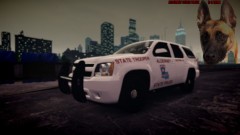 Once you drive a chevy you never go back!
 -
They have alot of them out there you just have to do alittle searching around!
-
Nice job man, i would love to see more skins from louisiana's police departments if you can.
- 7 comments
- 1 review
-
-

- 1
-
-
You can try these two which are not a ENB or icenhancer. http://www.gta4-mods.com/misc/dayl-iv-graphics-40-f26736 http://www.gta4-mods.com/misc/realityiv-162-timecycle-mod-f7929
-
I like them alot!
-
-
-
Awesome job guys thanks for the update as well!
-
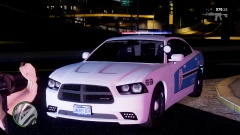 No problem man, same here!
 -
Thanks and i explained to him that he didnt post an opinion, it is a false fact that was pointless and could have easily started a flamewar. Conversation over.
-
It seams to me that you still dont get it and thats whats funny!
-
Obviously you can't read or you just dont take the time to before you give your two sense! Because it was there before you put your pointless comment, and i made it big for people like you to see it without reading it!
-
CAN YOU READ KID? HIGHLAND PARK / LIBERTY CHARGER PACK made by XBR410
-
From the album: Random
HIGHLAND PARK / LIBERTY CHARGER PACK made by XBR410 Download here - http://gtapolicemods...do=file&id=2580 -
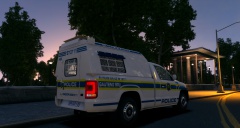 Awesome truck!

![Havis K-9 Insert For 2007-2014 Chevy Tahoe [WIP]](http://s3-gallery.int-cdn.lcpdfrusercontent.com/gallery/album_2718/sml_gallery_138650_2718_74222.png)
![[WIP] Whelen Mini Pioneer](http://s3-gallery.int-cdn.lcpdfrusercontent.com/gallery/album_2718/sml_gallery_138650_2718_28836.png)
