




TheRealNoodle
Members
-
Joined
-
Last visited
Everything posted by TheRealNoodle
-
-
omg my eye are burning, soooo bad jk looks nice keep it up
-
 oooooo looks so good :DDDDDDDDDD
 -
http://www.policecarwebsite.net/on this website you can find alot of pictures sorted by city, department and such
-
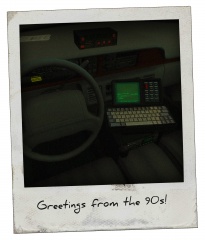 ooooooo that looks soooo sexy
 -
-
just 1 thing: on the texture on the back it says trafic instead of traffic. other than that good job :D
- 6 comments
- 2 reviews
-
I think they changed the keybinding numbers, im not sure tho
-
thats a problem with the programm, try reinstalling it
-
yea go look in the .wtd and search for a texture with the plates, you should easily find those
-
you cant just "apply" a template... some vehicles come with a template (should be in the download file) so you can make your own texture for the car. for example: you download a NY police car but you want the texture to be LC you can make your own texture for that car.
-
as I already said, I think thats the best model youll find and it will be free...
-
well you have an ingame video with the vehicle...; why dont you use that one? seems decent enough
-
I guess you're totally new to adding mods and vehicles to the game arent you? just search some tutorials on youtube
-
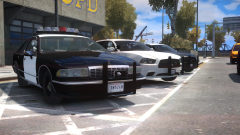 ooooo bjoetiful
 -
they might have a template and the plate might be in there
-
google is your friend
-
oh I know you, you're that one actor from the movie "times up" welcome back
-
you could just template it and make a camo in photoshop
-
he doesn't need advice on his specs so I think that its in the right section, might be better in gta iv support tho
-
so you basicly asked him to modify his files but you dont have an idea where to start? why did you asked him in the first place then? (not trying to be rude or anything)
-
hmm strange, works fine for me, have tried only pressing T?
-
looks awesome :DD
-
ah ok, I was confused for a second here
-
what is a SAT test?



