



Digital HD
Members
-
Joined
-
Last visited
Everything posted by Digital HD
-
 I will say this pack is much better done than most other packs on this website. With that said, there's some things I'd critique. The inability to customize light patterns is a bummer to me. All the lights being attached to primary lighting is not something I personally enjoy, although others might. Would be nice to see at least the traffic advisor controlled separately to give a bit more customization ability to the light package at least. Also, I could be wrong with this but I don't think Whelen IONs just stick out of the hood. It's typically a bracket at the top of the hood, closer to the windshield. All in all, it's a nice pack and very nice work done to all the vehicles. It's just not a pack I'd personally use because of the lack of light pattern customization.
- 266 comments
- 15 reviews
-
-

- 1
-
-
 Ahhh, amazing pack as always. Great cars. Great lighting. Great work. Not much more to say than that. Keep up the great releases.
- 485 comments
- 78 reviews
-
-

- 1
-
-
Solved myself. It was something with BetterDiscord.
-
Alright, I do believe I have tried everything and yet I can't get my Discord Rich Presence to work. It won't show I'm playing LSPDFR. Just says "Grand Theft Auto V". I have Networking.DisableDiscordRichPresence = false in my lspdfr.ini. I have "Display current running game as a status message" turned on. I have discord-rpc.dll and DiscordRpcNet.dll in my main directory. I use BetterDiscord but a friend of mine also uses BetterDiscord and his status messages always show.
-
Thanks for the reply Elmo. EchoWolf actually helped me a while ago with this issue by editing the lspdfr.ini file. I was able to fix my texture loss while keeping your vehicle pack (which I love by the way).
-
Yes I had a good friend of mine suggest that, but I ended up getting rid of the car packs I had and it fixed the texture issues.
-
Update: I've came across other threads with people reporting similar problems. Seems like they all fixed it with new vehicles. I'm going to give that a try when I get on my computer later. Inputs on what it could be are still welcome.
-
ELS basically overwrites the default game controls for lights and sirens. Like Dark Light said, read the documentation provided with ELS to understand the keys. In short, J cycles between the 3 light stages which most emergency vehicles have. Numbers 1-6 across the top control the sirens, Y is the air horn. But again, don't go based on what I just told you, read the documentation that was provided. There's a reason mod creators provide those Read Me files.
-
Did you create a mods folder like you're suppose to? If so, just go to the original file location and copy it over. If not, I can provide one but it won't be right away. I won't be near my computer for like 9 hours.
-
I've started having texture loss issues in my game. I am not sure what has been causing it but I feel like each time I start my game it's a different problem. These are the issues I've been having: Street signs/traffic lights appearing when I'm roughly 10 feet away. Noticing trees/buildings/street signs popping up in the distance. Sometimes the roads disappear or have very crappy textures. This doesn't happen when I spawn any certain vehicle. Just seems to be happening in general. As far as I remember, the only texture mods I have done is custom cars. (Below is the cars I have installed)
-
Alright this is really driving me crazy and I have no clue where to begin to find out what is causing this...but here's the explanation. I can go to any police station and spawn as LSPD...then LSPDFR puts me on duty and I can get calls, initiate traffic stops, ect. However, whenever I spawn as BCSO (and possibly other characters, haven't tried), LSPDFR doesn't say I went on duty. I never receive calls and I can't do traffic stops. When I forceduty, it crashes LSPDFR. Here is the RagePluginHook log leading up to going on duty as BCSO. Here are all the mods I currently use: (I know some of these will have nothing to do with this problem, but I'm listing them regardless) Callouts Assorted Callouts PeterU Callouts Simple Callouts Scripts Auto Sound Swapper BetterEMS Citations+ ComputerPlus Cop Holster ELS EUP Menu (With Law & Order, Search & Rescue and the LSPDFR 4.0 config) Interaction+ Kifflom Replacement LSPDFR+ Officer Status Plugin Persistent Weapon Flashlight Police Smart Radio Rage Show My Location Spotlight Stop The Ped Stop The Ped Elite Traffic Policer Traffic Control Ultimate Backup I am also having a texture loss issue...I will update this post with a link to that support thread if anyone can also assist me with that. https://www.lcpdfr.com/forums/topic/95616-texture-loss-issues/ I'm not sure why I'm having so many problems lately with my game...sort of troubling.
-
Can someone please help me? Is arrest Manager Needed or not? I get messages from BetterEMS and PoliceSmartRadio saying Arrest Manager is recommended or something. But StopThePed doesn't require Arrest Manager...and then when I have StopThePed and Arrest Manager both installed, it tells me there are duplicate commands. So can someone please guide me on how to set this up properly? I'm not sure if I should have arrest Manager or not...if it's recommended to have it, how do I config it so I'm not getting duplicate messages?
-
Does anyone have a download for the Fire and EMS Pack by Medic4523? Or at least the Rosenbauer engine? Medic seemed to have deleted the whole pack, not sure why. But I just need 1 engine for my game. All the other fire trucks posted aren't what I'm looking for and one of them was messing my textures up. Please help, or direct me to a threat that can help.
-
I've done the same thing, but then I think about how mad I get when my game breaks and I have to reinstall the whole game or go through and reinstall my vehicles and stuff into a fresh mods folder. So thinking about that makes me more patient with installing things one by one.
-
No problem at all. Most of the info I gave you, I figured out myself from just browsing and trying things out. So glad my knowledge could be passed on 🙂
-
This is a pretty common problem with RPH and GTA V. Press and hold "SHIFT" and double click on RagePluginHook. This should open the settings menu. Go to the "Game Settings" tab and open up "Command Line Switches". Scroll down a bit and check both Force Windowed Mode and Borderless Window. This allows RPH to run in the background while GTA V is open, but still remain "fullscreen".
-
I do not believe so, however a good tip would be don't install more than one thing at once. Don't go on a download spree and add everything into your mods folder at once. Then you don't know which file you added caused the crash. Instead, add one mod at a time. Load the game fully, and I like to even load LSPDFR (force duty) to make sure everything is in working order. Then go install the next mod to your mods folder. This may seem like a pain in the a** but it'll be worth it.
-
I don't see any crashes in your RPH file. My assumption is it is something wrong with your mods folder, not likely your plugins. You can backup your mods folder by moving it somewhere else other than your GTA V directory and then make a fresh mods folder. See if that helps. It could still be a plugin but typically RPH would show which plugin caused the crash. So start with the fresh mods folder without adding anything into it and test that out.
-
Might be an issue with the VCF. For each of your lights (WRNL, SECL, and PRML), find the section that says "Forced Patterns". Look for OutOfVeh, if they are set to true then try changing them to false. That's a forced pattern for whenever you exit the vehicle...or change the numbers to whatever pattern number you like. For me, I like changing the OutOfVeh patterns to be slowed down patterns instead of fast flashing. For you, one or two of those patterns for OutOfVeh is staying as a steady burn light.
-
 Life saver! Great work and thank you very much. I got so annoyed using menus next to peds and closing them and bam, your suspect is now knocked out.
- 4 comments
- 6 reviews
-
-
- 1
-
-
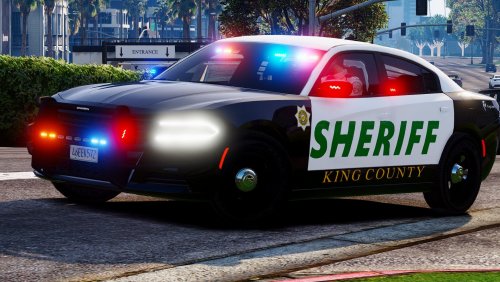 Can anyone help me? Whenever I turn, the whole car leans. Like it's driving like a pickup truck but obviously it's not.
- 20 comments
- 10 reviews
-
I'm always feeling like I'm not satisfied with what I have downloaded. I sort of feel like I'm close but now I'm starting to find vehicle textures I like which is another beast in itself.
-
Does anyone else spend more time browsing vehicle models and downloading different ones to find that "perfect model" but even after finding that model, you continue looking for more? That's what I find myself doing. I find great models that I love but continue looking to see if I can find even better ones, even though I sometimes spend hours searching.
-
The flipped colors is a VCF issue. I had the same issue with an unmarked Explorer. It had a red/blue light bar but at a distance the red went away and made it look like a blue/blue light bar. I'm not at my computer right now but here is the best I can do to explain how to fix this. In the police garage, where you can select the extras on/off, cycle through and find out which number extra is the lights showing wrong color. Once you find those numbers, open the VCF for the car in notepad (I recommend Notepad++, it's colorful and easier on the eyes to distinguish where you're typing). Once in there, near the top will be a list of the extras. Find the number extras you're looking for. So for example if it's extras 1 and 4 that are your problem, find the lines of extras 1 and 4. Under the color tag (dont know the exact line name), change the color to the opposite (since you're having a problem of flipped colors). So example: if extra 1 is blue then change it to red. Same of the other extra. Worst comes to worst, if you can't find what extras are giving you problems, then make a backup of your VCF and just play with the colors of the extras until you get it. I'll 100% confirm this fixed my issue with the red lights showing blue from a distance. It had appeared the author of the vehicle I was using just used someone else's VCF or has other models that have just blue lights and forgot to change it. Side hint, this is the same location you can go to set the permanent light patterns for your vehicle. So if you find yourself hating the patterns, in game you can remember the number of the patterns you like for WRN, SEC and PRM and change them in the VCF. That way Everytime you use that vehicle, it'll be on the pattern you like. You can also change settings for patterns on different siren tones, horn and if you're out of the vehicle. Basically customizing how you want your vehicle to look.
-
There's an easier way. I experienced this when I first got into doing LSPDFR. In the game settings on rage, open Command Line Switches. Then check "Force Windowed Mode" and then "Borderless Window". It'll still look like it's fullscreen (no difference at all) but this causes Rage Plugin Hook to work properly. Or at least that's what I had to do to get mine to work.

