


lilmar
Members
-
Joined
-
Last visited
Everything posted by lilmar
-
Uhm.... did you restart the game >.> that error will happen sometimes you just have to restart it.
-
Spike strips and more realistic AI driving.
-
Nice! I remember my first time playing LCPDFR it was a blast! As for the controls, if you've played other PC games the controls are almost the same. Just the regular W=Forward, S=Reverse, A=Left, D=Right, LMB=Shoot, RMB=Aim, Shift=Run, Space=Jump, and you can find a whole list of the controls in the menu in game also. Have fun!
-
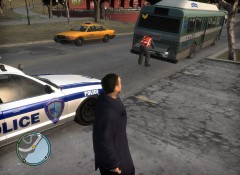 ^ Like he said, or maybe make a tow truck with the hook instead so it can tow big vehicles :D
 -
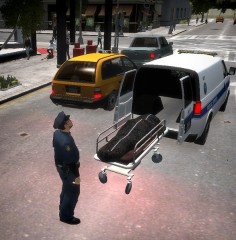 Nice looks awesome!
 -
-
Here is the patch http://support.rockstargames.com/entries/484496-grand-theft-auto-iv-patch-7-title-update-v-1-0-7-0-english-1-0-6-1-russian-1-0-5-2-japanese drag the media, titleupdate, and updatetitle to your game directory then open titleupdate.
-
If anyone wants to play a game now add me my GFWL ID is MrLilmar
-
Just got my GFWL working looking to get a game going soon. My GFWL GT is MrLilmar I have ELS and 4 car mods that's it.
-
Do you get it right when you start up LCPDFR or after a few minutes? Because other people get that error I think it's just when the script crashes not sure and I just restart the game.
-
Put the media, TitleUpdate, and UpdateTitle files in your GTA directory then open UpdateTitle and let it install.
-
Try installing the patch from here http://support.rockstargames.com/entries/484496-grand-theft-auto-iv-patch-7-title-update-v-1-0-7-0-english-1-0-6-1-russian-1-0-5-2-japanese
-
Couldn't have just replied to me rather than -1 me? I just asked a simple question dang..
-
When will it be released???
-
The forum is clearly Grand Theft Auto IV > Support .... Still have not got this fixed, does anyone have GFWL working on Windows 8? If not I guess I'll just wait till Christmas and buy Windows 7 but if so could you help me install it thru teamviewer because I don't know what to do I tried the same thing I did to get it working on Windows 7 computer. EDIT: I think I found a fix from here http://steamcommunity.com/app/12210/discussions/0/846938350692773834/ I will try and notify what happens. MODERATOR NOTICE Posts merged, -JAM
-
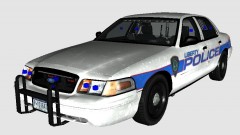 Looking good man! Can't wait!
 -
I use paint.net and I know it's my first skin I will next time.
-
I made the texure only, and I have just removed the model.
-
Yes I know. I wasn't really trying to make it look exactly like it, but my next skin I make will look better.
-
This is my first skin I made, I am a beginner in texure making. If you don't like it instead of saying it's terrible give me advice or suggestions for next time. I know it's not the best.
-
Did you install the patch? http://support.rockstargames.com/entries/484496-grand-theft-auto-iv-patch-7-title-update-v-1-0-7-0-english-1-0-6-1-russian-1-0-5-2-japanese
-
I liked windows 8, until I found out gaming on it was terrible and I cannot, I have tried everything but I can't get GFWL to work on it. I heard you could get a free downgrade to windows 7 or something anyone know where? P.S. my computer came with windows 8 i didnt upgrade.
-
I'm having this error too, how do I fix it?
-
Just installed GTA IV today, installed the patch and LCPDFR, if it asks me if I want to sign into GFWL and I press Yes it crashes and says GTA IV Fatal Error, and it tells me to either reboot or re-install Games for Windows Live which I did.. help please! I have no mods other than LCPDFR, legit copy of GTA IV. Update- Gonna re-install my whole game and see what happens from there.
-
Yay. I just bought a new pc and it has Windows 8 on it and it's awesome, the only reason people hate it is because they don't understand how to use it lol.


