


Opulence
Members
-
Joined
-
Last visited
Everything posted by Opulence
-
Any recommendations for something like iCE that makes it look real like I took a picture in real life?
-
Having a bit of an, what I would call an issue. I switched back iCE 2.1 and as I always did my red doesn't look like red red but it has a hint of orange, it's not red. Is there something I could change or tweak to fix the color? Also are there any good game enhancements to use with iCE 2.1 to make it look more realistic. Edit: My yellow also looks very dull.
-
 Nice
Nice -
You being a tax paying citizen, you may like the CVPI. But when it comes down to a law enforcement officers perspective, they would choose the Taurus over the CVPI. The Taurus is just better in general with the options it provides.
-
Oh and go on like extra_2_L2 extra_2_L3
-
http://gyazo.com/704a4d3480ccb784daa7ad1624ec1e03 http://gyazo.com/8851822b8ded89ff40d8341db51dc0a0 http://gyazo.com/50971ae413e86972662555f79039c7dc http://gyazo.com/7413c250e60b81194afc7a8b09957632 http://gyazo.com/7f3c16b8f22af32e4678ebc76caf3e74
-
Yes it is RC20, no duplicated materials but I do find myself doing a lot of "extra_3333333" and up since I have so many of the same parts. What is a shorter way to do this?
-
I have a few questions on modeling specifically finalization, Firstly I am testing a car in game and I get a Fatal Error. Secondly what is a good name to rename your lights files to so they don't collide with other files.
-
-
Best to release things when they are top quality and you had practice along with putting your best effort into it.
-
Your model is off center I believe, I think you can fix it by reopening the model and resaving it.
-
In the games main menu, what is your 'View Distance' at?
-
So they spy on us? Are you hiding something from them? Is there something that will get you into trouble or that will want them to keep a closer eye on you?
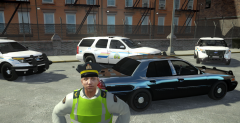 Shouldn't be uploading other clans pack pictures on the forums without their consent.Have you changed your siren key in the key config in game on the GTA menu?
Where did you get that uniform?Can't remember if the higher numbers are brighter or dimmer, try turning it up to a higher (3000 maybe) or lower number and experiment.I believe when I was using Icenhancer I had mine at about 150. You can change it where Senatov mentioned.
Shouldn't be uploading other clans pack pictures on the forums without their consent.Have you changed your siren key in the key config in game on the GTA menu?
Where did you get that uniform?Can't remember if the higher numbers are brighter or dimmer, try turning it up to a higher (3000 maybe) or lower number and experiment.I believe when I was using Icenhancer I had mine at about 150. You can change it where Senatov mentioned.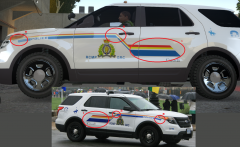 Better, I like it.
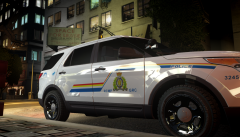 Lines should come closer to the door handle.
 I have and there is no permission to access it.
Invalid linkThanks for the feedback, it's my first model, I don't know how to adjust the brightness on the reverse lights it would be great if you could inform me how @NicolaiB Also I really don't care about what lightbar I use, I like the Whelen Liberty so I used it, not planning on releasing it (yet). I just wanted some feedback on the vehicle and if things should be moved around or not.
I have and there is no permission to access it.
Invalid linkThanks for the feedback, it's my first model, I don't know how to adjust the brightness on the reverse lights it would be great if you could inform me how @NicolaiB Also I really don't care about what lightbar I use, I like the Whelen Liberty so I used it, not planning on releasing it (yet). I just wanted some feedback on the vehicle and if things should be moved around or not.


