


Cucamonga
Members
-
Joined
-
Last visited
Everything posted by Cucamonga
-
I get this crash a lot too... I am not sure if it is because I have addon vehicles in the LSPDFR config data files but when I am near Police Stations I get this crash due to Ambient Spawn a lot.. I wonder what is causing this.. I think I saw where someone said they are fixing this in 0.4.2, hopefully that is true.
-
I use AI Traffic Fluidity and Discipline and CleartheWay those along with LSPDFR pull over feature seem to work well... I found that the part where they take off when pulled over and speed through things was caused by a setting in ELS for traffic control if I recall so I turned that off and they don't do that anymore.. if they are still too far out in the road I use Traffic Policer mimic thing to move them over off the road and it all seems to work okay.
-
It doesn't work if you click play after the crash and then load RAGE when the siren splash screen is going? If not.. try going into RAGE settings and force DirectX11 on and force Windowed Borderless Mode on and see if that works.
-
 It sucks cause I cannot use any of these light enhancing mods on GTA V... I have to use the Visual V default visualsettings which the lights do not look realistic or bright but they are somewhat like police lights because with all these mods it takes all the saturation out of the lights and makes them look white like the red and blue is washed out a lot... I don't get why, GTA IV ELS lights looked great with the ELS visual settings but the ELS GTA V lights do the same as this it just looks watered down. Maybe it is because I have to play on 800 resolution?
- 67 comments
- 10 reviews
-
I have found with .oiv files you can rename them to .zip and then open them and see what is inside them and usually there is a content.xml that shows where the paths are.
- 67 comments
- 10 reviews
-
-

- 2
-
-
Haven't wanted to waste time on trying to figure it out yet haha so just using EUP's character editor on the fly when I go on duty. I also notice when I go into the apartment when I try to press E to leave the apartment LSPDFR behaves the same way and nothing happens and its like the plugin is not running... strange bug.
-
I have a new issue that I have not seen before... when I load LSPDFR and go into switch character when I select a character (have tried like 3 different ones) when I hit enter nothing happens and it does not switch to them and I look up at the LSPDFR tab and there is nothing there, just the default GTA menu like if LSPDFR was not loaded so I unload the plugin and reload it and it still does this... only other RAGE plugin I have loaded first is EUP which I always load first before LSPDFR... anyone see this issue and know what may cause it? I do have several scripts and other mods installed... the last scripts I installed were adaptive missiles that breakway when fired and air superiority I do not know if those cause any issues with LSPDFR.
-
In case this problem continues... I had this happen to me awhile back and I found a solution that others said, if you go into OpenIV uninstall and reinstall the .asi's and then restart your computer (make sure to do this before going back into the game or it will not work) once the computer has rebooted relaunch GTA and it should fix the ELS problem, it worked for me and only so far had to do it once. I had the same issue the lights would show in the ELS control panel that they were on but only tail lights.
-
I have seen this one on FiveM I downloaded a radar I thought was this too and it was not... it is a really cool radar, I was wondering if it was available in Singleplayer as well haha
-
Does anything happen when you press the F4 key? If not, go to RAGE settings and Force Windowed Mode launch and Force DirectX11 and that should work... wait until you get in game then you can go into fullscreen and the console should come up... that's what I had to do and it worked. I have trouble getting RAGE to hook when I launch with it as well and the game crashes so I launch the game then when it gets to the sirens splash screen I load RAGE and it hooks the game okay.
-
Not sure if this is the appropriate place but have to share this awesome moment..... I "unofficially" joined a pursuit that the AI were in cause LSPDFR had crashed when I was using interaction menu (scenario manager or something like that crashed) and I restarted LSPDFR then the AI cops were chasing him so I went along with it and helped chase and when I got there, they were running down some train tracks and then the guy pulled a gun so we took him down and then using Police Tape I set up some tape across the train tracks and sure enough a train came... the train went through the tape and then stopped and came to a complete screeching halt. I could not believe it!!! All this time and people trying everything to stop the train and nothing does... well apparently the thing to stop the train is some good ole crime scene tape!! lol
-
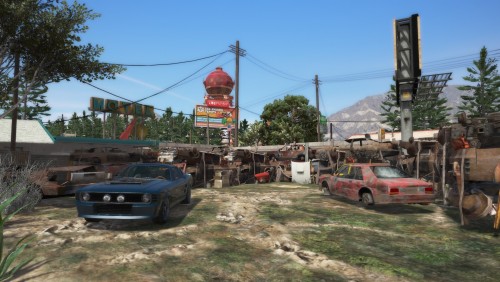 Hmm same issue LSPDFR was fine then when I load the map LSPDFR crashed and said "Menu Manager" I reloaded LSPDFR and as I forced duty and callouts were loading 30 seconds later same crash.. guess I will check this out then do LSPDFR without this map addition strange.
- 20 comments
- 2 reviews
-
I tried this when 0.4 first came out and it never worked I was just curious because I didn't really see it as a feature online on the website, I saw it however in-game when I would get ID during a traffic stop that had no picture it would tell me I could take a picture and upload it to the database so maybe it was a feature they decided to scrub last minute and didn't remove the tooltip haha
-
I wondered what was causing this!! I am gonna set it to false and see how it goes... on a different subject is there a way to disable the speed gun radar in Traffic Policer? I have a lot of LSPDFR crashes related to speed.gun or something to that effect when I go into first person or hit Shift R at times.
-
Yes, Ultimate Backup allows you to change the key for the backup menu... I use X to pull up ultimate backup as X is not currently used by LSPDFR it works great!
-
I get this error a lot too.. when that happens I click play now in normal mode and then wait until it shows the sirens splash screen and then load in RAGE and it hooks the game and loads in fine.. I experience this error upon first launch through RAGE as well for some reason most of the time so I just run the game first then load RAGE when it is the sirens screen and it should hook normally.
-
Hmm.. are they ELS enabled or non-ELS? If they are ELS make sure you have the ELS config in the ELS folder where the other configs go and then when you turn on the lights by pressing the J key 3 times then you should be able to stop them when blipped... LSPDFR 0.4.1 made it so you can pull over people in any car and before this I could not even blip cars with Ford Explorers or Interceptor SUVs but now it works just like other vehicles..if it is non-ELS just turn the lights on like normal and it should stop them.
-
Hmm.. I don't see any plugin errors during it though, I guess I could take out all my plugins and get the new characters on duty then put the plugins back, I also added a couple new police vehicles from dispatch works to the LSPDFR custom agency config so idk if maybe that is causing the ambient spawn issue as well.
-
I cannot setup a new character that I just created... I go into the police station and as soon as I get in the locker every time it crashes and says error in "police station manager" I don't know what that means but everytime I go near the Police LSPD HQ LSPDFR crashes often due to ambient spawn and police station interior etc. there are so many bugs and errors with the LPSD HQ... not sure why, but I never had issues going to the LSPD HQ area in 0.3. I also cannot force duty because I must go on duty and select an agency etc. but I cannot do that as LSPDFR crashes everytime I go to the locker screen.
-
For those asking where to get accessories.. you can go into your closet in your apartment and change components and accessories through LSPDFR.
-
 Yup, I caved and downloaded the new EUP just had to wait a little bit haha but everything works great again! Now my only issue is I had Oregon State Police trooper uniforms and they don't really fit well with the new EUP but gotta wait for an update on that or someone else to make OSP uniforms with 8.0 haha
- 636 comments
- 75 reviews
-
This is happening to me too... I have not updated EUP or the menu yet as my internet is slow and its a big update... no issues before EUP 8 but now when I load EUP menu my game crashes instantly and RAGE shows no errors.. its so strange.
-
Did this update break the old EUP menu? I can't download the new EUP yet because it is too large and my internet is slow and when I load EUP menu now my game crashes instantly and RAGE says nothing.
- 636 comments
- 75 reviews
-
I am getting numerous crashes in the city with "Ambient Spawn" I noticed it near the LSPD HQ and in the Davis area I tried the setting Disable.AmbientSpawn thing and set = true but it still tries to do ambient spawns and crashes LSPDFR as soon as I reload it and force duty... also near HQ I get often crashes of "Police Station Interior"
-
This sounds awesome! What about expanding on the missing person one and having it spawn all over the Chiliad Wilderness area? That would be cool for Search and Rescue calls... also would it be possible to do like a forest fire call where you have to shut down roads to traffic and evacuate people similar to the Mandatory Evacuation call in another callout pack?

