VooDoob
Members
-
Joined
-
Last visited
Everything posted by VooDoob
-
I have the 1060 SSC 6GB and it's been known to be the 1080P king. If you plan on gaming in 1080P, 1060 FTW
-
PM GeorgieMoon and ask him for it. It was removed because it was released without GM's consent.
-
 No way jose! :)
 -
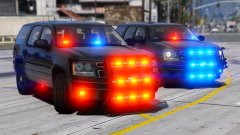
Cap'n Crunch made this same tahoe like 3-4 Years ago on GMC. Never too many lights!
-
 lol those are the credits I use on my site. I put that there to discourage others from uploading my work to other sites without my permission.
 -
I am uploading some of these models here. They are also located on GMC. Hope ya'll enjoy! 07/08/2017 www.gta-mod-center.com www.LCPDFR.com VooDoo MODEL OVERVIEW - NAME: Laird B8065CN Antenna - VERSION: 1.0F - EXTRA PARTS: - OPTIMIZED FOR: Wheel - CREDITS: VooDoo (see CREDITS) - MODEL STATUS: Unlocked By downloading, you agree to these terms and the terms below. - MAKE SURE TO READ ADDITIONAL NOTES FOR INSTRUCTIONS BEFORE USE. CREDITS: - Credits to Laird for their design - Laird B8065CN Antenna Modeled, Textured by VooDoo. Textures by VooDoo. Converted to V by VooDoo - Screenshots by VooDoo (only had time to get zmod ss's) ADDITIONAL NOTES: - DO NOT upload this file unlocked to any other website - Please give Proper credits when using this vehicle in Videos or patrols. Also, Please link the vehicle to GMC for download and DO NOT Upload this to mediafire, Dropbox or any other file sharing site. LINK THE FILE BACK TO WHERE YOU GOT IT FILES INCLUDED - 1.z3d - Pictures - Credits.txt - Textures READ!!!!!!!!!!! ===============================================ATTENTION================================================= DO NOT ATTEMPT TO MODIFY, RIP, ALTER OR CONVERT THIS MODEL AND/OR TEXURE to ANOTHER GAME WITHOUT PERMISSION FROM ME (VooDoo) IT IS FORBIDDEN TO ALTER THIS ARCHIVE! FAILURE TO DO SO WILL RESULT IN PUNISHMENT!BY DOWNLOADING YOU AGREE TO ALL TERMS ========================================================================================================== EVERYTHING BELOW THIS LINE IS COPYRIGHTED BY GMC ===================================================================================================================================================== OVERVIEW TERMS OF USE AND DISTRIBUTION (Below, the term “product” is used to describe the software/modification whose name is listed above.) This product is freeware and may not be exploited for personal, financial or commercial gain. The product is provided without any form of warranty. Therefore, responsibility for any damages caused by this product or its misuse rest solely with the user, as the author(s) will accept no liability. You may NOT redistribute this product unless instructed otherwise. September 2009, made by Lt.Caine. © Copyright 2009-2010, Luxart. © Copyright 2010-2017, VooDoo/GTA-MOD-CENTER
-
Yeah with that great interior and all lol
-
 @RangerRick
 -
Have you tried giving the file to someone else and seeing if they indeed get the same result?
-
.thumb.png.debb2e8fd42b234303e9e2473fb894e8.png) Found the credits for that Tahoe. I'm pretty sure its the same one bugs converted for IV? Model is original "Chevrolet Tahoe" by 4x4 Full Driver - Hummer H2, converted to GTAIV by Stiopa.
Found the credits for that Tahoe. I'm pretty sure its the same one bugs converted for IV? Model is original "Chevrolet Tahoe" by 4x4 Full Driver - Hummer H2, converted to GTAIV by Stiopa.- 100 comments
- 39 reviews
-
Google. And i would try 3DS Max or Maya before trying blendo
-
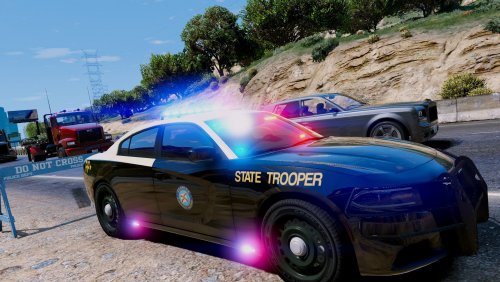 Since I downloaded it, I may as well review it. One thing you'll learn (if you haven't already) is people will scrutinize you about accuracy, so just keep that in mind. I'm rating this 3/5 simply due to some of the issues on this particular model. The rambar is pushed to far into the car and its colliding with your bumper. The glass in the partition is moved slightly in one direction and seems a little to "thick?". I also noticed that in your hierarchy, you have 3012973 misc items. You CAN attach them together. The console seems a little "busy". I noticed you had 2 whelen light controllers and a siren controller, maybe take one of them out? I can see you're getting the hang of things, but much to improve on! Keep it up! In no way was this directed in a negative way, just constructive criticism. We all need it.
- 48 comments
- 5 reviews
-
-

- 6
-
-
haha I put it in OpenIV and I was going to post the same thing for him lol Nice man!
- 48 comments
- 5 reviews
-
-
- 2
-
-
Instead of adding *Unknown* to your credits, why not ensure you credit the proper people by actually taking the time to find out who made it. Chances are, if you put unknown, it leads others to believe you're using something you shouldn't. People spend time to make this stuff for others like you to use, the least you could do is hunt down the proper credits.
- 48 comments
- 5 reviews
-
-
- 3
-
-
I'd say an interior2 with a darker specular map. But TBH, it's all about playing around. Try something, then go in game and look. Best way to know is to try and see
-
-
Jasonct203 made one for IV. I'm pretty sure he converted it to V.
-
It's gta-mod-center. Not sure if I'm allowed to post a link. Just google it.
-
Vehicles for V: Here, on LCPDFR Parts, etc: Here on LCPDFR and GMC Not sure about the limo. lol
-
Yeah, No, it's not. I didn't even read anyone else's comments lol But yeah, we're essentially releasing everything under the sun on GMC. Thanks for the reply! Cheers!
-
Don't waste your money. We're going to be releasing an 06 on GMC for people.
-
I'm going to be releasing all my FHP specific lights and parts from my FHP pack from GTAIV. Keep your eye out for them. EDIT: This pack looks great!
-
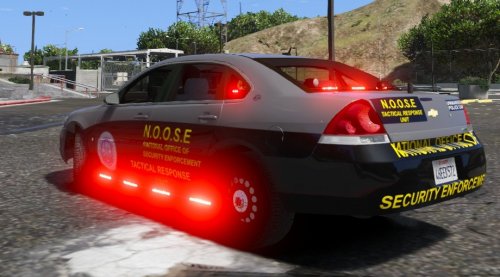 http://www.gta-mod-center.com/forum/index.php?/files/file/626-chevrolet-impala-cve/
 -
 I'm trying to figure out if your actually serious, or if bugs just told you to say that. Either way, I think you'd be mistaken. :)
 -

.thumb.png.debb2e8fd42b234303e9e2473fb894e8.png)