

Everything posted by SLOTH99
-
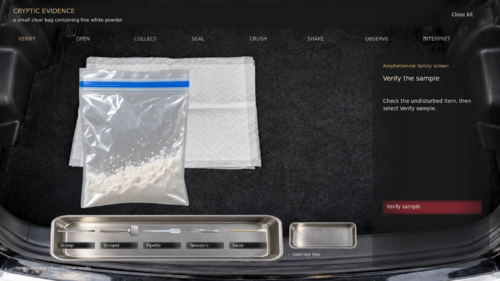 Simply amazing. Been following for a while since the release. A must have for realism lovers alike
- 24 comments
- 7 reviews
-
-
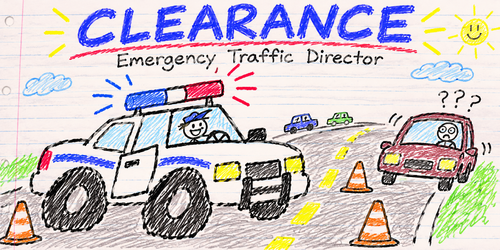 Honestly, Clarence and I never expected this mod to get this big. We were too busy trying to stop traffic from driving into mailboxes to think about making a proper demonstration video. But now that people are actually interested in seeing what Clearance does, I can definitely put one together. I’ll show the traffic yielding, Code 3 behavior, pullover pathing, Opticom, and whatever other nonsense Clarence manages to cause during filming. Thanks for the suggestion!
-
Are you saying the vehicle drives forward briefly before stopping, then the traffic stop works normally? If so, that may just be the suspect finding a stopping position. Let me know whether it stops safely or keeps driving/repositioning. DMs are accepted plus we have a discord that's been made! https://discord.gg/xBqfHcHFaV
-
-
 For some reason, you're the ONLY person with this issue. You also can opt out and use the r e g u l a r in game weather, or swap to open meteo. Checks passes on my end and my location and API keys work. Idk what to tell ya dude. DynamicWeather will work much better for you. Go there, try that. Good luck brother. https://www.lcpdfr.com/downloads/gta5mods/scripts/48582-dynamicweather/
- 24 comments
- 1 review
-
-
-
-
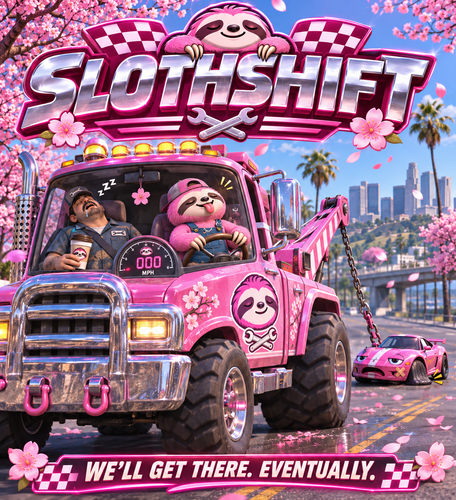 SlothShift 1.0.0Your car has gauges. Your car has needs. Your car may occasionally decide that a perfectly normal Tuesday is the ideal time to develop an expensive personality. SlothShift brings more vehicle detail to GTA V Legacy single-player, with a customizable dashboard, vehicle systems, garages, fuel and charging, and roadside services for when your ride makes a deeply unhelpful noise and then stops being a ride. This is a single-player RAGE Plugin Hook mod. It is not a FiveM resource, because this is Los Santos, not a server application with a 900-line Discord setup guide. What’s under the hood?A dashboard that tells you thingsThe Clockwork speedometer displays live speed, RPM, and fuel or battery information in a chrome-and-neon style, with several color themes to match your taste—or your car’s very loud paint job. SlothShift also tracks vehicle condition and engine information in the background, so the dashboard can warn you when something is getting rough before the engine chooses its own retirement date. Vehicle systemsSeatbelts: Toggle the belt, see its on-screen indicator, and choose the chime that suits your ride. The belt also affects exiting, because launching yourself through the windshield is a pretty lousy feature. Turn signals: Use indicators with matching signal sounds. Finally, your left turn can stop pretending it’s a right turn. Revolutionary. Engine controls: Manage engine start and shutdown behavior through SlothShift’s controls. Vehicle condition: Keep an eye on engine health and related vehicle information before a small problem becomes a dramatic roadside meeting. Fuel, batteries, and the other expensive fluidsSlothShift supports fuel and electric battery tracking, gas stations, and charging locations. It also includes compatibility options for AGS Fuel, so the two systems can coordinate instead of arguing over who gets to own the fuel gauge. Electric cars get battery behavior; combustion vehicles get fuel behavior. Your car should not need a philosophy degree to figure out what it drinks. Garages and vehicle persistenceSave vehicles for later and manage your stored rides through SlothShift. Your favorite car can have a future beyond “I parked it somewhere around here, probably.” Roadside assistance and mechanicsWhen your vehicle needs help, request roadside or mechanic service for repairs, tires, fuel or battery delivery, and towing toward a mechanic location. SlothShift keeps service history per vehicle, and the optional passenger ride lets you board the service truck without another menu safari. The service AI uses GTA’s own road and traffic behavior. It will try to reach you and work through the route, but Los Santos drivers, traffic jams, awkward curbs, and the occasional pathfinding brain-freeze remain part of the local ecosystem. If a tow truck pauses in the road to contemplate the meaning of a median, that is GTA traffic AI doing what GTA traffic AI does best. Menus and notificationsConfigure SlothShift from its RAGE Plugin Hook menu and receive notifications through the game’s notification system. NPCI voice-profile text is included for players who use NPCI, but NPCI is optional and does not control SlothShift’s core features. RequirementsGrand Theft Auto V Legacy, single-player RAGE Plugin Hook .NET Framework 4.8 RAGENativeUI is included in the package. NPCI is optional and only needed for its voice-profile add-on. InstallationClose GTA V and RAGE Plugin Hook. Extract the ZIP into the main GTA V folder—the one containing GTA5.exe—and allow the plugins folder to merge. Keep your existing SlothShift settings and saved vehicle data when updating. The package does not include or replace your personal configuration. Start the game through RAGE Plugin Hook. If SlothShift does not load automatically, follow the included README’s instructions for adding it to your existing startup.rphs. Do not replace that whole file unless you enjoy reinstalling your other plugins as a hobby. A few practical notesRoadside arrival and parking can vary depending on traffic, road access, and where you are stranded. The tow truck is persistent while it works through the call, but it cannot negotiate with a concrete barrier. Fuel ownership depends on your vehicle profile and detected compatibility with other fuel scripts. NPCI voice profiles describe speaking styles; NPCI handles its own generated voices. SlothShift is built for single-player with RAGE Plugin Hook. It is not intended for GTA Online or FiveM. Drive carefully. Or don’t. At least now the dashboard can tell you what’s happening while the car files its complaint.
-
Clearance: Emergency Traffic Director for LSPDFR The Clarence ProblemClarence was a civilian with a car, a questionable relationship with lane markings, and the confidence of somebody who had never met a braking distance he respected. He treated turn signals as optional suggestions, shoulders as emergency parking lots, and speed limits as rough estimates prepared by people who clearly lacked imagination. After Officer YakinDaks gave him a ticket for driving like the road was a personal suggestion, Clarence decided a fresh start was needed and moved to Leonida. He claimed he was looking for “a quieter place,” which immediately became suspicious because Clarence had never driven anywhere quietly. Officer Gray later found him there surrounded by the usual local oddities: vehicles taking routes that did not exist, pedestrians treating walls as negotiable, traffic lights developing personal opinions, and cars stopping in places where no reasonable vehicle would ever stop. Clarence moved into a trailer park and quickly discovered that the local bugs had legs, excellent timing, and apparently a better understanding of traffic flow than half the drivers around them. Then a plane hit a building, declined to explode, and continued its afternoon as though the building had merely offered constructive criticism. A ship appeared where no ship had any business being, a submarine seemed to be negotiating a lane change, and one sedan waited so long for reality to finish loading that Clarence began wondering whether it had actually been assigned a destination. The final straw was a flying alligator passing overhead like it had an appointment. Clarence decided Leonida was NOT welcoming him personally, so he took off and told SLOTH-99 to make Clearance. Clearance was created so emergency traffic would not follow his example. What Clearance DoesClearance makes emergency traffic response more believable during patrols, traffic stops, pursuits, and Code 3 responses. Civilian traffic yields to emergency lights and sirens. Vehicles use checked shoulder or adjacent-lane routes instead of freezing beside the cruiser. Traffic can pass around a stopped police vehicle without forming a massive pileup. Turn signals and hazards are used during lane changes and roadside stops. Code 3 traffic can split toward safer sides of the road. Cross traffic can slow or stop near an active emergency scene. Opticom-style signal priority can clear supported intersections when the audible siren is active. Released pullover vehicles receive protected departure handling so they are less likely to drive into the nearest wall three times before remembering where the road is. Clearance-Created SpeedersClearance selects ordinary ambient traffic and makes a small percentage of those vehicles speed. It controls the assigned speed, driving behavior, following distance, and response to marked police vehicles. There is no separate player-facing “natural” or “observed” speeder category. Clearance creates the speeder behavior and manages it. Default selection chance: 18% of eligible traffic evaluations. City speeders generally run 10–30 mph over the local limit. Highway speeders generally run 10–35 mph over the local limit. Common speeders are more likely than extreme speeders. Active speeders use a red Speeder blip. A speeder that notices a marked unit and slows down changes to cherry-blossom pink. Scene and NPC ContextClearance can provide structured stop context to supported NPC AI systems, remember attempted flight and encounter details, and connect Policing Redefined search results to the current traffic stop. Plain-view observations, identity or plate inconsistencies, canine-related alerts, and vehicle-search context are shown through concise in-game notifications. CompatibilityGrand Theft Auto V Legacy LSPDFR Rage Plugin Hook ELS recommended for stage-based response behavior NPCI and Policing Redefined integrations are optional Clearance includes its own embedded road-limit catalog and does not require a separate CSV file for players. InstallationExtract the archive into the GTA V root folder. The player files are: plugins/LSPDFR/Clearance.dll plugins/LSPDFR/Clearance.ini plugins/LSPDFR/YAR.dllWhen loaded, Clearance displays one load notification followed shortly by a random Clarence joke. The joke is delayed so it does not vanish under the next notification like a traffic cone in a hurricane. Clearance still works with GTA’s native pathfinding, so an occasional hedge, mailbox, median, or spiritual concept of a road may remain involved. The goal is safer, smoother, more believable traffic behavior—not a promise that GTA’s AI has suddenly completed driver’s education.
-
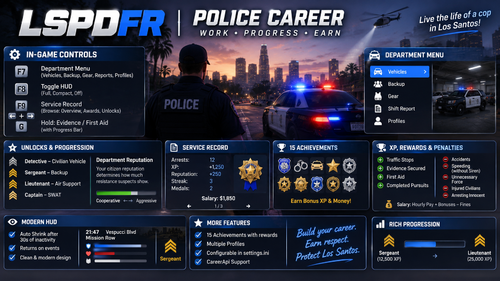 Yo this is cool! I'd consider looking into a webview2 menu to make it look more professional and s m o o t h! Good work bro!
- 4 comments
-
-

- 1
-
-
- translation
- us
- de
- legacy
-
Tagged with:
-
if you're using local weather, it won't change due to it being your local forecast! (i think) but I am dropping a hotfix right now! It SHOULD (in theory) fix that exact issue! Thank you for supporting the mod by downloading and even trying it out!
- 24 comments
- 1 review
-
-
- 1
-
-
-
Def check the readme in that file! .NET is a framework used in systems and such (if i remember correctly, I'm kinda dumb LOL) that also helps things like webview2, which runs the panel. Tilde key is the only key now that open webview! This MAY be stated in the changelogs above when I updated the file. It is important that you check the readme in ANY file you download (since i see you've other comments on mods that are stated as "non working"). HOWEVER, I will say this: There WAS an uninstall texture .OIV issue that was addressed in this 2.0.0 update that I hope to be released here soon! I updated the .ZIP file so you soon have anymore issues with the drag and drop because SOMEHOW a file did get thrown in the wrong place. So if you do choose to download the update you should have no issues! And to the whole "I don't hold hands w/ men" comment: Not too sure if that's wise to say? Also not really an insult these days anymore LOL. Lighten up. Cheer up man. If you choose not to check out the update do go check the OG and the inspiration behind this mod here! It's called Dynamic Weathers! https://www.lcpdfr.com/downloads/gta5mods/scripts/48582-dynamicweather/
- 24 comments
- 1 review
-
I dropped the new version in my game and it's working for me. Idk what you did wrong but that's def a first. I'll look into it. I'd advise to install .NET and webview if its not working. I can send you a dm and hold your hand through it all, don't worry!
- 24 comments
- 1 review
-
-
YOOOO BIG FAN DUDE! I used to use PVO before I swapped over to PR! I miss it so much man XD
- 24 comments
- 1 review
-
Finally made a community support discord! Come ask questions or yap! https://discord.gg/xBqfHcHFaV
- 24 comments
- 1 review
-
-
Yes it does! It takes control over the weather cycle in game and OWNS it. You can also change it to your local weather VIA api key or the other resource packaged in the ini! Readme explains all! If you need help my discord can be sent!
- 24 comments
- 1 review
-
-
Well, it adds a fullscreen weather layout that can be seen that's somewhat mirrored off a live forecast (or what i imagined one to look like, offline location support for weather and localized NWS alert tones and sounds that play dynamically when a certain weather is triggered! (i.e., fog, rain, and snow advisories! Like the description advertises, its not affiliated w/ either project. I just liked two features from both and was sad that they were not compatible, so I decided to mash the ideas together is all!
- 24 comments
- 1 review
-
-

- 1
-
-
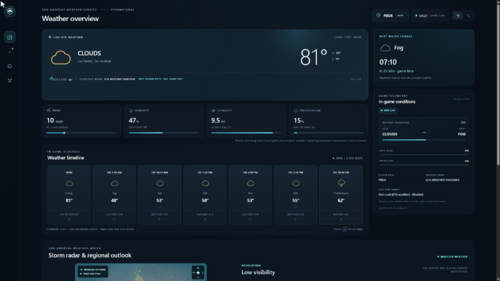
StormSignal by SlothWeather with consequences, because Los Santos apparently needed more problemsStormSignal turns GTA V’s weather from a decorative sky filter into a living system that affects the world around you. Weather rolls in, develops, peaks, eases, and clears. Rain can slow traffic, reduce pedestrian activity, make roads more dangerous, trigger weather-related incidents, and send civilians looking for cover. Fog and smog reduce visibility. Thunderstorms bring heavier rain, worse driving conditions, and the general feeling that the universe has personally decided your patrol needs to be more complicated. It is not just “sunny, now rain.” StormSignal builds weather fronts so conditions change over time. Rain gradually arrives, intensifies, and fades out instead of vanishing like it remembered it left the oven on. What StormSignal doesCreates evolving weather patterns across San Andreas. Smoothly transitions between clear skies, clouds, rain, thunderstorms, fog, smog, snow, and clearing conditions. Uses weather persistence so repeated forecast slots actually mean something. Adjusts traffic density based on weather, time of day, district, industry, weekends, nightlife, and rush-hour patterns. Makes drivers react to rain and poor visibility with lower speeds and longer following distances. Reduces pedestrian activity during severe weather. Gives pedestrians more believable routines, including seeking shelter during rain. Shows your live player location on the dashboard map. Displays modeled storm activity using a San Andreas-style radar view. Tracks nearby observed traffic backups and shows them through GTA notifications, dashboard reports, and red map markers. Provides regional outlooks for Los Santos, Blaine County, the coast, the desert, and the northern mountains. Includes weather-specific LSPDFR callouts such as disabled vehicles, collisions, rain-stranded motorists, and low-visibility crashes. Supports optional NPCI context for drivers and witnesses. Plays National Weather Service-style alerts and patrol weather briefings. Includes a compact persistent weather display that can be moved and positioned. Includes optional OpenIV weather notification textures. The radar is modeled for immersion and gameplay. It is not real Doppler radar, because GTA V cannot suddenly become the National Weather Service just because we gave it a pretty map. How to control itStormSignal starts automatically with LSPDFR when installed correctly. DashboardPress the backtick/tilde key below Esc to open the full StormSignal dashboard. The dashboard lets you view: Current weather and event phase Forecast slots Next major weather change Regional outlooks Modeled storm activity Rain and visibility levels Live player location Traffic backup reports Weather incident reports Compact display positioning WebView tools and scenario testing The compact weather panel can be moved and positioned from the WebView controls. It is designed to stay visible without taking over the entire screen like an overconfident airport departure board. Weather calloutsWeather callouts are included with StormSignal and appear through LSPDFR when the conditions are appropriate. Press E near an involved person to request a short account. Hold End for one second to clear the call. If NPCI is installed and available, use your normal NPCI voice key to speak with drivers and witnesses. Weather callouts can be enabled or disabled in Plugins/StormSignal.ini. INI settingsCore options live in: Plugins/StormSignal.ini The INI controls things such as: Weather mode Forecast behavior Weather persistence Patrol briefings Weather notifications Weather incidents Weather callouts Blackouts Compact display position Callout interaction keys WebView-specific controls remain inside the dashboard where they belong, instead of being scattered across menus like loose screws in a glovebox. The inspirationStormSignal started with a simple idea: A storm should not just make the road shiny. It should change how people drive, how much traffic is on the road, how pedestrians behave, what dispatch sends you, and what kind of situations you encounter during patrol. The goal is a believable San Andreas where weather is part of the simulation rather than a random button being punched by a bored cosmic intern. StormSignal is built for patrols that feel less scripted, more atmospheric, and a little more unpredictable in the best possible way. Sometimes that means a calm drive through clear skies. Sometimes it means a thunderstorm rolls across the city, traffic backs up, a motorist gets stranded, pedestrians run for shelter, and dispatch decides this is absolutely your problem. That is StormSignal.
- 24 comments
- 1 review
-
-
- 2
-
-
 @Jerhodmyles122 I don't think I have the logs persae BUT its allll good man! also, I think i may have a server template or two i could throw your way! Could save ya a lot of time!!
- 50 comments
- 1 review