Luke
Members
-
Joined
-
Last visited
Everything posted by Luke
-
-
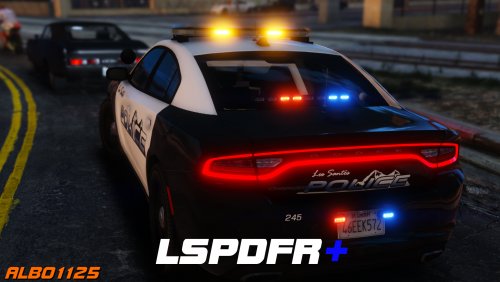 This just seems like an essential plugin to have now. Well done Albo. As for everyone else, hit download!
- 1,178 comments
- 137 reviews
-
-

- 1
-
-
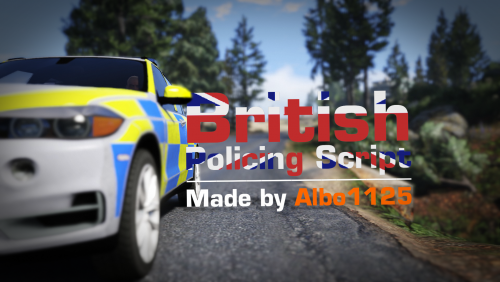 Yet another mod which really adds to the immersion of LSPDFR. British folks will absolutely love this and so will everyone else! Couple this together with the rest of Albo's scripts and its a fantastic experience. The fleet http://images.akamai.steamusercontent.com/ugc/271717730194897023/5D707AA248CD0484EE35CC23798688EABD715636/
- 203 comments
- 29 reviews
-
-
- 1
-
-
 maybe its time for a PC upgrade :)?
 -
great stuff mate. Absolutely awesome to see all of the effort you've put in for Staffs. Any chance of any mods coming to GTA 5? I'd love to see some of the updated insignia's and astras. I can help out if needs be.
-
 What are ye waiting for? Get yourself some more awesome callouts added to your list by downloading yet another essential mod from Albo!
- 1,081 comments
- 166 reviews
-
-
- 1
-
-
 It would feel alien playing LSPDFR without a mod like this! It's an essential mod to have! The policing aspect just got so much more interesting and it makes the world more vibrant. Albo is also a legend and is very friendly towards supporting users having issues. 11/10
- 3,646 comments
- 306 reviews
-
-
- 1
-
-
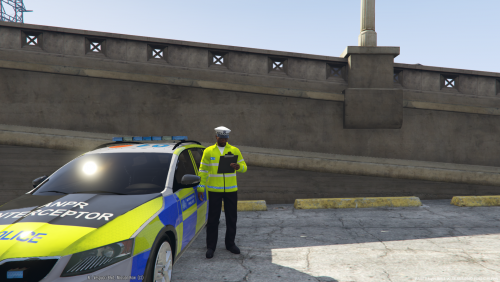 nothing wrong with still trying to be helpful. Good stuff on the skin btw mate. Looking forward to future uploads. Does it replace highway cop? I've got a tatty met one but it has fireman gear on it haha.
 -
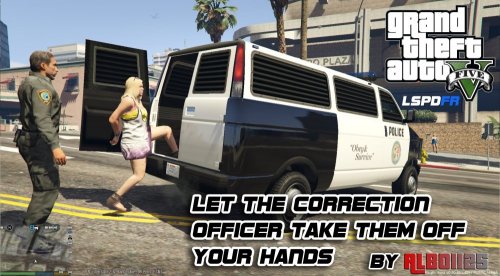 Yeah, sorry. I did read that and then forgot about it, probably in the cloud of rage trying to understand why it was crashing. idk. rage is amazing when it works but i'll load the game one time, it'll crash, the next time, it'll work. makes no sense whatsoever. I just went back to 5.8.0.0 for now.
- 1,915 comments
- 242 reviews
-
-
- 1
-
-
Wish I could be more helpful with this but now I just can't load the game without crashing. Will the latest ragenative you've included conflict with any of your other mods? trafficPolicer, assorted callouts, etc. I'm going to have to roll back to the previous version, no idea whats causing the crashing really.
- 1,915 comments
- 242 reviews
-
Hmm, well I'm already using brighter LEDs which is handy - just feel like the distance before it derenders could be a little better. Here are the following vehicles i'm using in police/sheriff slots; https://www.gta5-mods.com/vehicles/police-vauxhall-astra https://www.gta5-mods.com/vehicles/police-vauxhall-insignia https://www.gta5-mods.com/vehicles/police-mitsubishi-evolution-9-pack-marked-unmarked https://www.gta5-mods.com/vehicles/2015-police-ford-focus-st-estate
-
I've got both of these bars on max but thanks for pointing it out. Is there anything else that could be tried?
-
Hi all. Is there anyway to modify the Level of detail/rendering distance for lightbars when they're in the distance? I can't remember what vanilla is like after modding recently but once you get a certain distance, say for example police cars ahead of you in a pursuit - you can no longer see their lightbar flashing because its too far away. You can however see their rear lights flashing. The distance right now is pretty good, but i'm wondering if it could be.. better, as well as where to change it? I'm mostly using modified british police vehicles right now. Will potentially modifying this have anything to do with the vehicles im using as well? Do some modded vehicles have better rendering distances than others? And yeah, my GTA5 graphics are pretty much all maxed out. If there's anything i specifically that contributes to this particular rendering distance then please point it out. I'll submit some pics later if peeps don't really grasp what I'm referring to. Thanks!
-
Thank you. For some reason i thought that file was more related to handling rather than its lighting/liveries... and chose to ignore it. :( :( Oops... It's all working now, thanks!
-
Thank you. For some reason i thought that file was more related to handling rather than its lighting/liveries... and chose to ignore it. :( :( Oops... It's all working now, thanks!
-
I've read around the forums and google a bit but can't seem to solve my troubles on my police3 lightbar misbehaving. Here's a picture; TLDR: - The lightbar isn't aligned properly - some lights don't work at all. What I've done: - Used the vehicles.meta provided by the insignia mod and placed it here GTAV/Update/Update.rpf/Common/Data/Levels/gta5 - used the visualsettings.meta (its just the generic brighter LEDs) provided by the insignia mod and placed it here GTAV/Update/Update.rpf/Common/Data - the car i'm using for police3 - https://www.gta5-mods.com/vehicles/police-vauxhall-insignia - I tried to use this in police3 also, same results. https://www.gta5-mods.com/vehicles/police-vauxhall-astra I previously had DD's Hyundai in police3 and it works with no problems whatsoever. I'll be resorting back to this until i find out to fix it; I did notice however it doesn't seem to have the same bright LEDs as the rest of the fleet... so what is so different about police3 (interceptor model) when compared to police1/2? all of these variations have LEDs so I'm a bit confused as to why it isn't working as it should. Probably a schoolboy error somewhere so I apologize in advance.