ufwfrosty
Members
-
Joined
-
Last visited
Everything posted by ufwfrosty
-
-
-
 I am glad I hope you like it
 -
Please Join the discord if you run into any issuse and I will fix them as soon as possible https://discord.gg/7jfUEHpzAG
-
-
-
Correct with both the new nexus and pdcomp update, as the callout context now has priority over what the mdt says, per what I was told by double hook last time I talked to him
-
 11 years later and it still so good
 -
I already have a fix made for the new version
-
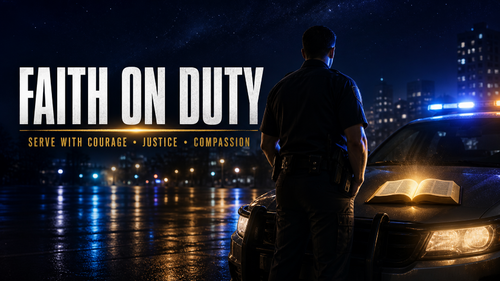 The spot is changeable along with the version of the bible you want to use. Just edit the verse text file to your version, but actively, when you download its the NIV. The text is white, and the verse is yellow, but the warping is the way the lines fit, so if you want the text longer, go for it; if not, make them bunch together, etc
- 27 comments
- 2 reviews
-
-

- 1
-
-
-
This has translation options in the txt you can change all the versus to be from whatever version you like right now there from the niv which is my personal bibles version
- 27 comments
- 2 reviews
-
-

- 1
-
-
Bring faith into your LSPDFR patrol with Faith On Duty, a plugin that displays Bible verses throughout your shift. When you go on duty, the plugin selects a verse and displays it on screen. The verse remains visible until you go off duty. You can use the RageNativeUI menu to move the display, resize the text, adjust line wrapping, or select another verse. FeaturesPersistent on-duty Bible verse display RageNativeUI configuration menu Adjustable screen position and font size Customizable text wrapping Select another verse during your shift Editable configuration and verse files Settings save automatically ControlsPress F7 to open or close the Faith On Duty menu. The menu key can be changed in FaithOnDuty.ini. RequirementsGrand Theft Auto V Legacy Edition RAGE Plugin Hook LSPDFR 0.4 or later RAGENativeUI InstallationDrag the included plugins folder into your main Grand Theft Auto V directory. Confirm that RAGENativeUI.dll is installed in the main game directory. Launch GTA V through RAGE Plugin Hook, load LSPDFR, and go on duty. CreditsConcept and direction: Frosty Development assistance: OpenAI Codex
- 27 comments
- 2 reviews
-
-
-
-

- 6
-
-
Está a usar Nexus ou PD Comp?
-
 you did amazing
 -
Thank you I will look into this and come out with a fix for it
-
I have done nothing to the peds other then make them look drunk visually now I can say as I have beta tester on stp they are actaully drunk but I cant get the bac for pr to connect but if you want them to have something which I can do but I need to know
-
I was not aware of this I appreciate you for letting me know I will see if anyone else has experienced this
-
I am looking into this exact fix but I don’t think there is really a work around I am still looking into this tho so I will keep you posted. I plan to keep updating this I don’t have a discord yet but before next update I will have one They can I just have a thing on it to if you try to except a callout and your to far then it will automatically decline as your too far
-
Thanks, bro. I love the feedback. I love knowing what to fix; not saying my beta team did not do that, but it gives me insight into what the actual community wants a little bit more If you have any actual feedback, please let me know.
-
If it's an actual problem that I start to see, I will fix it. Don't get me wrong, cause I actually want people to like the callouts pack, so if it persists, my Discord is ufwfrosty. Please feel free to add me and report it
-
I know the exact issue its cause I have it so after so far away it will dismiss cause I have so many locations I dont want you to get a callout in sandy and have to respond from Los Santos its on purpose I can remove it if that would be better
-
Hmm, I think I have seen this issue before. I just want to make sure I fix this for the update. Can you please add me on Discord so I can maybe understand and release a fix for it? My Discord is ufwfrosty What is your issue? So I can get a fix going and see in your log what I am looking for.
-
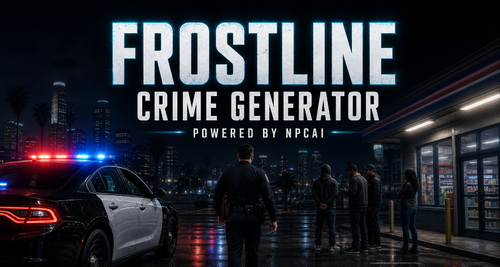
FrostLine Crime Generator is an immersive callout pack designed for players who want greater freedom during their LSPDFR patrols. Every included callout is built around NPCAi rather than traditional subtitle-based dialogue. This allows you to communicate naturally with suspects, victims, witnesses, and other individuals involved in an incident. Instead of following a predetermined conversation or resolution, you can investigate the scene and handle each situation according to your preferred policing style. Question involved parties, gather information, de-escalate conflicts, conduct searches, make arrests, or take any other action you consider appropriate. Your decisions determine how each encounter develops. Key FeaturesComplete integration with NPCAi Natural AI-driven character interactions No scripted subtitle conversations No predetermined approach or resolution Freedom to investigate and resolve incidents your way Interactions with suspects, victims, witnesses, and reporting parties Varied scenarios designed for immersive and replayable patrols Included CalloutsStore Robbery Noise Complaint Domestic Violence Kidnapping Trespassing Noise Complaint at Home Depot Intoxicated Person Prank 911 Call Person with a Firearm Criminal Mischief Missing Person Drug Hand-Off Wanted Person Located Burglary Welfare Check Homeless Camp Complaint Wanted Person at the Airport Suspicious Noise Behind a Business Street Fight Bar Fight RequirementsLSPDFR NPCAi Both requirements must be installed and functioning correctly before using this callout pack. InstallationDrag and drop the included files into the following directory: Grand Theft Auto V\plugins\LSPDFR Allow the folders to merge if prompted. FrostLine Crime Generator removes the restrictions of traditional scripted dialogue and gives you control over every investigation. Respond to the call, evaluate the circumstances, and determine the appropriate course of action.
-