


Arketem
Members
-
Joined
-
Last visited
Everything posted by Arketem
-
 I've managed to import the Niko Bellic mod on GTAV Enhanced so the All Stars Callout works now. To convert that mod to Enhanced you need to use Codewalker's asset converter. Tutorial: https://docs.sollumz.org/tutorials/asset-conversion-for-gtav-enhanced 1. Create a folder named "in" and a folder named "out" on desktop 2. Unpack the Niko Bellic dlc.rpf into the "in" folder using OpenIV (to launch OpenIV on Enhanced, copy the Enhanced .exe and rename it to GTAV.exe - make sure you delete this .exe before launching RagePlugin! ) 3. Run Codewalker30_dev48 (https://gofile.io/d/p3oL3B), go to tools and select Asset Converter then choose the "in" and "out" folders. Make sure "include subfolders" is ticked ON. 4. Click process and the files from the "in" folder should be converted into the "out" folder. 5. Now you just need to replace the contents of the dlc.rpf with the updated ones from the "out" folder using OpenIV and then install the mod as instructed by placing it in dlcpacks and modying the dlclist.xml. Notes: 1. If you get a crash on loading the game, you may also have to install these: - gameconfig.xml: https://www.gta5-mods.com/misc/expanded-enhanced-gameconfig-gta-5-enhanced - Packfile Limit Adjuster Enhanced https://www.gta5-mods.com/scripts/packfile-limit-adjuster-enhanced - HeapAdjuster Enhanced https://www.gta5-mods.com/scripts/heapadjuster-enhanced 2. I was getting a full game crash with UseCustomRadarLogic = FALSE once the suspects either escaped or I died and respawned at the hospital. Setting UseCustomRadarLogic = TRUE stops the game from crashing. Still trying to debug this crash. Again, thank you for the mod! Ark OUT~~
- 53 comments
- 4 reviews
-
-
 Tested on GTAV Enhanced and it works flawlessly! I have converted the "prop_airbag.ydr" to Gen9 using Alchemist in order to avoid potential crashes. Thanks for improving the LSPDFR experience!
- 48 comments
- 2 reviews
-
-

- 1
-
-
Tested on GTAV Enhanced and it works minus the Niko Bellic one because that mod needs to be ported to Enhanced... which is a shame... Still, the callout pack is totally worth it! EDIT: I've managed to import the Niko Bellic mod into GTAVEnhanced. See my comment in the comments section.
- 53 comments
- 4 reviews
-
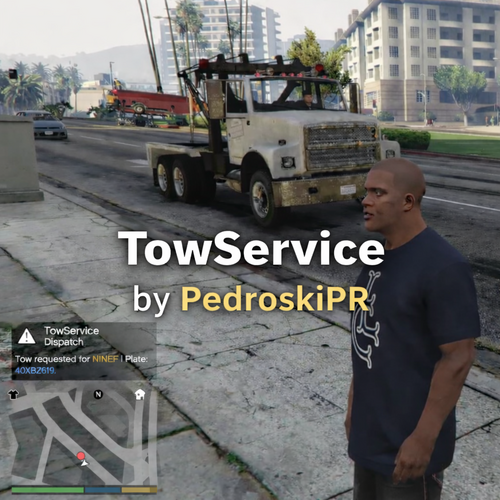 I am glad this mod was uploaded! Policing Redefined Tow truck no longer works for me after the update and this mod saves the day! Yes, the car levitation can be a bit distracting, but the mod does function very efficiently compared to STP or PR since the car arrives quickly and gets the job done and even if it gets stuck, it still removes the vehicle in the end! One thing I suggest is to add a 'cancel tow truck' button or use the same button to cancel it but only if you hold it for some time like STP/PR. It's nice to have alternative mods to mainstream ones so I am giving this 5 stars for good work and hoping to see more from the author! P.S.: I tested it on GTAV Enhanced and it works just fine! Edit: One more small suggestion, if you will: should change the color of the tow truck on the radar from red to yellow or something else since red is used for enemies.
- 5 comments
- 1 review
-
 Policing Redefined has the same feature. Go to a police car, press 'LControl + T' and then select 'Grab Weapon'. You can also open the trunk and pick up body armor 'n' stuff.
- 954 comments
- 24 reviews
-
 Thanks for the hard work! Works great on GTAV Enhanced with Policing Redefined!
- 392 comments
- 9 reviews
-
-
- 1
-
-
-
 I am so glad this mod works for Enhanced! Waiting eagerly for the rewritten new build!
- 737 comments
- 58 reviews
-
-
- 1
-
-
I have this problem too! The tow truck teleports the vehicle to the back, but when it leaves the vehicle is still there and does not move with the tow truck. This is most likely a bug in the new version of GTAV since I know for a fact it used to work before the update.
- 737 comments
- 58 reviews
-
-
- 1
-
-
Yeah. I did a clean reinstall from steam again with just RPH and LSPDFR, then I added the xInput_4.dll file ONLY from Scriphook because the DirectStorageFix.asi wouldn't work with the xinput from the LSPDFR install and tried those crash steps a few times and it no longer crashes. Amazing! Thanks for the prompt response, captain!
-
I have installed the newest version of GTAV Enhanced on my second drive and the crash still happens. Attached the log. Only difference is that instead of WeaponSkin.AirauxnvZUFaXaQRxHwfzimxNGAh it says WeaponSkin.WMvPxjQifzqlpnFEMoCEBRUiJXaB Same steps. Load into the game world, spawn police3, wait a few minutes (can also drive the car) and plugin crashes. Waiting to see if others can reproduce this crash. I am also seeing a lot of warnings in the logs: "Path without extension" "No name for outfit variation" "No gender specified for outfit variation" "Address mismatch:" RagePluginHook.log
-
Hi. I've been having this reproducible LSPDFR crash on a fresh install that always happens when I do the following steps. No additional mods or plugins. Only Rampage Trainer (crash happens without it too) and ScripthookV. Game version is 1013.29 (have not yet updated to latest). 1. Boot GTAV Enhanced + LSPDFR 2. Start Story Mode 3. Once Story Mode loads with LSPDFR, go outside on the road and open the RPH console and type "spawn police3" 4. Get into the spawned car 5. LSPDFR will crash either now or a few minutes later Crash workaround: If I don't spawn the car, the game won't crash and I can go on duty and play just fine. Also, if I wait ~10 minutes after game start, I can spawn police3 without any crash happening afterwards. Notes: -Crash happens with Windows AV deactivated too. -Provided three logs to compare. Anyone knows what could this mean? (snippet from end of logs) [3/24/2026 1:17:31 PM.573] LSPD First Response: at LSPD_First_Response.Engine.Scripting.Entities.WeaponSkin.AirauxnvZUFaXaQRxHwfzimxNGAh(Ped , UInt32 ) in D:\GTA V\LSPD First Response\LSPD First Response\Engine\Scripting\Entities\WeaponSkin.cs:line 90 [3/24/2026 1:17:31 PM.573] at LSPD_First_Response.Engine.Scripting.Entities.WeaponSkin.FromWeapon(Ped ped, WeaponDescriptor weaponDescriptor) in D:\GTA V\LSPD First Response\LSPD First Response\Engine\Scripting\Entities\WeaponSkin.cs:line 36 Thanks for reading! RagePluginHook_24032026_111044.log RagePluginHook_24032026_110558.log RagePluginHook.log
-
-
I recommend everyone to skip that 'updated' version of EUP on Patreon and stay on 9.3 (public version on LSPDFR) with this config mod from our esteemed modder here, Joe C Wilson, because the outfit roster is huge & amazing & there are 0 bugs! Plus, I see the author is still maintaining it! Thank you! Edit: also note that I have installed it for Enhanced GTAV and it works as long as you follow this guide to convert EUP 9.3 to Enhanced: https://www.lcpdfr.com/forums/topic/154702-guide-for-converting-eup-vehicles-to-enhanced-here/
- 954 comments
- 24 reviews
-
 Amazing! It's everything I would have wanted from a dashcam mod! And what's even more amazing? That the author is still providing support for this mod.
- 292 comments
- 28 reviews


.thumb.png.4ae541125774b3d59e60a0636013f9c1.png)

