


Firefighter 5663
Members
-
Joined
-
Last visited
Everything posted by Firefighter 5663
-
![2008 Tahoe Unmarked [WIP]](//s3-gallery.int-cdn.lcpdfrusercontent.com/gallery/album_722/sml_gallery_3386_722_224036.jpg) Looks great!
Looks great! -
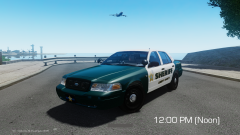 This is great! Will you be releasing this when you're finished?
 -
 Looks awesome!
 -
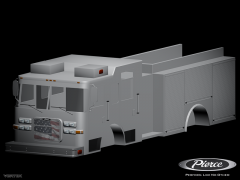 Oh my god, this looks amazing.
 -
Mobile Data Terminal
-
![Atlanta Police CV Pack [REL]](//s3-gallery.int-cdn.lcpdfrusercontent.com/gallery/album_722/sml_gallery_3386_722_482982.jpg) Wow, your actually releasing something! It looks great.
Wow, your actually releasing something! It looks great. -
There is no "best PC", it all depends on how much you want to spend on it. What is your budget?
-
My GTA is still crashing, anywhere from 5 minutes in, to 45 minutes in. Not sure how to fix this. I've uninstalled most of my mods, I'll try downgrading to LCPDFR .95 RC2 and to ELS V7.
-
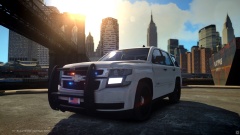 Amazing!!
 -
 Awesome!
 -
-
Thanks, I will in a little bit, I'm trying to figure out this problem I'm having so far. If I can't fix it soon, I will message you.
-
If anybody who knows HTML/PHP could message me, I have a simple request and a few questions with HTML/PHP I need help with. Thanks!
-
When I click on the logo and copy the URL of it, it is titled "lcpdfrc". Obviously, it's LCPDFR Version 1.0c. Along with the "C" in red in the logo to confirm this.
-
 I love that pack! My favorite FD texture pack.
 -
Random "GTA IV has stopped working" crashes are what my problem is. Could happen 5 minutes into spawning in game or could happen an hour or so later.
-
I think mATX is fine, I mine, he's not going to really be upgrading so I don't see it a huge issue. Also, I have to disagree with you that an SSD increases download speeds, that depends on your internet provider and router etc.. But, obviously if he had the budget for an SSD then I would get him one. Since his budget isn't big, why spend money on something that is just extra and not needed? OS is Windows 8.1 Pro 64-Bit Budget was in original post, $500, a little over is fine but I want to keep it close to $500 for my brother.
-
I've changed the RAM, how is this? http://www.newegg.com/Product/Product.aspx?Item=N82E16820313345. You said normally people don't go with mATX, although I disagree, this is a good motherboard for the price and I'm curious why you don't suggest an mATX? Also, I have considered an SSD for my younger brother, but honestly, I'd rather have him get better performance rather than faster boot times. I have an SSD on my computer and it's amazing, I just don't think he needs one right now on this tight of a budget. Can you recommend an i5 for the budget? Thanks for the help! EDIT: Changed GPU also PCPartPicker part list / Price breakdown by merchant / Benchmarks CPU: Intel Core i3-4130 3.4GHz Dual-Core Processor ($99.00) Motherboard: Gigabyte GA-B85M-DS3H Micro ATX LGA1150 Motherboard ($52.05 @ Newegg) Memory: Team Vulcan 8GB (2 x 4GB) DDR3-1600 Memory ($64.99 @ Newegg) Storage: Seagate Barracuda 1TB 3.5" 7200RPM Internal Hard Drive ($54.44 @ Amazon) Video Card: XFX Radeon R9 270 2GB Double Dissipation Video Card ($144.99 @ NCIX US) Case: Silverstone PS08B (Black) MicroATX Mid Tower Case ($36.99 @ Amazon) Power Supply: EVGA 500W 80+ Bronze Certified ATX Power Supply ($34.99 @ NCIX US) Optical Drive: Samsung SH-224DB/BEBE DVD/CD Writer ($14.98 @ OutletPC) Other: RJ45 Cat5e Ethernet Cable 14 Feet ($5.49) Total: $507.92 (Prices include shipping, taxes, and discounts when available.) (Generated by PCPartPicker 2014-05-30 11:05 EDT-0400)
-
Can you recommend something for the budget?
-
I am going to be building my younger brother a $500 budget gaming computer and would like some feedback on these parts: PCPartPicker part list / Price breakdown by merchant / Benchmarks CPU: Intel Core i3-4130 3.4GHz Dual-Core Processor ($99.00) Motherboard: Gigabyte GA-B85M-DS3H Micro ATX LGA1150 Motherboard ($52.05 @ Newegg) Memory: Crucial Ballistix Sport 8GB (1 x 8GB) DDR3-1600 Memory ($64.99 @ Micro Center) Storage: Seagate Barracuda 1TB 3.5" 7200RPM Internal Hard Drive ($54.44 @ Amazon) Video Card: MSI Radeon R7 265 2GB Video Card ($139.99 @ Amazon) Case: Silverstone PS08B (Black) MicroATX Mid Tower Case ($36.99 @ Amazon) Power Supply: EVGA 500W 80+ Bronze Certified ATX Power Supply ($34.99 @ NCIX US) Optical Drive: Samsung SH-224DB/BEBE DVD/CD Writer ($14.98 @ OutletPC) Other: RJ45 Cat5e Ethernet Cable 14 Feet ($5.49) Total: $502.92 (Prices include shipping, taxes, and discounts when available.) (Generated by PCPartPicker 2014-05-29 21:40 EDT-0400) Also, for the build, I won't be overclocking his computer. I already have the OS, monitor, keyboard, & mouse. It will be used for internet use and gaming for games like Battlefield 4, GTA IV, Black Ops 2, etc... Any input is appreciated!
-
OK, thanks.
-
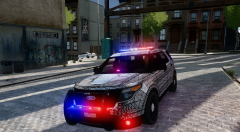 Oh. My. God. This is simply amazing. Best model you've made so far, and I can't wait till you release this. If you need a tester, let me know.
 -
Cost isn't the issue for upgrading to this card as I will be selling my current card and I have a pretty good deal for the 7950, but I want to know if this is a good upgrade for performance?
-
I currently have a PowerColor Radeon HD 7850 2GB, I'm think of buying a XFX Radeon HD 7950 3GB Core Edition. Is this worth it?
-
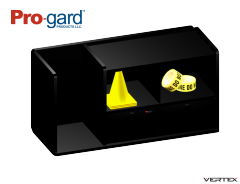 That looks great! Add some weapons in the empty slot.

![2008 Tahoe Unmarked [WIP]](http://s3-gallery.int-cdn.lcpdfrusercontent.com/gallery/album_722/sml_gallery_3386_722_224036.jpg)
![Atlanta Police CV Pack [REL]](http://s3-gallery.int-cdn.lcpdfrusercontent.com/gallery/album_722/sml_gallery_3386_722_482982.jpg)

