J T
Members
-
Joined
-
Last visited
Everything posted by J T
-
-
-
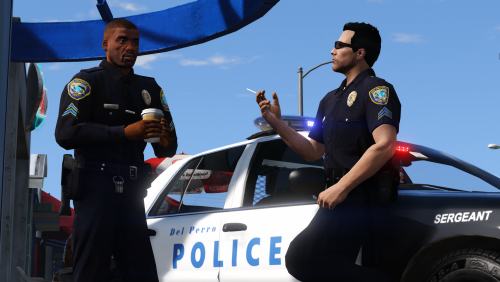
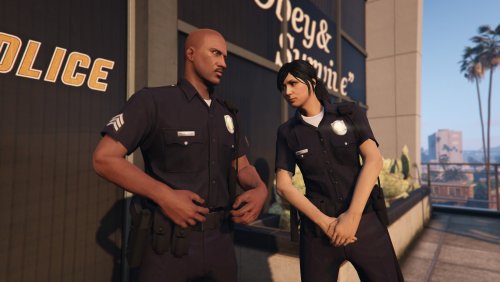 are you going to make rockford hills, del perro, paleto bay and imperial outfits? they dont seem to be included in eup pack
- 40 comments
- 5 reviews
-
a patch would be nice to fix the stuttering issues and frame drops, happens even on vanilla gta , pretty certain its from ambient events and the default callouts because every time they happen i get a slight freeze in the game
-
i had this problem few days ago its because in the backup xml by default lssd is set in blaine county, change it to blaine and they will patrol there
-
in lcpdfr you actually keep the fine amount for your character but in gta v yeah it doesnt give you that amount, i guess just give a warning for now because its so annoying to have to use a keyboard just for that
-
another con is you have to type in fine amount instead of selecting one, huge disappointment and a step backwards other then that its a big improvement over 0 3 1
-
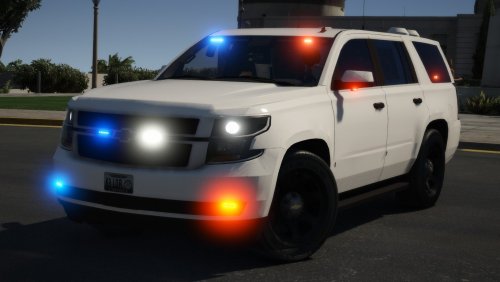 oh dont start with that shit, we have a right to point out flaws in the model and its so obvious that its over scaled, park it next to the older tahoe and youll see just how big it is....if i was modding i wouldnt use that model until it was scaled correctly
- 15 comments
- 3 reviews
-
that page is hard to find sometimes, wish there was a file included with the download
-
-
yes we shouldnt have to disable cool features like that so hopefully they will release a small update to fix some of these issues
-
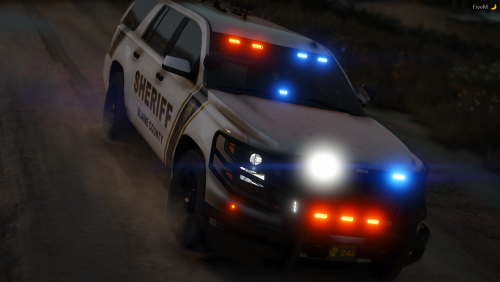 nothing beautiful about an overscaled hurk "tahoe"....its beyond me why its still being used it looks horrible
- 18 comments
- 3 reviews
-
i also have some stutter issues with frame drops at certain points, didnt have this problem with 0.3
-
 theres a bug with a traffic stop, the cop doesnt recognize you as a cop and he starts shooting at you when the suspect engages
- 1,081 comments
- 166 reviews
-
backup xml was definately the culprit lssd was under blaine county so kicked there asses out, just replaced it with sandy shores for now
-
the backup xml by default is lssd and i did change sandy shores and paleto bay backup xml in the custom folder so i guess id have to add either paleto bay or sandy shores in the regular one
-
lssd is inside sandy shores i havent checked paleto yet but im sure they are there as well its the same as the base 0.4 lspdfr where they had lssd in blaine county
-
yeah i got sandy shores for imperial county and ventura for paleto, the cars spawn at the station but still see lssd patrolling blaine, i have lssd set to sheriff, sandy and paleto as fbi and fbi2
-
worked for me but had the infinite black screen loading and turned out the backup xml had a line that didnt match the top, just wondering why lssd is still in blaine county
-
thanks for taking the time to do that tutorial, really helped a shitload
-
-
well i know but having to type it is is annoying and i prefer to use a controller for a more console experience and in the old version it was fine, hope this gets considered if theres a small update or an ini file where we have the option to have a manual or preset fine amount or use a keyboard
-
i really wish you didnt have to type in the fine amount which is extremely annoying they went a step back on that one 0 3 1 version was fine as far as fine amounts , other then that i love this upgrade
-
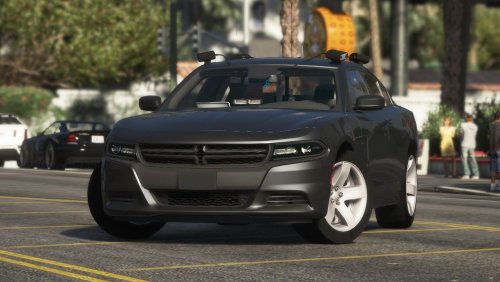 thank god, theres so many unmarked chargers with rambars it gets annoying not being able to find one without a pushbar
- 38 comments
- 13 reviews
-
 are you going to add del perro, rockford hills, paleto bay and sandy shores as well? still trying to figure this out
- 195 comments
- 24 reviews