




J T
Members
-
Joined
-
Last visited
Everything posted by J T
-
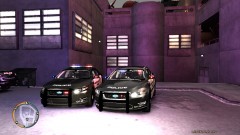
From the album: lcpdfr
YakadafiART's ford taurus -
-
i thought there was only 3?
-
person of interest like the one mission in gta where you have to go to a park and take a picture of a dealer and send it to playboy x only being a police officer looking for a suspect whether it was a crime they commited or for a warrant
-
you mean gta v...of course i have gta iv for ps3 and pc...will be doing the same with v
-
sounds awesome cant wait
-
no i didnt make it lol i was bored and googled gta gangs and came across that link and thought it would help others that didnt see it want more variety in lcpdfr
-
i thought this might be helpful for when on patrol http://www.gtaforums.com/index.php?showtopic=359178&st=0 has a map and some pictures of the different gangs in each part of the city and description and everything....enjoy
-
may be old post but just downloaded the spotlight mod...awesome and works so nicely with realistic time cycle v5...my only gripe is that the spotlight beam is not very bright when you look at the car but the light itself is bright and works
-
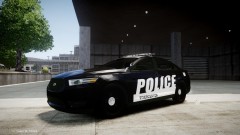 awesome! cant wait for more ford taurus models...its long over due
 -
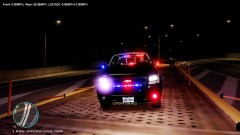 yeah theres obviously an error caused by this site its labeling every car i have as an impala
 -
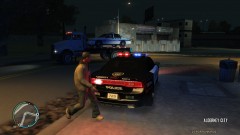 it was abandoned...second time its happened...dont forget where you park!
 -
and the strobe lights are actually much better then gtas shitty strobes
-
From the album: lcpdfr
guess its time to replace it with the ford taurus haha -
yeah you can set up surveillance cameras or hack into them and arrest drug dealers but you cant frisk people which sucks...hopefully the sequel will have more of what true crime streets of la had...i remember i always tried to steal the squad cars they were pretty rare to see but loved the strobe lights on it much better looking then the ugly ones on san andreas
-
anyone else play this yet? originally called true crime hong kong im blown away by it...love the combat and shooting...my only gripe is that its set in hong kong and most of the cars look like shit, loved the first game true crime streets of la its similar to lcpdfr only you cant do traffic stops and go to calls
-
^ i hope so it really breathes a fresh air into the lcpdfr mod more variety of calls makes it a hell of alot more fun and close to the real thing then the same ol 4 calls
- 356 comments
- 140 reviews
-
-
-
-
looks awesome cant wait to try it...also should be an option to have black wheels or stock wheels
- 33 comments
- 9 reviews
-
-
i like the tahoe and the slicktop charger but the other cars are tooo empty inside
- 8 comments
- 3 reviews
-
-


