




J T
Members
-
Joined
-
Last visited
Everything posted by J T
-
i didnt even see that haha nice...really cant wait for this
-
finally a REAL caprice...cant wait for this...you gunna put a spotlight on it? or two
-
the beam for evis demo tahoe is in the wrong place can you update this?
-
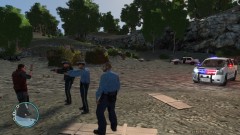
From the album: lcpdfr
pulled her over for blowing through a stop sign..hit the pole and died -
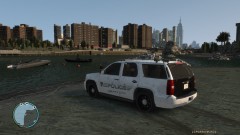
From the album: lcpdfr
pulled her over for blowing through a stop sign..hit the pole and died -
-
you can try setting your MinDelayBetweenCallouts to 160 that helped to get all the different callouts available in lcpdfr...atleast for me
-
i realllly like that idea i hope it works out
-
-
-
and thats why its just a demo car its not like they are going to put that many lights on a squad car its just to show what lighting is available and the officers can choose what lights they want and where to put them
-
yeah its a demo car i really like the decal
-
i too am not a fan of all blue lights for police vehicles it just doesnt look very police ish and we are taught in drivers ed to pull over for red AND blue lights...our departments use red and blue
-
-
i was just gunna say that...this is awesome...it causes a texture bug..for me anyway idk if anyone else will experience it
- 60 comments
- 16 reviews
-
tzr2 likes this can you get the mapping for evis 2011 chevy tahoe demo?
-
niiice
-
what enb are you using? looks nice
-
it should work...look for the gta 4 folders and the steps above do that to every gta 4 icon...main one on your desktop then the ones in directory its says application on the side
-
right click gta 4 then open file location and you should see bunch of files
-
go into your directory and find gta iv and do the same thing
-
not really you can just go to c:/programfiles/rockstargames/grand theft auto IV right click it and click properties, and untick read only and click apply. after that go to security tab and click on users (YOURNAME\Users) and tick all of the boxes. now do the same you did there for the c:/programfiles/rockstargames/grand theft auto IV to the C:/programfiles/rockstargames/grand theft auto IV/data that method is the quickest and easiest way to make gta moddable
-
im up for some multiplayer i got a new laptop so it should be good to go...add me tzr2
-
did you try best buy? or a local computer store?
-
alot of things didnt add up...first they said they never invisioned airplanes being used as missles but yet the military has been training in those scenarios and another thing why did 7 collapse? it wasnt hit by a plane but yet it collapsed and it WASNT due to fire thats just some bs and larry silverstein who owned that building collected insurance on it

