

Johnnybot3
Members
-
Joined
-
Last visited
Everything posted by Johnnybot3
-
 Then it’s on my end. To be honest, since this is a free mod, I’m not going to pour as much time into it as I did with my EUP scanner, which scans the user’s LSPDFR EUP setup to match the clothing properly. I’ll have to come up with another free way to get it right, because there are some things I don’t want to release on this website. in the future for all my free stuff ill take a little more time and pride in my work
 -
-
-
-
-
-
FATAL ATTRACTIONDeath could be one stop away. Ambient police activity for GTA V single-player and LSPDFR, by JohnnyBot. What is Fatal Attraction?Fatal Attraction adds ambient NPC traffic stops to your patrol. Officers and drivers play out roadside encounters around the map, giving you activity to discover while you are on duty. It is an ambient simulation, not a traditional callout pack that you must accept from dispatch. Some stops end peacefully. Others involve warrants, suspects fleeing on foot or in a vehicle, or an encounter turning hostile. You can come across the activity, approach the scene, and use the available nearby interaction prompts. FeaturesAmbient traffic stops: NPC officers conduct roadside stops while you patrol. Varied encounters: Different stop reasons, driver dialogue, behavior, and possible outcomes. Escalating situations: Cooperative resolutions, warrant-related encounters, foot chases, vehicle pursuits, and hostile reactions. Adjustable Danger Risk: Set the danger level from 1 to 100. The supplied configuration starts at 10; raising it makes dangerous encounters more frequent. Map activity controls: Adjust the maximum active stops, minimum and maximum spawn distance, spacing between stops, and minimap markers. In-game menu: Enable or disable ambient stops, request an ambient stop, clear Fatal Attraction incidents, change the menu key, and save settings. Editable configuration: Customize the included FatalAttraction.ini to suit your patrol. RequirementsA working GTA V single-player installation. Compatible versions of RAGE Plugin Hook and LSPDFR 0.4.9. RAGENativeUI installed according to its own instructions. Microsoft .NET Framework 4.8. Dependencies are not included. Use versions compatible with your game build. This download does not replace GTA V, RAGE Plugin Hook, or LSPDFR, and it is not a FiveM resource. Compatibility with every game build or combination of plugins is not guaranteed. InstallationClose GTA V and back up any existing Fatal Attraction installation. Extract the ZIP. Copy the included plugins folder into your GTA V main folder. FatalAttraction.dll and FatalAttraction.ini belong in plugins/LSPDFR. If updating, keep a backup of your INI to preserve your settings. Do not delete unrelated plugins or shared dependencies. Launch through RAGE Plugin Hook and go on duty in LSPDFR. Default ControlsF5: Open the Fatal Attraction menu. Y: Use nearby interaction prompts when available. F7: Request an ambient traffic stop. Key bindings are configurable in the INI. Ambient scenes need time and a suitable road location to appear; requesting a stop does not guarantee an immediate spawn directly in front of you. Free Version — Please ReadThis is a free version, and minor bugs may still be present. If something does not work as expected, please leave a constructive report describing what happened, what you were doing, and your game/plugin versions. Relevant Fatal Attraction entries from RagePluginHook.log can help with troubleshooting; remove private information before sharing logs. Thank you for trying Fatal Attraction and helping improve it. Enjoy your patrol, stay alert, and make it home safe. Artwork & AI DisclosureThe cover is AI-generated promotional artwork, not an in-game screenshot. AI assistance was used in development and in preparing this description; details are provided in the site's AI disclosure fields.
-
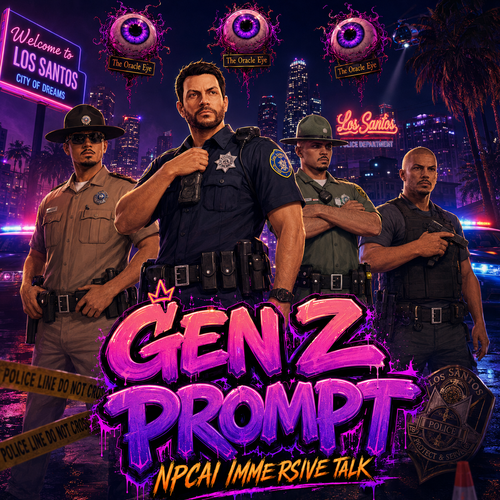 Adrenaline Dispatch!!! it's up and running GenZ prompt will be getting a update soon - MORE INFO ON PROFILE - Free Version - Paid Version
 -
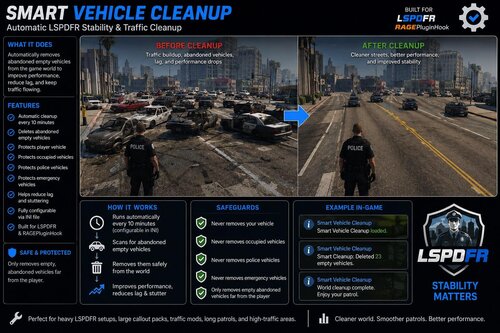 Cant wait and i hope you add that feature that it auto clean peds aswell using npcai can cause idle peds roaming around from time to time
- 21 comments
- 1 review
-
-

- 1
-
-
-
-
-
-
 So i can steal write reports even if gta 5 is not log into and im sitting on the desktop
- 392 comments
- 9 reviews
-
Is it possible to make this mod be used offline. example not be force to log into gta to use ?
- 392 comments
- 9 reviews
-
any updates coming? i notice reportplus on patreon gotten an update. you and him are neck and neck and i want a victor
- 392 comments
- 9 reviews
-
hey do you have a patreon paid version of this and is it possible to use this offline for lets say im using it for a totally rp purpose if you do ill pay for it send me your patreon im truly impress how this outbeats reportplus patreon version
- 392 comments
- 9 reviews
-
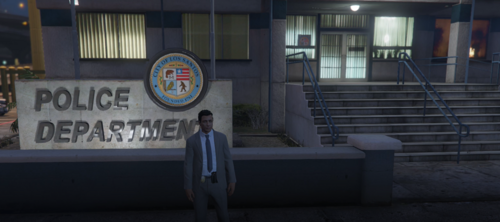 HEY MAN!!! KEEP GOING THIS IS A PLUGIN THAT WILL GREATLY BE A MAJOR CHANGE WE NEED
- 123 comments
- 3 reviews
-
-

- 1
-
-
-
Can anyone help me with an issue? I’m trying to remove old ped IDs and license plates that were saved in the system while searching. Is there a setting that prevents the system from saving previous ped information?
- 392 comments
- 9 reviews
-
hey i need some help how do i remove all the old searches and id i have on database ?
- 392 comments
- 9 reviews
-
-
-