
Amb3rTheCanadian
Members
-
Joined
-
Last visited
Everything posted by Amb3rTheCanadian
-
 Unsure if it's just me but GTA Online DLC cars keep spawning with 1.0.0.5 even with the "Main.WorkaroundDLCVehicles" turned on false and true, if anyone does know a fix let me know
- 737 comments
- 58 reviews
-
 I'm getting the issue with PR weirdly, but it hopefully will be fixed with V2, love the pack
- 17 comments
- 2 reviews
-
Don't know if it's just on my end but when I try and shoot the Carbine Rifle in 3rd person on Single Player it doesn't fire, only does in First Person it fires
- 17 comments
- 2 reviews
-
-

- 1
-
-
 how would i be able to use it on single player, never tried before
 -
Can this be used in single player? Just wondering because it does say "SINGLE" in the name
-
-
-
-
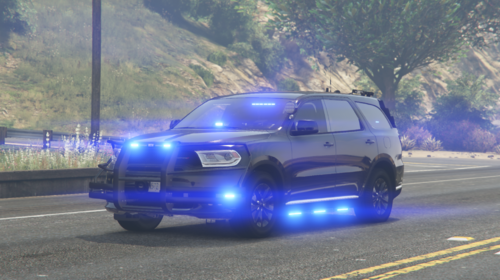 Amazing looking car, I love it and the lighting!
 -
 Unloaded all packs Loaded EUPMenu.dll by using the "loadplugin" thing in RPH Saw what DLCs were "missing" in the rph bar Opened OpenIV Dragged them into a desktop folder Removed them from my OpenIV Reverified my files and dragged them into the DLC pack area Readded the missing DLC text into my dlc.xml and it worked
- 637 comments
- 75 reviews
-
-
-
Hey, no clue if this has been brought up but everytime I try to open the EUP menu it just doesn't work, i've uninstalled 3 times now
- 637 comments
- 75 reviews
-
 Hi, I'm having issues pulling people over in the 2023 F150 even when the lighting is Code 3
 -
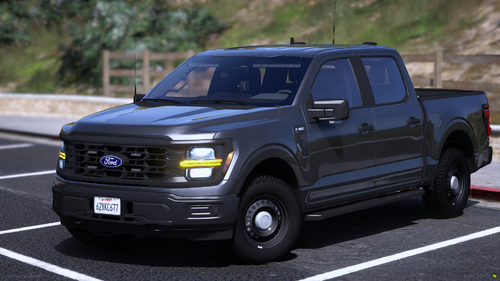 Hi, I don't know if this has been brought up yet but NPCs aren't pulling over sadly when I have the light on Code 3
 -
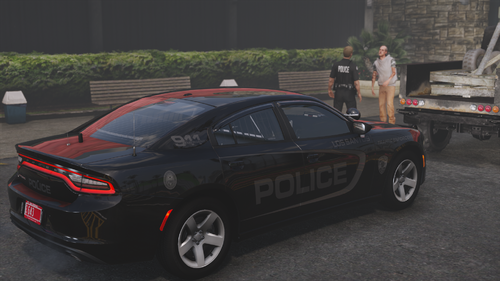 Amazing cars, really fits into my city! All together a nice pack!
 -
 I keep having my Single Player and LSPDFR crash around here which sucks because I love this modn
 -
 I'm having issues installing these, I followed every step and still doesn't work (Sorry it's fixed now)
 -
I cannot wait for the public release!
-
-
 Do I drag and drop them in?
 -
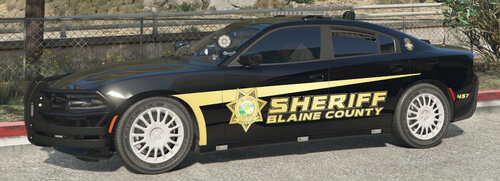
How do you install this skins? I'd like to use them on the sheriff cars
-
 If I could give this 6 stars I would. The quality on the sirens are amazing!
 -
-