


nova2727
Members
-
Joined
-
Last visited
Everything posted by nova2727
-
 Any update on when we can see IDs and drivers license images and vehicle images
- 122 comments
- 18 reviews
-
 For a true immersion, there needs to be a delay from the time to talk to dispatch to the time she responds like 5 to 7 secs. You can’t have a true real life immersion if she responds right away.
- 187 comments
- 4 reviews
-
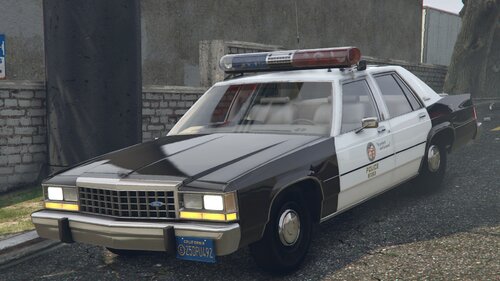 Do you have any plans to release more old school vehicles like the caprice from tj hoojer and police academy with aerodynamic lightbar and jet sonic versions Like these
 -
Don’t run it in full screen mode it will crash run the mdt in windows border less mode
- 122 comments
- 18 reviews
-
-
What would be amazing is you scan the license or id and the id will show up with picture of ped
- 122 comments
- 18 reviews
-
-

- 1
-
-
-
If your trying to get your replacement cars to spawn as sheriff then you need to install into patchday also in your lspdfr keys go and look under mainworkaround dlc make sure you change to false that way only your custom cars will spawn as backup units
-
It happened to me until I got rid of quant v and installed natural vision evolved then after that i installed better radiance then I used Mexican better els everything worked
-
The only mdt you ever need. This replaces compulite and this does so much more it’s like playing fivem but it on single player, what I love about this is when you scan a id it will give you sound alarm if the person needs to be looked into further also the motor pool is another great addition it’s like real life when you sign out and in patrol cars for patrol and the immersion is amazing this will be the only mdt I will use it n my patrols it’s staying in my game forever
- 122 comments
- 18 reviews
-
-

- 1
-
-
-
-
any chance of having ped driver license as image also custom driver license would be awesome
- 122 comments
- 18 reviews
-
-
- 1
-
-
great cad can you add images of vehicles and ped also can we add custom backgrounds and driver license for peds this cad has lot of potential i like it when you scan id you get a warning....maybe in future update the warning can be red for wanted
- 122 comments
- 18 reviews
-
-
- 2
-
-
-
 First off I want to say what an amazing mod you have created. This is 1000% a replacement to compulite I love this mod the custom driver license you can change and backgrounds and this is a truly game changer for total immersion. Only recommendation I would is the have when you search vehicle database look up you actually get a image of the vehicle model a standard model make would be great other than that you have managed to take lspdfr role play to a new level
- 269 comments
- 16 reviews
-
-
- 2
-
-
-
-
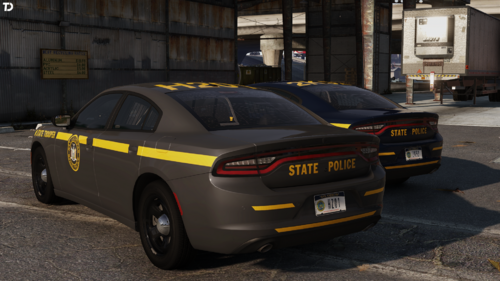 GeorgieMoon Modifications2011-2023 Police Pursuit Wheel PackageModel is in a LOCKED format and meant for in-game usage only.Model comes standard with LODs 0-3, high quality textures, and dirt mapping.Includes a badged and de-badged version.Wheels included:Black R
 -
So this is really the old dispatch but she can’t chat to you like normal dispatch she only sends requests
- 187 comments
- 4 reviews
-
-
There is ai dispatch out now for lspdfr
-
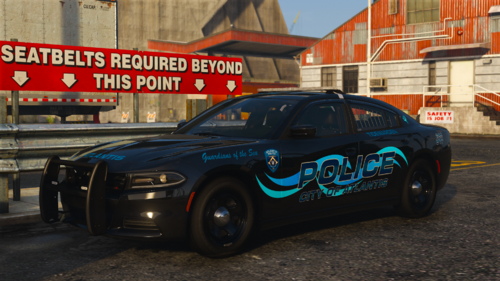 They look amazing I’m Going do a patrol with those
 -
I had same problem until I uninstalled quant v it had something to do with graphics mod so I installed visual v and now everything fine
-
Also you might want to try lennys mod loader that seems to work with me adding cars and eup uniforms automatically





