


Officer Sosa
Members
-
Joined
-
Last visited
Everything posted by Officer Sosa
-
 10/10 plugin I like both panels and I’m excited to see future updates for it.
 -
-
-
-
-
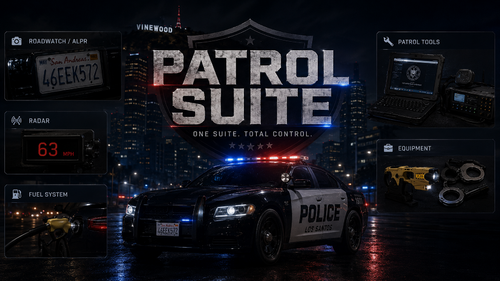 Wdym? I didn’t have to remove anything to get his plugin to work did u not watch my tutorial at the top it was so simple
- 138 comments
- 8 reviews
-
I’m not a developer I forgot what deceptic had said he’s not able to put the pause menu like Compulite cause of how he made the mod. He would have to make it another way He may add it though in his next upcoming update
- 138 comments
- 8 reviews
-
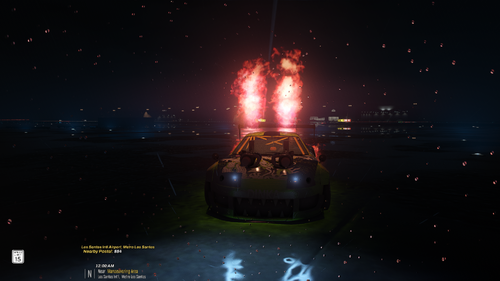 This is my preset you can use it if you want it looks nice for me it may not for you. I also have custom NVIDIA settings
 -
-
"Instead of having the player double tap W/S to go forward/backward with the vehicle system" is also apart of simple ctrl another realistic vehicle control system other people like it same with the seatbelt u cant get out until its removed. just dont use the vehicle control system so then just download the patrol suite/taser/oc spray you dont need to use the MDT or Radar from patrol suite
- 138 comments
- 8 reviews
-
You must have not installed correctly or something it shouldn go away when you make the “Patrol HUD/Ui” Inactive and no you don’t need to hold F either.
- 138 comments
- 8 reviews
-
-
Quite the opposite for me bro. It works fine and my game also runs smooth especially because I removed a few plugins to just have Patrol Suite
- 138 comments
- 8 reviews
-
-
This mod is awesome and offers a lot you guys need this ASAP. Im glad I was apart of beta testing for this amazing plugin
- 138 comments
- 8 reviews
-
This mod is awesome and offers a lot you guys need this ASAP. Im glad I was apart of beta testing for this amazing plugin
- 138 comments
- 8 reviews
-
-
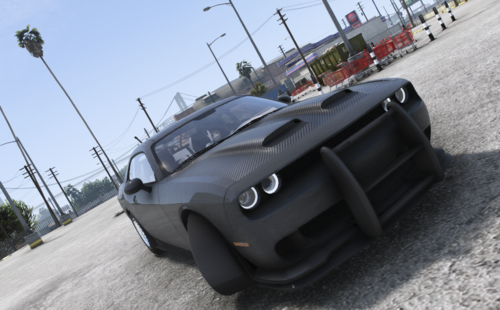 this isnt a charger and that isnt the hood the demons use thats for the hellcat Challenger redeye. its all just wrong
 -
-
.thumb.png.4ae541125774b3d59e60a0636013f9c1.png) Maybe your right but i pressed CAPS and RIGHT on the D pad (control) i dont put my hand on my gun. And your INI doesnt have a button config. also from reading another comment its not just me. take a look into if you want its no big deal really other than that the Plugin is amazing bro.
Maybe your right but i pressed CAPS and RIGHT on the D pad (control) i dont put my hand on my gun. And your INI doesnt have a button config. also from reading another comment its not just me. take a look into if you want its no big deal really other than that the Plugin is amazing bro.- 141 comments
- 11 reviews
-
are you able to add placing the hand on the holster like "Cop Holster" but other than that yours is coded much better the pistol would disappear after putting it back in the holster "Cop holster plugin"
- 141 comments
- 11 reviews
-
-

- 1
-
-
 Glad to know it’s not just me having this issue he will probably push a update for that soon
- 234 comments
- 32 reviews
-
@AstroBurgersi keep gettings file missing "newtonsoft.dll" but i know what im doing when it comes to plugins i dragged and dropped the folder
- 234 comments
- 32 reviews





.thumb.png.4ae541125774b3d59e60a0636013f9c1.png)
