


ztgraphix
Members
-
Joined
-
Last visited
Everything posted by ztgraphix
-
From the album: ZTGRAPHIX's ALBUM
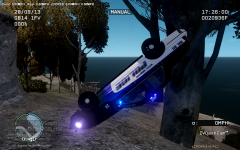
Well then.....this didn't turn out the way I expected...no more pursuit for me, ill just hang out here for a while..haha -
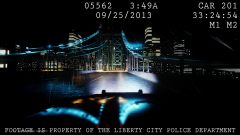 Badass picture man!!!!!!
 -
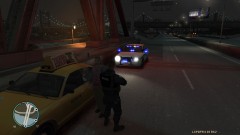 What slicktop is that man? Nice picture!
 -
HAHAHAHAHA
-
I agree with both of yall...I am a pretty out going person and dont see anything wrong with meeting new people and helping someone out, But I also agree with ineseri that there are TONS of tutorials and help related post in the forums to help someone. But heck if someone lived close enough and didnt have anything else to do I wouldnt tell them "Dont go hes a murderer/rapist!!!!!!"
-
Thats good to here!!!
-
Haha I know right...Looks kinda like a grand theft auto world but a shooter type game..and that is ps4 graphics so im sure since it is coming to PC also it will look amazing with a beastly rig.
-
I dont know if you guys have seen this game but it looks amazing...The gameplay and cars and the way the bullets go through windows and the body of the cars is just crazy to me....What yall think about it??
-
No.. your computer will not even be close to running GTA IV....Just save up some money man and buy you a nice desktop..it might take a little while but it is so worth it..i absolutely love mine and i use it every day and it never lets me down on any game. I know it might seem like it will take forever to save up but its better to get a nice computer that cost a little more that you can play all the new modern games on than one that struggles with most games for a little less money.
-
I got mine for like 9 dollars at wal-mart...I dont know what prices look like over there but cant be much difference.......
-
Yes..what he said! lol
-
What do you mean to hard to install? All you have to do is plug it up? And as far as the money goes..You get what you pay for..and that goes with anything in life. I had my gaming desktop built for me because im too lazy, although I have already took it apart probably 5 times upgrading and changing stuff..but if you cant build one yourself then just save the money and buy one pre-built..Mine was $1300 dollars and I have yet to find a game I cant max out and run smoothly..GTA IV is just a poorly ported game tho...it can make even the best desktops struggle sometimes because how it is optimized..
-
Still didnt work, But I can go ahead and tell you now that any laptop especially one that is not a gaming laptop will struggle to run GTA IV at even the lowest settings...save up some more money and make a good investment into a gaming desktop that way you always have room for upgrades and better things! :)
-
It says page not found when try to go to it...copy and paste specs from site then you can get some help.
-
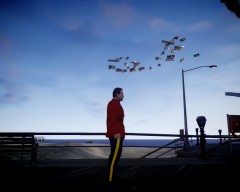 LMAO.....houses just floating around..Uniform looks good tho man!
 -
Well.....that was awkward...and nearly 4 mins of my life I will never get back...
-
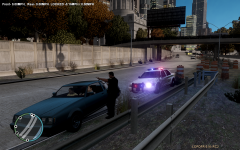
From the album: ZTGRAPHIX's ALBUM
Shouldnt of been speeding is all I have to say...enjoy your ticket sir and have a good day! haha! -
What is so sad about it?
-
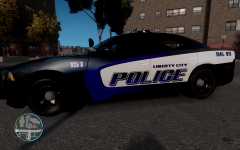
From the album: ZTGRAPHIX's ALBUM
Whatcha think guys??? Yay or nay?? -
I think it looks good man, very nice!
-
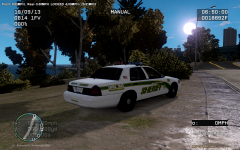 Thank ya sir!
 -
From the album: ZTGRAPHIX's ALBUM
Doing a little speed trap this afternoon. -
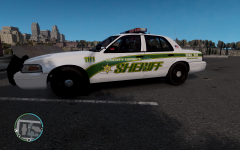
From the album: ZTGRAPHIX's ALBUM
Working on a new skin...not 100% done but almost.. thinking about maybe changing the liberty county font but not sure. Any suggestions or comments welcome! -
Can anyone here that has got the game already shed a little light on how the driving physics are? From the videos I have seen it looks kinda "arcade/kid style"...tell me this isnt the case..
-
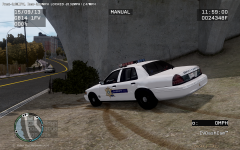
From the album: ZTGRAPHIX's ALBUM
Doing a little speed trap on a sunday afternoon in Liberty City, Speeders dont even have a chance to hit the brakes...by the time they see me their ass is grass!


