Skip to content
View in the app

A better way to browse. Learn more.

LCPDFR.com

A full-screen app on your home screen with push notifications, badges and more.

To install this app on iOS and iPadOS
  1. Tap the Share icon in Safari
  2. Scroll the menu and tap Add to Home Screen.
  3. Tap Add in the top-right corner.
To install this app on Android
  1. Tap the 3-dot menu (⋮) in the top-right corner of the browser.
  2. Tap Add to Home screen or Install app.
  3. Confirm by tapping Install.

Cali21

Members
  • Joined

  • Last visited

  1. Cali21 started following Crowd Mod
  2.    Cali21 reacted to a file: Crowd Mod
  3.    Cali21 reacted to a comment on a file: Crowd Mod
  4.    Cali21 reacted to a file: INJURED STATE
  5. Thanakit Burapapornpan started following Cali21
  6. Cali21 started following TimmyLuke017 Gaming
  7. Rich West     Finished responding to a Dynamic Traffic Stop in Banning, S Western Ave
  8. Rich West     Responded to a Dynamic Traffic Stop in Banning, S Western Ave
  9. Rich West     Performed a traffic stop on a Race Yellow PCJ 600 with registration 63REX816 in Banning, S Western Ave
  10. Rich West     Went on-duty at Southwest Community Police Station in Mission Row, West Olympic Blvd
  11. Rich West     Responded to a [686] Vehicle Fire in Vespucci Canals, West Olympic Blvd
  12. Rich West     Went on-duty at Pacific Community Police Station in Mission Row, West Olympic Blvd
  13.    Cali21 reacted to a gallery image: 2024-2026 New York State Police Tahoe PPVs
  14. Rich West     Reported a PC187 in Vespucci Canals, Normandie Ave
  15. Rich West     Finished responding to a Dynamic Traffic Stop in Vespucci Canals, Normandie Ave
  16. Rich West     Responded to a Dynamic Traffic Stop in Vespucci Canals, Normandie Ave
  17. Rich West     Performed a traffic stop on a Ice White Granger with registration 09ZER029 in Vespucci Canals, Normandie Ave
  18. Rich West     Performed a traffic stop on a Ice White Granger with registration 09ZER029 in Little Seoul, Normandie Ave
  19. Rich West     Finished responding to a [686] Solicitation in Little Seoul, W 7th St
  20. Rich West     Responded to a [686] Solicitation in Little Seoul, South Mariposa Ave
  21. Rich West     Went on-duty at Olympic Community Police Station in Mission Row, West Olympic Blvd
  22.    Cali21 reacted to a post in a topic: Los Angeles County Sheriff 2016 Dodge Charger
  23.    Officer Here reacted to a post in a topic: Your best LSPDFR 0.4 screenshots?
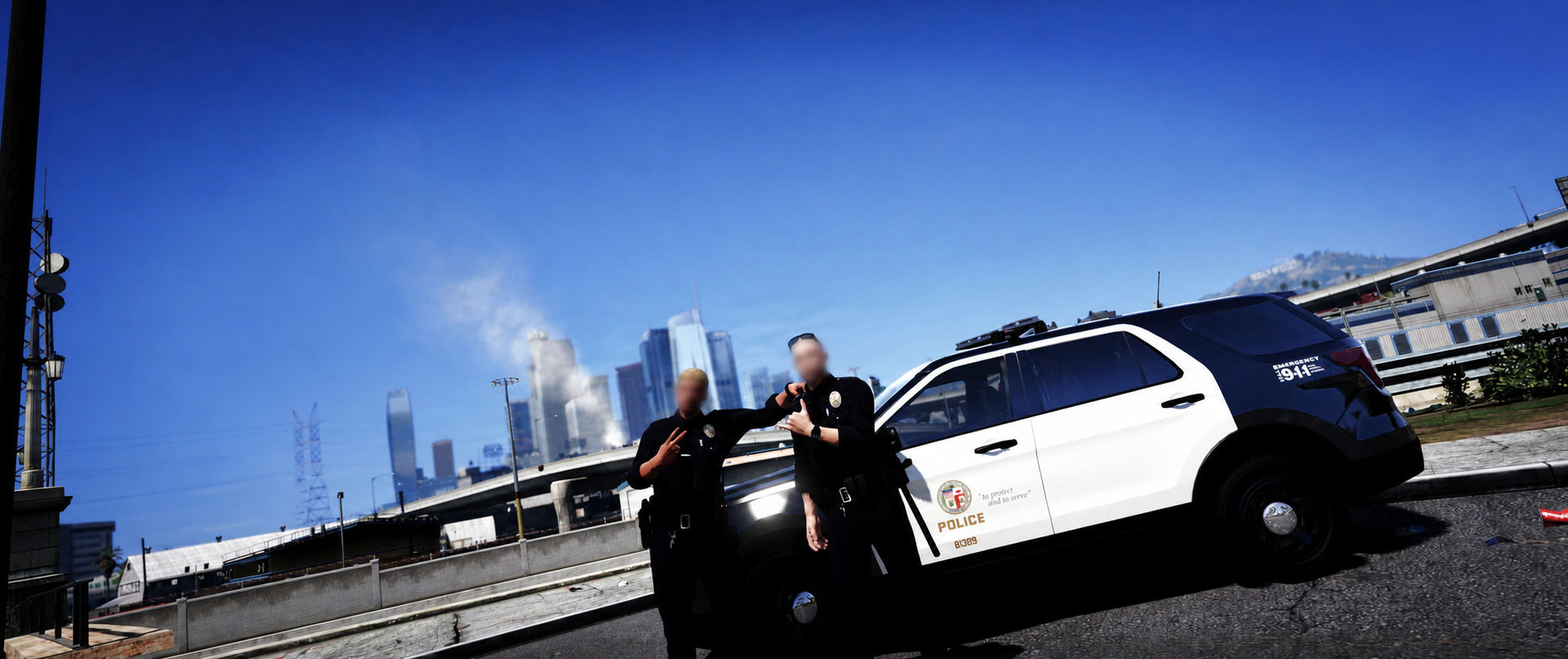
  24. LAPD Southeast Patrol Officers....
  25.    Cali21 reacted to a post in a topic: Your best LSPDFR 0.4 screenshots?
  26.    Cali21 reacted to a post in a topic: Los Angeles Police Department (Patrol)
  27. Rich West     Went on-duty at Southeast Community Police Station in Mission Row, West Olympic Blvd
  28. Rich West     Was killed in Chamberlain Hills, Steveley Ave
  29. Rich West     Finished responding to a Dynamic Traffic Stop in La Puerta, S Highland Ave
  30. Rich West     Responded to a Dynamic Traffic Stop in La Puerta, S Highland Ave
  31. Rich West     Performed a traffic stop on a Silver Unknown Vehicle with registration 03KYC396 in La Puerta, S Highland Ave
  32. Rich West     Finished responding to a Dynamic Traffic Stop in La Puerta, S Highland Ave
  33.    Cali21 reacted to a file: Davis Station (28) - Pin
  34.    Cali21 reacted to a file: Senora Station - Pin
  35. Cali21 started following doublehook
  36.    Officer Here reacted to a post in a topic: Your best LSPDFR 0.4 screenshots?
  37.    Officer Here reacted to a post in a topic: Your best LSPDFR 0.4 screenshots?
  38.    Officer Here reacted to a post in a topic: Your best LSPDFR 0.4 screenshots?
  39. Images added to a gallery album owned by Cali21 in GTA V Galleries
    Here I will post photos mainly showcasing custom patrol vehicle fleets in action and new livery additions from my mods. My goal is to create the most realistic and fully realized SoCal based LSPDFR setup I can achieve. So if there are any ideas for improvement please let me know! Below you can find the original Album I made which partially summarizes my build setup/goals where I will be posting more in depth scene photos and perhaps some showcase videos in the future.
  40. Cali21 started following Lewis H.
  41. Incident #010: LAPD Olympic Division [20] & BHPD | 4-15 Man With a Gun Response A Public Disturbance is Reported involving a Man Brandishing a Firearm at a Hotel in South Beverly Hills bordering the Northwest Koreatown Area Beverly Hills Police Department Officers responded and requested aid from LAPD LAPD Units out of the Olympic Station were Dispatched to Assist Suspect taken into Custody without further incident after dealing some Private Property Damage // //
  42.    Officer Here reacted to a gallery album: SoCalFR Gallery
  43.    GTA 5 Jedi Master reacted to a post in a topic: Your best LSPDFR 0.4 screenshots?
  44.    GTA 5 Jedi Master reacted to a post in a topic: Your best LSPDFR 0.4 screenshots?
  45.    GTA 5 Jedi Master reacted to a gallery image: 20251031033655_1.jpg
  46. AS332 L1 Super Puma - Los Angeles County Sheriff's Department Rescue 5 (Malibu S&R)
  47. Incident #009: LAPD Pacific Division | Pursuit Termination near Marina del Rey A High-End Luxury Astro Martin Sports Car was Reported Driving Erratically around Venice LAPD Units out of the Pacific Station were Dispatched to Engage Driver Failed to Yield & Fled Law Enforcement Pursuit Ends near the area of Marina del Rey
  48. Gotcha thanks for help - I haven't tried out PR yet does it basically offer the same special units & custom regions customizing features as UB did or is it more limited? I will look more into it perhaps could be a better easier setup.
  49. You can try reverting all of those replace edits in "patch2025_01" and move them over to the "patchday28ng" folder in mods instead which is what I use and always works for replacements. Most replace vehicle tutorials on YouTube will also usually suggest to use PatchDay28 as well so seems most reliable. *Also side note if you aren't planning to replace any other civilian AI vehicles within these mod folders you can simply just delete all those model files and only keep in your modded replace car files so things aren't so cluttered in there as the game will use the default cars anyways if not replaced with mods.* - You can see the image I attached of my folder used for replace mods which also shows the respective paths to follow hope this helps!
  50. Was wondering if the "livery_multi" feature listed here also works for ultimate backup xml files ? - Seems to be working just fine with the regular lspdfr agency.xml file - this is what the lines in my UB xml files look like (<Vehicle chance="15" pax="1" pax_chance="50" livery_multi="7, 8">lasd7</Vehicle>) anything off or is this just not an option ?
  51.    malikhagen reacted to a post in a topic: SoCalFR Build Showcase
  52. @malikhagen Yeah I would assume either patreon or perhaps community discord then. Still good lapd packs on this site you can find nevertheless! LAPD is very popular so you will see a good variety of solid releases for sure without having to search for something to buy.
  53. Yeah you can customize the zones however you wish across regions its all personal preferences!
  54. LAPD Hollenbeck Unit Stops Driver
  55. '24 Chevrolet Tahoe PPV - Beverly Hills Police Department Spec Credits to @Delgad114 for realistic original model development.
  56. @malikhagen Thanks brother ! - My main LAPD/LASD/CHP fleets mainly consist of a mix of vehicles from both C3 Development and realistic public released packs around the lcpdfr site you can find. If you are looking for realistic stable vehicle packs for the big three thats where I recommend to look for best results! I've also been experimenting with introducing my own personal custom edited liveries as well for other external SoCal agencies such as VCSO, BHPD, SMPD ect. so will try to showcase some of those soon to give people who wanna include those in there builds some ideas since there aren't much reliable options for those departments out there.

Account

Navigation

Search

Search

Configure browser push notifications

Chrome (Android)
  1. Tap the lock icon next to the address bar.
  2. Tap Permissions → Notifications.
  3. Adjust your preference.
Chrome (Desktop)
  1. Click the padlock icon in the address bar.
  2. Select Site settings.
  3. Find Notifications and adjust your preference.