- 20,510 downloads
- Version 0.9.7.3
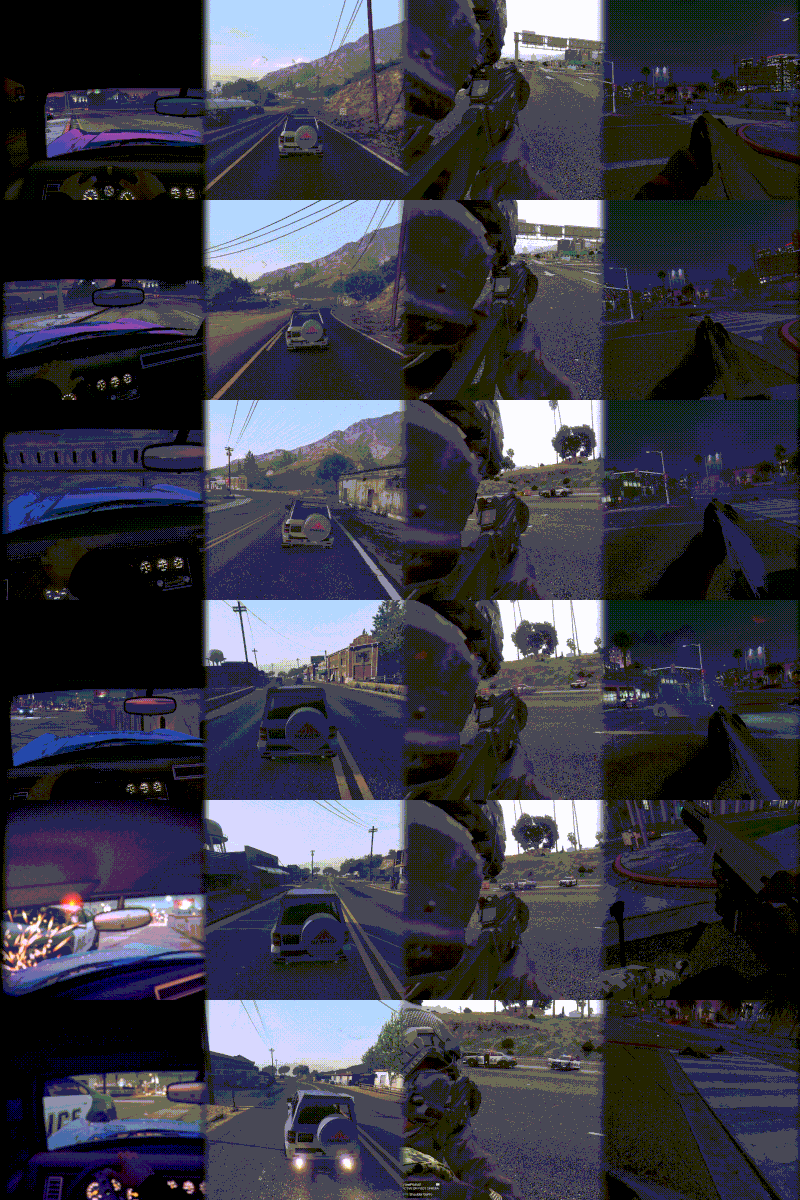
Showcase of the Lite version: Free GTA 5 Camera Mod - VIEWPOINT Lite | Third Person and Bodycam showcase VIEWPOINT Lite: free Bodycam and Third Person cameras for GTA V (Legacy & Enhanced, LSPDFR support). Lite is the complete Bodycam and Third Person experience, nothing cut: presets, shaders, overlays, recoil and bone driven head bob. Full version has: car, bike, plane, heli and boat cams (third person, first person), on foot first person (including ADS Mode), dash camera and automatic event cameras. Everything is highly configurable via the menu. The installation of the full version is automatic, using our dedicated Mod Manager that takes care of downloading and installing all dependencies for the mod, and the mod itself. One click install on a fresh GTA build. >>Try the full version free for 3 days, no Patreon or payment needed, one click install: entropicstate.com/mods/viewpoint Single player only, and never touches your game/mod files. Need help? Join our Discord: https://discord.gg/GrnPUbp2ys CONTROLS (defaults, change via the Main Menu -> Keybinds) Tap V - switch view Hold V - open camera wheel Tap F5 - open current camera settings Hold F5 - open main menu Q/E - switch tabs in the menus Hold ALT - activate mouse mode, you can drag and drop the menu, and scroll and click settings using your mouse cursor. Double click the header of the menu to restore to default position CAMERAS Bodycam - a body-mounted camera you can attach to any ped bone, then freely position and rotate to build your own rigs. Ships with 3 presets: Helmet Cam, Shoulder Cam, and Chest Cam. Works on foot and in vehicles. Third Person - a rebuilt on-foot third person camera with procedural weapon recoil, animation-driven head bobbing, scroll zoom, and shoulder swap. FEEL & REALISM Head bobbing engine - driven by the ped's actual skeleton bones, not pre animated shake. Tune feel, speed response, limits, and texture, a comfort indicator warns you before a preset gets nauseating. Procedural recoil - recoil is generated on the go, and is deeply customizable. You can override it per weapon or per weapon class (pistols, SMGs, rifles, snipers...). Aim smoothing - configurable input smoothing and mouse acceleration while aiming, tuned per preset. Bodycam overlay - customizable HUD overlay (logo, timestamp, text elements) you can edit in-game. Drop your custom PNG logos, and they will auto load to the list of availble in the menu. SWITCHING & UI Camera Wheel - hold V to open the wheel: move the mouse to pick a camera, scroll to cycle its presets. Tap V to quick-cycle cameras. In-game menu - tap F5 for the active camera's settings, hold F5 for the main menu. A frosted-glass UI with selectable accent colors (including a dynamic mode that adapts to the scene), drag-to-reposition, and full mouse control (hold Alt to point, click and scroll). Full controller support - navigate every menu, summon and spin the wheel, and switch cameras from the couch. Every action is rebindable on both keyboard and controller: QWERTY/AZERTY/QWERTZ layouts are auto-detected. Built-in tutorials - non-blocking checklists teach each camera the first time you use it, plus occasional gameplay tips (both can be turned off). PRESETS & TECH Presets - every camera setting lives in JSON preset files that persist across Legacy and Enhanced. Clone a default, tweak it, share the file with other players. Shaders - built-in shader effects designed for the cameras: motion blur, scanlines, film grain, vignette, chromatic aberration, dynamic borders, speed lines, and more, all tunable per preset. Both DX11 (Legacy) and DX12 (Enhanced) are supported. Widescreen ready - UI renders correctly on 16:9, ultrawide, and super-ultrawide. INSTALLATION Copy VIEWPOINT-Lite.dll and the VIEWPOINT folder into your "scripts" folder Copy EntropicLibraryLite.asi into your GTA V root directory (next to GTA5.exe) REQUIREMENTS ScriptHookV: https://www.dev-c.com/gtav/scripthookv/ Script Hook V .NET Enhanced: https://www.gta5-mods.com/tools/script-hook-v-net-enhanced More cameras and features are available in the full version: Read full description and see it in action on our website You can try the full version for free, no Patreon needed.