
IceGuy221
Members
-
Joined
-
Last visited
Everything posted by IceGuy221
-
Your log appears to show that this is a random crash. if the crash is consistent with a certain callout pack, try removing it and see if that solves the issue. Based on what you are saying, it sounds like the callout pack is the issue. if this is the case, then the pack may not be updated for the latest version of lspdfr
-
could be an installation issue, do you have scripthookv installed?
-
-
-
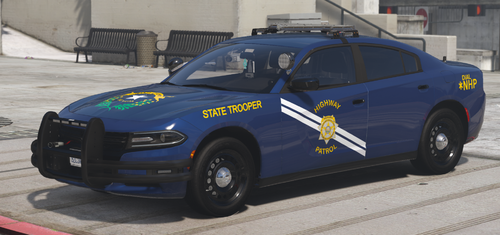 Great Pack, Very High Quality! Good Work
 -
I love this pack, very good quality. however, making a lore friendly variant would be nice
-
 did you get permission t redistribute enable all interiors and scripthookvdotnet or include it in the download?
- 77 comments
- 5 reviews
-
your log should be in your main directory, near RagePluginHook.exe. It will be a text file name RagePluginHook or RagePluginHook.txt

-
your log doesn't seem to show any issues. may I ask what mods you currently have installed?
-
please refer to these regarding your windows version https://rockstarintel.com/rockstar-games-end-support-for-windows-7-and-8-in-their-games/
-
try deleting GTAV.exe and then verify your game files, this should force an update if one is available. If this doesn't work, try updating RagePluginHook be manually reinstalling lspdfr
-
please send your log. it is in your main game directory near RagePluginHook.exe. it is a text file that will be named RagePluginHook or RagePluginHook.txt

-
Hi there! Please go to your lspdfr.ini and set Main.DisableGameBlipHiding = true It appears that the a required file (NAudio) is missing from your files GrammarPolice & Deadly Weapons both also have available updates. Try updating these for better stability and functionality. (Note that Grammar Police Now Run Off Of Microsoft Speech Platform instead of Speech Recognition. Speech Platform Must Be Installed First. (Dev has shared a video)) Try removing "More Radio Chatter" from your game, as it is not updated for the current version of LSPDFR. (Better/popular alternative: XScanner) Incorrect Installations: The following files are installed in the wrong directory: Damage Tracking Framework: Move from GTAV/Plugins/LSPDFR to GTAV/Plugins
-
please install the latest version of RageNativeUI from here: https://github.com/alexguirre/ragenativeui/releases
-
try going to your lspdfr.ini and change Main.DisableGameBlipHiding to "true"
-
make sure you have the following - gameconfig - heap adjuster - resource adjuster - weapons limit adjuster - packfile limit adjuster
-
It appears this could be a couple of things, one of them potentially being installation errors. Please make sure that you have the mods listed below in your main game directory - Packfile limit adjuster - Heap adjuster - pedproplimit adjuster - resource adjuster - gameconfig.xml For ELS, make sure you are using the AdvancedHookV file that comes with the v1.05 Download package of ELS. make sure your scripthookv is updated, and if you are running scripthookvdotnet (nightly), be sure that it is also up-to-date. for furhter examinatino of potential underlying issues, I would need your log. But it is more likely that this is installation error tbh
-
it appears you have files for traffic policer installed, but you are missing a required file for it File name Traffic Policer, so one of the main files for it). However, I recommend removing this mod entirely, as it is outdated. A better alternative is Stop the Ped. Also Interaction+ is also outdated. Stop the ped is also the better alternative for this.
-
Not sure if you figured this out fully yet or not, but for future reference, please send your log so we can help make sure that it is in-fact just the mods folder, and nothing else. Also, considering its a mods folder issue, make sure you have the following installed: gameconfig heap adjuster resource adjuster packfile limit adjuster
-
based on the log this is a random crash, which usually can't be avoided, however, try the step listed below, as it may have had relevance in the crash. Please navigate to GTA V/lspdfr/lspdfr.ini and change the section "Main.DisableGameBlipHiding" from "False" to "True"
-
It looks like a number of different issues occurred here, please try the following steps GTAV.exe: Try deleting GTAV.exe.from your game directory, and then verify your game files. LSPDFR Version: Please Update LSPDFR By Manually Reinstalling LSPDFR It appears you are missing a required file/folder for one of your plugins. File "ParksTools" Is listed as missing Outdated Plugins: The following files are outdated and need to be removed from your game files, as they are no longer compatible with the current game version. (I have listed better and updated alternatives beside them) BetterEMS (Better Alternative: Ultimate Backup) Callout Manager (Better Alternative: Callout Interface) Try the above steps first, if these do not work, or something else happens, please send a new log and I will continue to help on the issue
-
This is not the right log, I need the log file from your main directory

-
question, did you also install the ragepluginhook patch that was meant to fix sporatic crashing? if you didn't install it, try installing it and see if it fixes the issue. you can install everything in that download by putting it into your main directory (DO NOT DRAG THE SDK FOLDER INTO YOUR GAME FILES) it can be found in the lspdfr download page
-
make sure you are using the advancedhookv that comes in the 1.05 download, and the not the seperate advancedhookv download. this post goes over a lot of vehicle related things, but does also cover ELS
-
are you running ultimate backup and/or stop the ped? to make them spawn in-game, you need to edit the following files (I recommend all of them for the best results) - Agency.xml (gtav/lspdfr/data) - agency_addons.xml (gtav/lspdfr/data/custom) - agency_eupfr.xml (gtav/lspdfr/data/custom) - default_regions.xml (gtav/plugins/lspdfr/ultimatebackup) - custom_regions.xml (gtav/plugins/lspdfr/ultimatebackup) -special_units.xml (gtav/plugins/lspdfr/ultimatebackup)