
officerpudding78
Members
-
Joined
-
Last visited
Everything posted by officerpudding78
-
 Glad they turned out great, I would have taken more but my computer for some reason doesn't like GTA at all!
 -
-
-
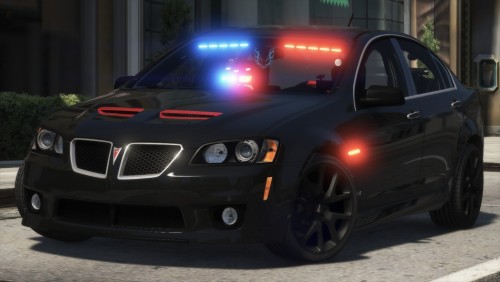 There have been none errors with this model so far! Works great and amazing for sting ops and community use. The only issue I've noticed is if you look at the front of the car and back up a few feet away, you can see balls of blue and red suspended above the car. This is an easy fix in the LOD stage, but highly recommended for use! Congrats on your first release!! 👍
- 64 comments
- 11 reviews
-
-

- 1
-
-
-
Looks great, I can't wait to try this out with the BaitCar mod that I recently added!
- 64 comments
- 11 reviews
-
-
- 1
-
-
Fixed it @Thero @flwpheonix ! I just had to create new dummies. The axes turned out to be inverted and there was a grouped mesh in the LOD.
-
Unfortunately, that didn't work. Everything is positioned accordingly and I did reset chassis and base dummies to world. I'm thinking that since the wheels are rotating in place above the truck, I wonder if moving the chassis and base dummies up would fix it?
-
Hello, I have came a long way in fixing the wheels error and I am not at the point to where the wheel rotate in place. The only issue is that the wheels are above the car in game. https://gyazo.com/7e37dc915db62c4f382aaeb3c816d3a3
-
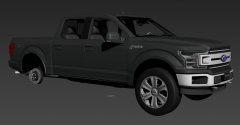 Ahhh. I believe I might have wheels like those to release with it. It mainly depends if I can find it.
 -
Sorry, I'm ignorant when it comes to wheel types lol. If you send a pic, I can easily tell if the F-150 will come with it.
-
Planning on it! Should be rolled out in a couple weeks from now, so be sure to follow this page for latest updates!
-
From the album: Pudding's WIPs
-
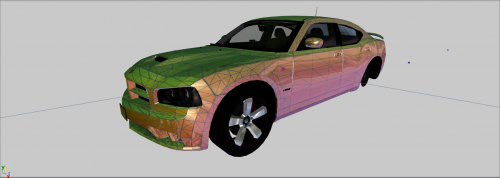 Got that 2006 SRT, love it.
 -
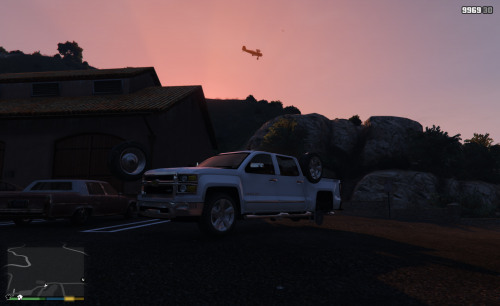 Sadly couldn't fix it.. I'm just going to redo all of the conversion to try for better luck :(
 -
Hahaha Honestly I'm so dumb when it comes to little things, hopefully I can learn from this 😂😂😂 I'll put goetz's christmas tree on it
-
Found out I didn't have to restart it lol just a few stupid mistakes on my part that deals with the axis but thanks man! I'm going to need the luck! And good luck to you too on your models Oh okay, I just didn't want you to put a whole lot of work into it and then comes to find out, a similar version is uoaded but I'll try to do some poly filling!
-
Already have @OfficerWalters on that lol but thanks for the help! I'll be uploading a better version of it soon! Lol, I just break everything that looks great but thanks! Fixed version should be out soon!
-
Love the observation, I'm dying .. Yeah, I have problems with dummies, collissions, you name it. Hopefully I get this all straightened out soon enough.
-
Thanks man, couldn't have done it any better
-
2014 Silverado By: officerpudding78/Scar PLEASE READ This model WILL be fixed and updated later on!!! It will not be busted forever. I did NOT intend to break the model, the model broke me. One accomplishment from this is that the clipping issue was solved; however created more problems. I am only doing this for giggles and potential help. Credits - Converted, textured, and mapped to GTA IV by lamping1990. - Converted to V by officerpudding78/Scar - Beta Testers: IndianaIsMyState & Mr.JonnhyCZG
-
-
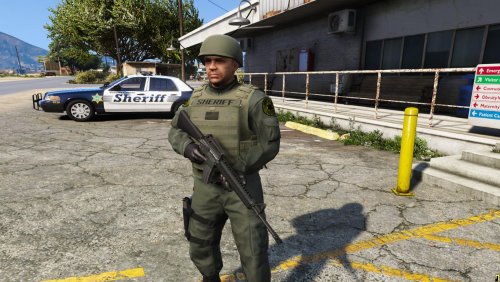 Looking great! Keep up the good content!!
 -
-
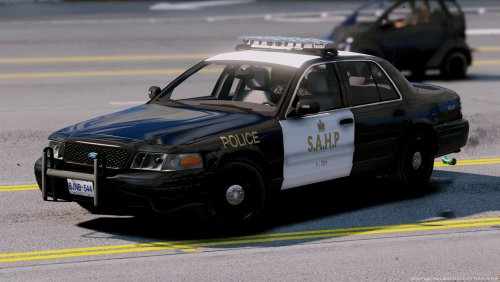 I love the concept you created and will definitely be a keeper in my directory!
- 28 comments
- 9 reviews