




K4te
Members
-
Joined
-
Last visited
Everything posted by K4te
-
Install custom gameconfig, packfile limit adjuster, heapadjuster - let me know if this won't help
-
Custom Pullover & Typical Callouts - both outdated, can cause crashes United Callouts - this plugin sometimes works fine and sometimes this same callout can make crash so its up to you
-
Update LSPDFR enhanced - few hours ago it get fix for some issues Oficer Status Plugin - outdated, can cause issue FBI Callouts - I remember I was using this some time ago and should be fine but if your game still gonna crash u can try remove also this one Wouters Callouts V - outdated, can cause issue
-
Attach RagePluginHook file (.txt or .log file in your main gta5 folder)
-
Something makes your game to not load lspdfr as it should be. Attach RagePluginHook file (.txt or .log file in your main gta5 folder)
-
Idk what you have changed so sorry but can't guide more
-
Add whole gta5 folder as exception at your anti-virus + set full permissions for your whole gta5 folder
-
Rename mods folder to _mods and let me know if this let you load in your game, then we gonna go further
-
Rename mods folder to _mods and let me know if this let you load in your game, then we gonna go further
-
If you changed something in your .xml files I suggest check them via xml checker to see if you didn't forget there about something
-
Remove Custom pullover, if it still crashes you can try also temporally remove Basic Parking Tickets and Beachfronts Callouts
-
Rename mods folder to _mods and let me know if this let you load in your game, then we gonna go further
-
I suggest temporally remove Custom pullover and Safer chases - both of them are outdated and can cause issue
-
Mods issue, install custom gameconfig, packfile limit adjuster, heapadjuster. If this won't help - you have to find what mod that u installed cause problem. If it's not possible then u have to delete your current mods folder and start with it from 0
-
As Lennyy typed above - reinstall correct CalloutInterface Also I suggest remove Assorted Callouts and CodeRed Callouts - they are outdated plugins and it can crash your game more often. United Callouts is 50/50 plugin - sometimes callout gonna work fine, sometimes this same callout can make crash so it's up to you what you gonna do with this info. Vitroze Library - never saw it before so can't tell much about it
-
Random crash
-
Reinstall EUP menu, prob some files got corrupt.
-
@Joe C Wilson thanks for your reply. There is no problem for me to convert mlo to SP or fix walls issue etc. I only decided to create this topic cuz lspdfr community is big so there is some chances that someone can just confirm "yea, this one gonna work at sp etc." As for map you've suggest - yeah I know it very well but I'm not interested with this one. Once again thanks for your willingness!
-
Hi, recently I was thinking about buying some new mlo but as we all know 99,9% of them are made for fivem and protected by cfx escrow and other things. So I wanted to ask if maybe you can suggest me something that gonna work with lspdfr without problem and won't be a waste of money. (MLO's I was thinking about): Kiiya MRPD (cfx forum) Kiiya VPD (cfx forum) FM SHOP MRPD (cfx forum) Molo-Modding MRPD (cfx forum) MRDP - SDRP <- afaik this one should work with SP (at least devs typed that) - maybe someone can confirm? Also I really love IBONOJA_MAPS MRPD but cmon.. not 217$ xD Also question to LSPDFR devs (or maybe someone who makes plugins/scripts): is it possible to make .ini file where we can easly manage position of wardrobe change (without breaking stations.xml cuz afaik its better to not touch "Downtown Police Station") or mrpd portal coords to cells with arrested ones or even put them to cells in custom mlo without teleport to mrpd (for example I would have vinewood pd mlo and I have cells there)? Thanks for every suggestion, if you don't understand something let me know, I'll try explain better 😄
-
Now I saw this thread and I totally agree to give it more attention! Bump.
-
How you install them? As add-on or replace?
-
If this is only file that u tried modify last time then I suppouse it is it
-
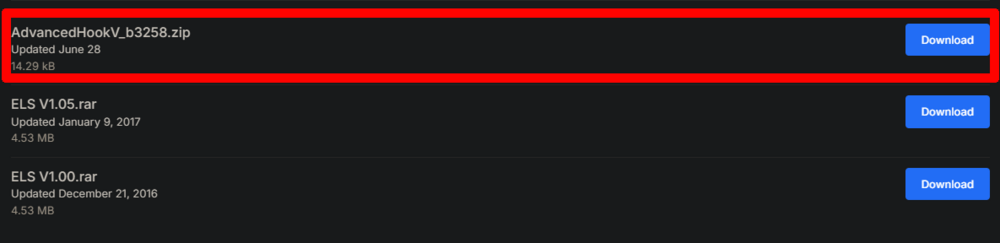
Download new version of AdvancedHookV
-
Changes that you made in one of your .xml file cause issue
-
Something in your mods folder makes lspdfr crash



