
K4te
Members
-
Joined
-
Last visited
Everything posted by K4te
-
Attach rph log file (main directory) Also attach screenshots of gta5/plugins folder and gta5/plugins/lspdfr
-
They are not broken.. they might just use another slots than ready sets that u probably use
-
As for epic games first launch basic gta5, load into story mode, while u will be able to move -> alt+tab to desktop and then launch rph
-
Mods folder? If yes - temporally disable it and try again (rename to _mods)
-
If you have mods folder temporally disable it and check if your game launch. if it does - first of all update gameconfig in case if u didn't made it yet check if ur update.rpf inside mods folder is not a problem (temporally drag it somewhere else - desktop or smh)
-
Yea, here: https://www.lcpdfr.com/forums/topic/154702-guide-for-converting-eup-vehicles-to-enhanced-here/
-
Update gameconfig for new one that match new gta5 version
-
Make sure u have it set as load to start at rph settings.. if no - u can always do it manually in game via console cmd
-
Maybe u mean backup.xml that is inside data folder? (gta5/lspdfr/data).
-
U may try new SHV version that was updated few hours ago.. maybe finally its gonna work without problems
-
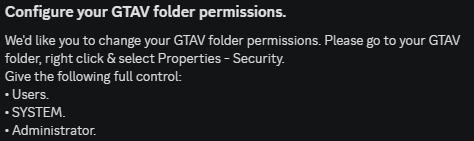
Set full permissions for your gta5 folder & add whole folder as exception for your antivirus

-
Increase PluginTimeoutThreshold to 60000 at RPH settings. No info about RNUI version so make sure u have installed version 1.9.3 Your LSPDFR crash while it try to load.. attach screenshots of your plugin and plugin/lspdfr folder
-
Install this https://www.microsoft.com/en-us/download/details.aspx?id=26999
-
Disable BattleEye at RGL settings. Add whole gta5 folder as exception at your antivirus. Set full permissions for your gta5 folder.
-
Remove Custom Pullover If it won't change anything -> keep on eye that AutomaticRoadBlocks doesn't also cause issues
-
Plugins: - reinstall TrafficYieldPlugin.dll - it fails to load so make sure u have installed it correct - use readme file Plugins/LSPDFR: - EUPMenu - move it to Plugins folder -> read readme file if u don't know how to install plugins - TraficYieldPlugin - u have doubled this plugin so make sure where it belongs and delete not needed one Crash fault: [12/25/2025 11:08:36 AM.177] Exception type: System.TypeInitializationException [12/25/2025 11:08:36 AM.177] Exception message: The type initializer for 'PolicingRedefined.Interaction.Modules.General.AmbientTintController' threw an exception. [12/25/2025 11:08:36 AM.177] ------------------------------ [12/25/2025 11:08:36 AM.177] Inner exceptions: [12/25/2025 11:08:36 AM.177] Exception type: System.NullReferenceException [12/25/2025 11:08:36 AM.177] Exception message: Object reference not set to an instance of an object. [12/25/2025 11:08:36 AM.177] ------------------------------ [12/25/2025 11:08:36 AM.177] Stack trace: [12/25/2025 11:08:36 AM.177] at PolicingRedefined.Interaction.Modules.General.AmbientTintController..cctor() in C:\Users\Marcel\RiderProjects\PolicingRedefined\PolicingRedefined\Interaction\Modules\General\AmbientTintController.cs:line 16 Changes that u made throws error. Correct it or revert changes
-
Add gta5 folder as exception for your antivirus
-
Any other mods?
-
Yes
-
Did u modify any .ini / .xml files? Or if you have mods folder - temporally disable it and see if u still get crash (rename to _mods to disable)
-
NVE have LSPDFR Compatibility .oiv file in optional folder - install it + if u are using SHVDN then u have reinstall it after u install compatibility file (during installation it auto-uninstall some shvdn files idk why)
-
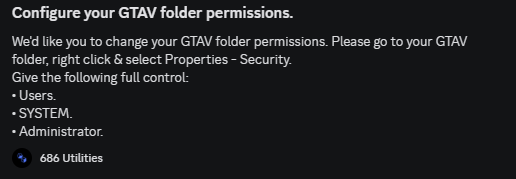
Increase PluginTimeoutThreshold to 60000 You have installed STP 2x -> remove STP files from plugins folder Set full permissions for whole gta5 folder
-
Last thing before crash was loading PoliceAdvancer - make sure u have it installed properly
-
Now logs stop during gta loading.. temporally disable mods folder (rename to _mods)
-
Yup, its smh inside your mods folder but u have to find what it is on your own cuz nobody here have access and knowledge what u have installed there