




K4te
Members
-
Joined
-
Last visited
Everything posted by K4te
-
"Y" at ps5 controller - interesting? First check if .ini files of callouts that u use have possibility to add there controller buttons - if not then it's mean you will need keyboard to interact with caller at this calls
-
Next time attach only RagePluginHook log file First try with install gameconfig, heapadjuster and packfile If this won't help - rename mods to _mods and check if your game gonna launch (it will disable your mods (to make mods work again rename it back to mods)) -> if this allow you launch game then you have 2 options: find what mod cause problem and remove it delete whole mods folder and start with mods from 0 - this time add them 1 by 1 and test each one to prevent situations like this
-
1. Try use this version of SHVDN 2. I suggest to remove: - from main gta5 folder: Albo1125 folder Albo1125Common.dll - from gta5\plugins\lspdfr: Assorted Callouts Callout Manager Code 3 Callouts Federal Callouts Random Callouts Repeat Offender Variety Callouts Wilderness Callouts 2.5. Keep on eye Yobbin Callouts - (temporally remove it, check if your game works fine after 1. and 2. and if it's ok then add it back and check if this won't cause problems too - if no then keep it, if it will make your game crash then just remove it)
-
Attach screenshots of: main gta5 folder gta5\plugins gta5\plugins\lspdfr
-
Still there is smh wrong with one of your xml
-
Remove Computer+, IG Callouts Update or remove JM Callouts Remastered (it's no more avaliable at lspdfr website) And one of your xml file need to be fixed
-
I guess u have immersive effects
-
Download latest RNUI and place both files in your MAIN gta5 FOLDER
-
Attach screenshots of: main gta5 folder gta5\plugins gta5\plugins\lspdfr
-
I didn't saw error that could cause problem with STP - do what I typed above and check if it's working ok now - if not send new log
-
Remove: Traffic Policer ALPR Recode PoliceSmartRadio Interaction+ (instead you can use Riskier traffic stops + plain sight) Reinstall BasicParkingTickets
-
Attach this file Drag and drop it at the bottom of window reply (or use option "choose files...")
-
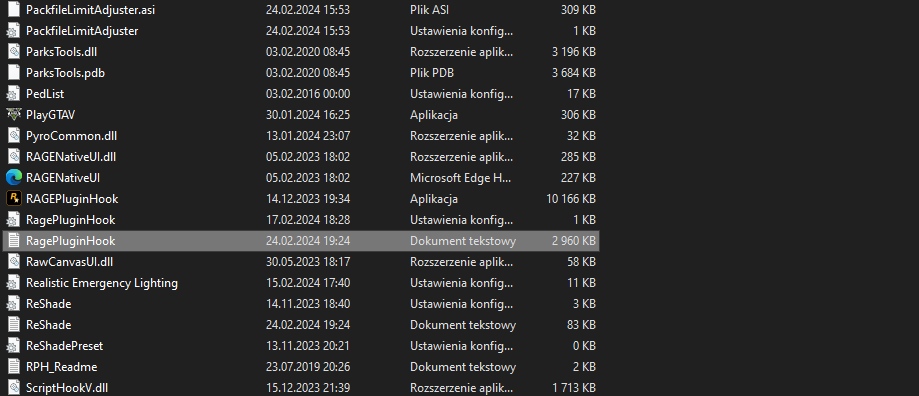
Attach RagePluginHook log file (.txt or .log file in your MAIN gta5 FOLDER)
-
Any of this shouldn't cause issue but you can create copy on clean eup and add packs that you mentioned 1 by 1 and test which one cause problem
-
Rename it back to mods Remove it and install only this one with lspdfr compatibility If it's added as add-on then I suggest temporally move it somewhere else (for example create folder at desktop and copy it there, delete in mods folder) to check what cause problem - this mods or nve
-
Move PyroCommon.dll to your MAIN gta5 FOLDER Next time attach rph log as file (drag&drop file at bottom of reply window)
-
First launch gta5 via epic games, go to story mode and after you load to game minimalize it (alt+tab), launch rph and go back to gta5
-
When you rename mods to _mods it's temporally disable this folder and thats why nothing included there is working - it's for veryfication to find solution. Afaik NVE have version that is compatible with lspdfr - if you are not using it rn then I suggest try it. What else is in your mods folder? Modded vechicles, clothes, weapons etc?
-
Isn't it just work how it has been made?
-
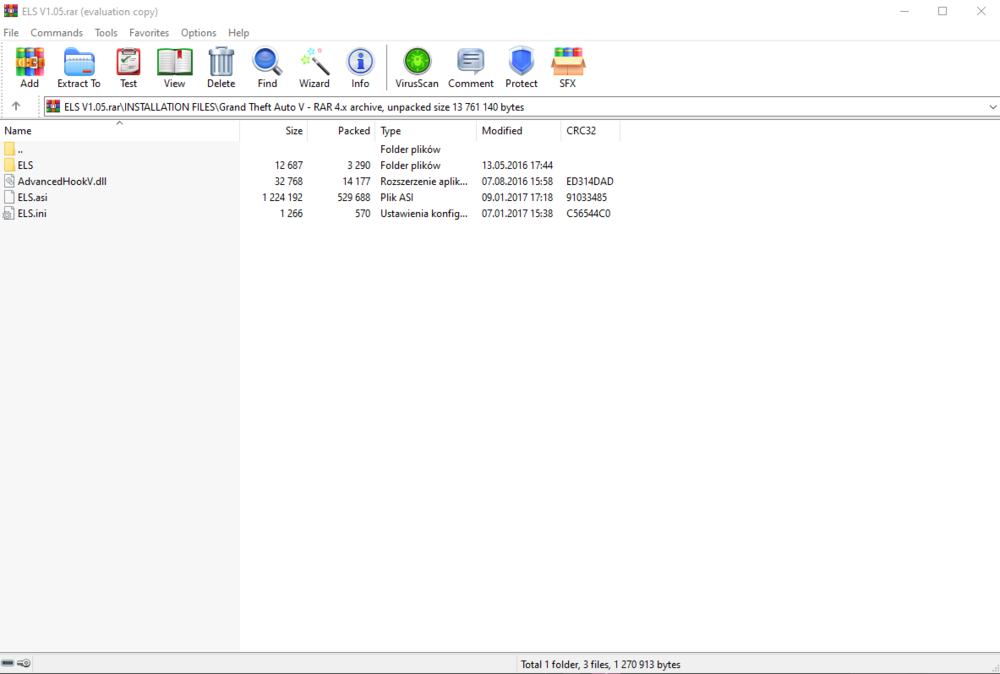
Everythins is included in els .rar/.zip Just drag&drop it in your MAIN gta5 FOLDER
-
Add full access permissions for your whole gta5 folder Add whole gta5 folder as exception for your anti-virus
-
Remove Callout Manager Reinstall BLK HWY Callouts: Rest seems ok
-
Attach screenshots of your MAIN gta5 FOLDER Also you can try rename mods folder to _mods and check if your game gonna launch
-
Screenshot how your mods\update\x64\dlcpacks folder looks like Same with mods\update Update DamageTrackerLib cuz you are using outdated version and it won't load some plugins -> I suggest download Deadly Weapons and copy from there DamageTrackerLib (to main gta5 folder)
-
1. Remove: Chaos Callouts Maniac Callouts Section136 Callouts 2. Keep on eye: Basic Callouts Dynamic Callouts UK Callouts By keep on eye I mean that if after you remove plugins mentioned in 1. and it's still gonna crash your game then I would suggest temporally remove them and check if it helps -> if it stop crash your game then add this plugins 1 by 1 and check which one also cause problem.




