




K4te
Members
-
Joined
-
Last visited
Everything posted by K4te
-
1. Attach screenshots of gta5/plugins/lspdfr 2. If you made some changes at inventory.xml (gta5/lspdfr/data or gta5/lspdfr/data/custom) try revert changes and take a look if this stopped your issue
-
FSR or DLSS is not a feauture implementet in gta5 rage engine version so with mods like that I suggest go with problems like that directly to mod owners
-
I suggest temporally remove: 505 Callouts Dangerous Callouts Dynamic Callouts Lore Callouts Opticom Security+ and add them back 1 by 1 with tests to check which one cause problem then simply totally remove problematic one
-
If you are using ScriptHookVDotNet - use nightly build, if you still have same issue - attach screenshots of your main gta5 folder + if there is any crash window - screenshot it too
-
Remove: Arrest Manager ComputerPlus LSPDFR+ Traffic Policer and check if your game still crash, remove also: SWAT Response Callouts Crazy Callouts
-
1. Add whole gta5 folder as exception for your antivirus 2. Set full access permissions for whole gta5 folder for everyone (right click on gta5 folder > properties > security (3rd tab) > in this window click edit and then > system, admins and users need to have set full access > apply) 3. If you are not using nightly build for ScriptHookVDotNet then I suggest install this version 4. If you really want reinstall gpu drivers I suggest do it as totally clean drivers reinstall - by DDU but I never saw solution where gpu drivers reinstall helped...
-
Attach screenshots of your main gta5 folder also screenshot this too
-
1. Do you have installed Law&Order and Serve&Rescue? 2. Is there any info that shows when you try to open EUPMenu? 3. Move RawCanvasUI and CalloutInterfaceAPI to main gta5 folder
-
Yeah, try temporally remove it and see if it change anything
-
There is nothing about ACC and Compulite, also logs say UB and STP is NOT installed (callout interface also is shown as NOT installed if you need it), make sure that you have installed it correctly
-
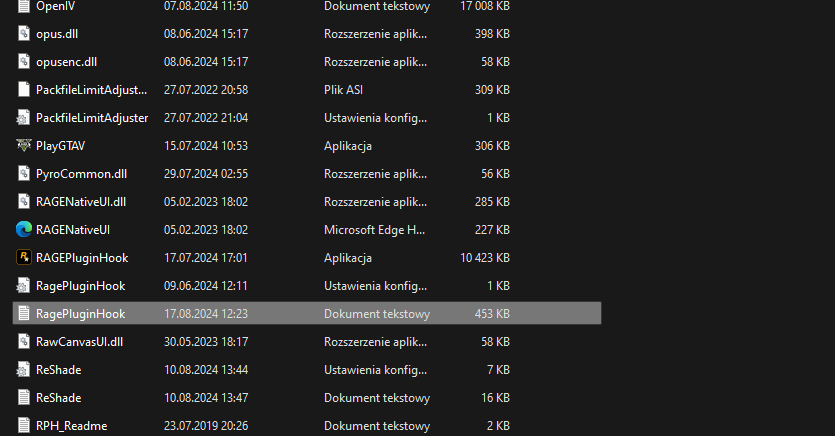
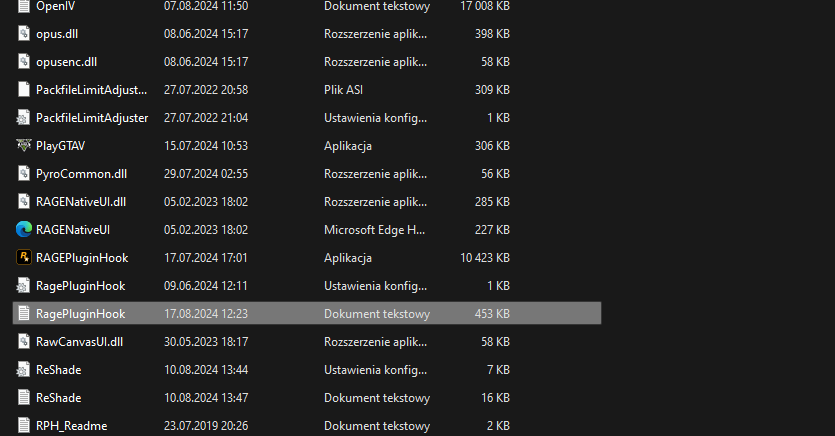
Attach RagePluginHook log file (.txt file in your main gta5 folder)
-
Move IPT.Common to main gta5 folder (or remove duplicated one from gta5/plugins/lspdfr): Remove: CodeRedCallouts ComputerPlus Traffic Control
-
This is file that we need
-
Rename mods folder to _mods and try launch game. If this help then rename it back to mods and try install: gameconfig, packfile limit adjuster and heapadjuster - if this won't help and your game still gonna crash -> something in your mods folder cause issue so you can try find this and remove or if you can't find it then you have to start with your mods folder from 0
-
Only what I can suggest is increase PluginTimeoutThreshold to 60000 at RPH settings. Its only mod so it never gonna be as stable as game development by thousands devs with high budget etc. sometimes it just gonna crash without reason
-
Attach screenshots of: main gta5 folder gta5/els/pack_default files of your vehicles at openIV
-
Download gameconfig and choose option that you need.. every folder has own multiplier for vehicles and peds so choose wisely and adapt for your pc performance
-
Your mods from addon folders doesn't works cuz you have clean dlclist.xml - so you have to add your folders to this list: <Item>dlcpacks:/folder_name/</Item> When you install things like eup or smh else by .oiv file - it should auto-add it to list, idk why it didn't work for you now Look for some videos on yt how to install addons for sp and you will understand more. As for fresh folder you can just delete everything (reinstall etc) or you can just look for screens how "clean" gta5 folder looks like, delete non original files and at the end check game files verification.
-
Install AdvancedHookV.dll at main gta5 folder and .xml files at gta5/els/pack_default with same name as .ytd/.ytf of vehicles. Also you can check if els works with lctrl+p it should open console in right-down corner of your screen
-
Try increase PluginTimeoutThreshold to 60000 at RPH settings + install RNUI 1.9.2 - this version of RNUI was for 3095 build too
-
If you are using backup option then it's ok, but if you don't have backup and you have installed newest lspdfr version from website then you won't be able use it in 3095 game version.
-
-
You are using version of gta5 and rph like 2 updates ago
-
ELS.ini and here you have list of buttons id (use second column) https://learn.microsoft.com/en-us/dotnet/api/system.windows.forms.keys?view=windowsdesktop-8.0
-
Imo there is no such a thing like "the best" - same as other plugins (callouts or anything else) - everything have nice implemented feautures and as long as its updated/made fine enough to not crash game - it's fine and worth to try it


