




K4te
Members
-
Joined
-
Last visited
Everything posted by K4te
-
Attach screenshots of: main gta5 folder gta5/plugins gta5/plugins/lspdfr
-
Try launch RPH after you load in singleplayer
-
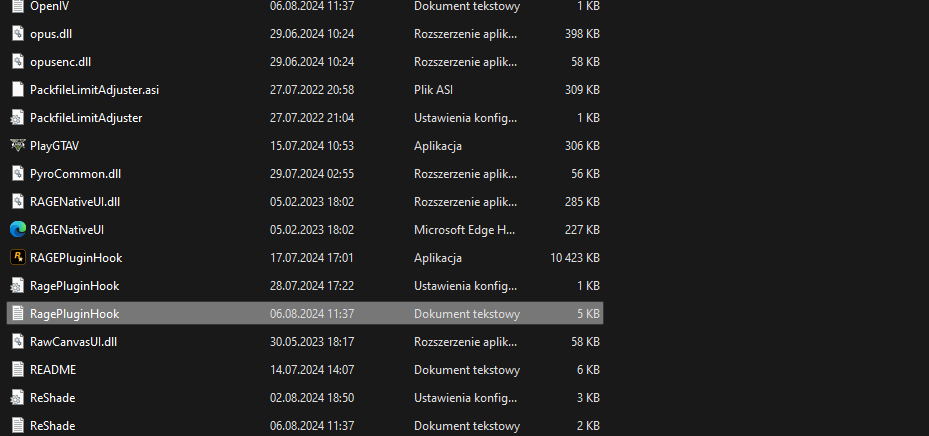
No, it's RagePluginHook file (.log or .txt in your MAIN gta5 FOLDER)
-
Yeah, I didn't noticed that you have mods folder, but plugins that I mentioned in my previous post would also cause crash for your game so better also remove them. WIth mods folder I can't help much cuz only you know what you have installed there so good luck.
-
Remove: 1. from gta5 main folder: Albo1255.Common folder; Albo1255.Common.dll; 2. from gta5/plugins: ParksCommon - if it's related with plugins from 3.; (keep an eye): Scene Manager; 3. from gta5/plugins/lspdfr: Arrest Manager; Callout Manager; ComputerPlus; Custom Backup; LSPDFR+; Search Warrant; Protection Squad; Traffic Policer; Other callouts that can cause problems: Better EMS, Coastal Callouts, EMSmod, IG Callouts, Maniac Callouts, SWAT Response Callouts;
-
Try remove BaitCar and Custom Pullover
-
Attach screenshots of: main gta5 folder gta5/plugins gta5/plugins/lspdfr
-
In your NVE folder u should have LSPDFR compatibility version, if you didn't installed it yet - do it
-
Try remove character files from gta5/lspdfr/chars Also I suggest connect your game to LSPDFR Sync - then your created character won't be deleted even if you uninstall game.
-
No, cuz we know that problem is with your mods folder... perhaps smh from deleted things still is there and cause issue so now only you can find and fix it. Sorry that I can't help more, gl
-
-
yes, just look on date when last time it was updated.. 8+ years ago there was totally another version of lspdfr.. not mention about gta...
-
Copy everything from RNUI.zip not only .dll file. Also you can try this: But better if you won't use this and remove plugin Keep Calm.. it's outdated as hell
-
What callouts you wanna install
-
Rename mods folder to _mods and try launch game, if this won't help attach screenshot of: main gta5 folder gta5/plugins gta5/plugins/lspdfr
-
GTA 5 folder: remove Albo1255.Common.dll; change SHVDN for nightly version if you don't have it yet; gta5/plugins: AsiSupport.dll - first time I see smh like this, but if this is what I have found on gta5mods then better remove it as it had last update at 2021; gta5/plugins/lspdfr" remove ComputerPlus - it's outdated + you already have CompuLite; remove LPCallouts, Maniac Callouts, More Radio Chatter, Samurais callouts; keep an eye*: Custom Pullover, IG Callouts, United Callouts; * - means leave it be for now but if your game still gonna crash then temporally remove them and if this help prevent problems, add them back 1 by 1 to check which one cause problem and simply don't install promlematic one
-
Attach screenshots of your main gta5 folder, gta5/plugins and gta5/plugins/lspdfr
-
Em ok now I see you already send log... and for now I see 2(+1) things: Regular Callouts wrong installed You have also installed DLS and description of it says: so maybe this is your issue Also this (+1) thing: you are using previous gta and RPH build but I guess you just use backup version
-
For now I'm using nightly.111 - maybe try this version cuz for me everything works fine with els
-
Temporally remove it and try launch game
-
Temporally rename your mods folder to _mods - if your game gonna launch then smh in your mods folder cause issue
-
Remove Callout Manager and should be fine. If you still gonna get crashes - try temporally remove Custom Pullover and Traffic Control
-
What version of SHVDN do you use
-
I'm mostly using ID from link that you send, just use it in plugins .ini files, idk it's working with key-binds in-game
-
Check which buttons you have binded in CompuLite.ini file for tablet. If it's NumPad0 and you have set modifier key binded for LControlKey then hold LControlKey+Numpad0 for few seconds.



