



00T.K00
Members
-
Joined
-
Last visited
Everything posted by 00T.K00
-
-
-
-
-
.thumb.png.8037129bc2526a9a9c435f4295948c9e.png) Does that mean the “Enhance Edition”? We have no plans to support it at this time. If you really insist, we'll consider it. As long as the weapon ID is correct, you can use any weapon!!
Does that mean the “Enhance Edition”? We have no plans to support it at this time. If you really insist, we'll consider it. As long as the weapon ID is correct, you can use any weapon!!- 8 comments
- 1 review
-
-
 I'm sorry. You're right. For some reason, it triggered this site's virus scanner, so I couldn't finish uploading it.
- 13 comments
- 4 reviews
-
-

- 1
-
-
The cause is likely a version difference. I've made it work with any version, so it should load. If it doesn't load, please try installing the latest version of scripthookvdotnet. https://github.com/scripthookvdotnet/scripthookvdotnet-nightly/releases
- 8 comments
- 1 review
-
Baton Window Action Installation: copy the scripts folder into your GTA V directory. Baton.dll, BatonVehicleGuard.dll and Baton.ini are all required. Install ScriptHookV and ScriptHookVDotNet v3 separately. With an allowed weapon, approach a stopped vehicle window. Hold Alt to select, then left-click to act. Ctrl+R acts on the nearest window or cancels an active action. The player never automatically enters the car. Broken windows are excluded. Cover is suppressed during targeting/actions. Edit Baton.ini: Language=ja/en, Keys for bindings, Weapons/Allowed for weapons. Included weapon list: WEAPON_NIGHTSTICK, WEAPON_COLBATON. Custom weapon mods must be installed separately. Language Support: English, Japanese showcase Scripthookvdotnet I was inspired by "Envi Carjack."
- 8 comments
- 1 review
-
-

- 1
-
-
 Not at the moment. We'll add it in the next version (1.2.1). Thank you for reporting the bug. I didn't notice it because I have the weapon attachment switch assigned to a different key.
- 32 comments
- 9 reviews
-
I’ve added a texture for the BlueLine’s torch, so I think that’s the reason. I'll create my own textures and adjust them to make them look more realistic.
- 13 comments
- 4 reviews
-
We are currently working on bug fixes and making adjustments to accommodate your requests. However, since we are busy this week, please give us a little more time before the release.
- 32 comments
- 9 reviews
-
-
- 1
-
-
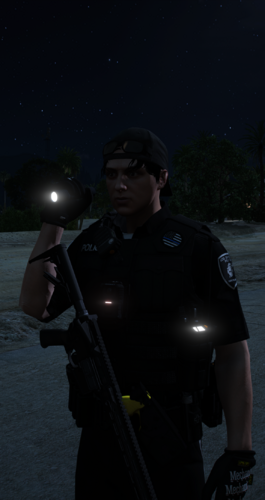
This is a plugin that changes how you hold the flashlight. It is still under development and contains bugs. As of now, the only issue I’ve noticed is that the way you hold the flashlight looks strange when the plugin isn’t loaded. Light sometimes reflects off the wrist. I tried to fix it, but I couldn't. Also, since I didn't design it with jumping motions in mind, the movement looks strange. I created this because I didn’t like how the flashlight was held in the original game. I strongly recommend using this MOD in conjunction with the original game. EMF lspdfr.ini Ambient.DisablePlayerFlashlightOverride = true Ambient.flashlightovershoulder = false Showcase Feedback and bug reports are welcome. Please post them in the comments section below.
- 13 comments
- 4 reviews
-
-
- 2
-
-
-
That's right—I use Kinetic, too. That conflict prevention feature is important. We're currently developing it. I've never encountered that kind of bug myself, but I'll try to investigate the cause and fix it. Could you give me some specific details?
- 32 comments
- 9 reviews
-
-
- 1
-
-
I’m not sure whether that symptom is a bug, but the idea of automatically de-energising the system and then re-stunning the subject with a specific key whilst the electrode needle is still inserted might be a good one.
- 32 comments
- 9 reviews
-
This is the first time I've seen a case like this. I'll try to find a solution, but I'm not sure if I'll be able to.
- 32 comments
- 9 reviews
-
-
I see. I don’t live in a society where guns are common, so I’m not very familiar with it, haha. I’ll consider making that change. Even if we implement it, we plan to make it switchable.
- 32 comments
- 9 reviews
-
-
I'd like to tweak the code so that the settings are a little easier to understand. Thank you for the valuable information. I’ll make the necessary adjustments.
- 32 comments
- 9 reviews
-
Have you downloaded this yet? https://github.com/scripthookvdotnet/scripthookvdotnet-nightly/releases
- 32 comments
- 9 reviews
-
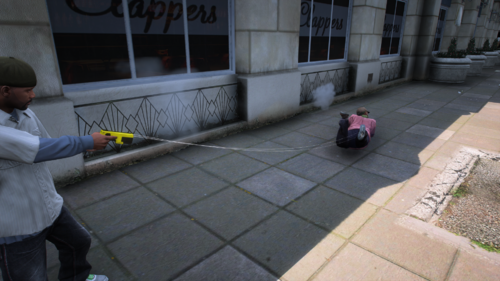
This is a mod that fires electrode needles from a Taser. Please see the README for details. INSTALL Please place only the two files in the ZIP—the CSand the INI—into the “scripts” folder for GTA V. They will work with the already installed ScriptHookVDotNet. Here's how to use it: Use the weapon attachment toggle key to show or hide the laser sight. To hide the electrode needles, press the Backspace key. Check out the showcase here. Showcase
- 32 comments
- 9 reviews
-
-
-
- 6
-
-
 Have you ever experienced backfiring when you changed the engine sound of a police vehicle? It doesn’t sound very realistic. That’s why I developed this script. It disables backfiring for police vehicles and any vehicles you’ve customized yourself. INSTALL Please place only the two files in the ZIP—the DLL and the INI—into the “scripts” folder for GTA V. They will work with the already installed ScriptHookVDotNet. Please post any requests or bug reports in the comments section below.
 -
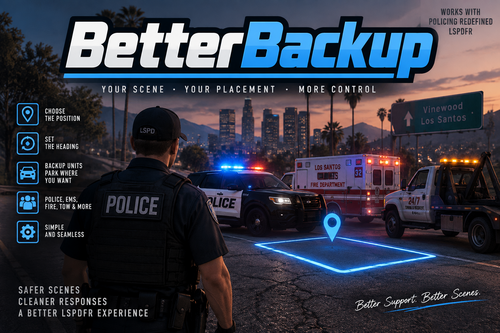 Thanks for the reply. That’s what happens when you call for backup one after another. I’ll use a circle for the second one and beyond.
- 28 comments
- 4 reviews

.thumb.png.8037129bc2526a9a9c435f4295948c9e.png)


