




Chippy
Members
-
Joined
-
Last visited
Everything posted by Chippy
-
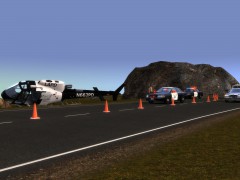 Awesome shot!
 -
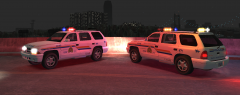
From the album: Chippy's WIPs
-
Looks great!
-
-
 Nice!
Nice! -
 I love it too! Thanks a lot!
 -
Yeah, as car pack
-
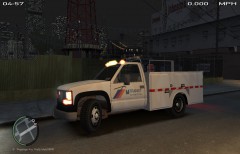
Name: GMC 3500 Utility CalTrans Lighting Equipment: Whelen Mini Edge Other Equipment:N/A Credits: - Model is by unknown, converted by Policefanatic - Wheels by Lt.Caine - Whelen Edge By Bxbugs123, edited to Mini Edge by Chippy. - Template by Chippy. - Skin by Chippy - Any remaining credit goes to the respective owners. Special thanks to NickieB for his Zmoderler tutorial. ADD THIS TO YOUR ELS.INI FOLDER FOR ELS V7 [ STEED ] Status = on File = default_config
- 7 comments
- 9 reviews
-
Ha thanks! I figured you lived close
-
-
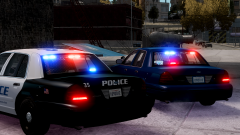
From the album: Chippy's WIPs
"Blue Dragon" -
From the album: Chippy's WIPs
-

From the album: Chippy's WIPs
-
http://alsemergencylighting.com/cart/index.php?main_page=product_info&cPath=2_12&products_id=69
- 7 comments
- 6 reviews
-
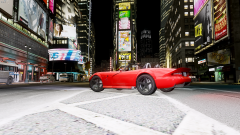
From the album: Chippy's WIPs
Converted from SA -
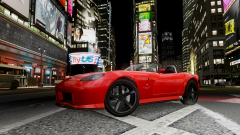
From the album: Chippy's WIPs
Converted from SA -
Here's a another CVPI with a Valor: http://www.gta-modding-chest.com/database/122-2003-ford-crown-victoria-pi-fs-valor-metro-police/index.html
-
 Yeah soon maybe this weekend
 -
-
Thank you!
-
From the album: Chippy's WIPs
-
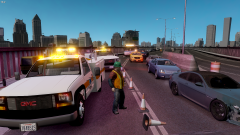
From the album: Chippy's WIPs
-
This one has individual components that can be moved around:http://gtapolicemods.com/downloads.php?do=file&id=1997
-
-
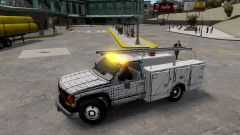
From the album: Chippy's WIPs
I've templated UndercoverChicken's GMC 3500




