




Bradyg
Members
-
Joined
-
Last visited
Everything posted by Bradyg
-
We are getting F-35's :D Well, we used to be pretty good. Ex: On D-Day the Canadian soldiers landed on Juno Beach, which was the most heavily guarded beach there was, and we made it.
-
LEEDLE LEEDLE LEEDLE LEE!!!!
-
That's cool but it's not the one I'm looking for. I'm looking for one that can go on the back deck on an Interceptor Sedan.
-
I am wondering if anyone has made these two interior bars. If not could someone make them? SuperVisor: Wingman with Torus: (Sorry if in wrong section)
-
Letter's are italicized the wrong way. Also in front of the door is not white as irl photos. 3/5
- 5 comments
- 1 review
-
This game looks really crappy.
-
Link to the truck and that International in the first picture?
-
This: and this to replace the Lifeguard ATV:
-
Juveniles driving four wheeler's in the street. lol
-
-
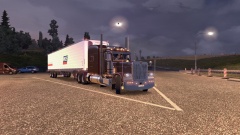 Yes, but i ain't the best driver! XD
 -
The wording is supposed to be black :P
-
BTW Canadia is an extinct worm lol
-
Looks good, the only problems I saw are the
-
Im 7 then
-
3
-
i already said one :P
-
1 :(
-
12!
-
7
-
What skin is that? Never mind figured it out.
-
Fired and suspended are two different things :P
-
-
lcpdseargebt lol close
-
False. The person below me thinks that they and i are almost the only posters right now.


