




Bradyg
Members
-
Joined
-
Last visited
Everything posted by Bradyg
-
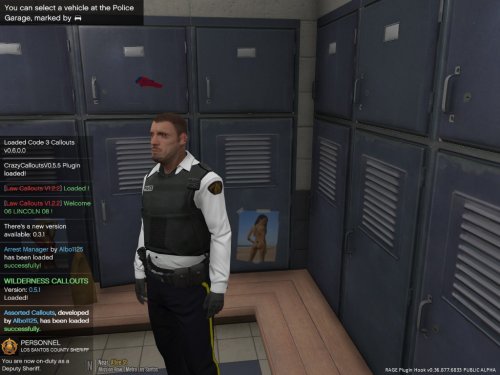 The shirt is to white. Only commissioned officers where white. Try to make it a little more grey. Also the writing on the vests is a little off. Most of the vests I've seen in person and online have either small font "police" with a shoulder flash (patch) above it, or police in a bigger font across the chest. And for the back, they usually have the small font police in the middle. Other than that, good job.
 -
 Pictures would be nice
 -
 This is in the wrong section :P
 -
I'm kinda tempted to go watch this now.
-
-
-
-
-
-
-
-
-
-
-
-
-
-
-
-
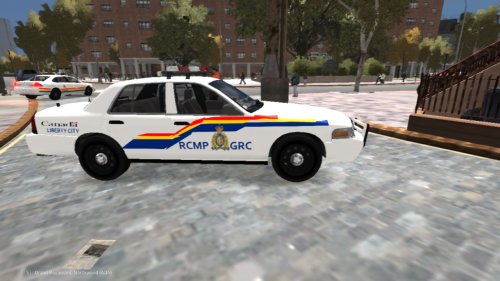 You will occasionally find a few CVPI's with Whelan Edge's and MX7000's (I think)
 -
Hey Kanyo, can you create a line for the Ram 1500 in this pack: http://www.lcpdfr.com/files/file/7303-lcsd-truck-pack/
-
Good news was that he was apprehended under the Mental Health Act after trapping himself in his flipped SUV with an axe and threatened to light the SUV on fire with lighter fluid.
-
This is driving me crazy, me and a few others are looking for the download link to the Move Bitch Get Out Da Way siren. Anyone know where I can find a link to it?
-
 Very true. I pick em off in my Panzer's all the time
 -
Me and Century are calling Microsoft right now so


