




Bradyg
Members
-
Joined
-
Last visited
Everything posted by Bradyg
-
Well my first name is Brady and the G is the first letter of my last name. My signature is the link my website.
-
-
Canada is pretty good, that's why I live here.
-
yeah
-
There's ICEnhancer: http://icelaglace.com/
-
Ok sorry bout that Yard. Ok I will take a look at them br100x
-
Hey, I trying to learn how to animate but I just got a question. What program should I use? Also if you have any tips that would be helpful! Thanks!
-
-
This is a nice car.
-
Yeah, I can.
-
-
That's epic! MODERATOR NOTICE Previous quote removed to prevent spoilers. ~c13
-
Wow, that's just horrible!
-
That is awesome, I love it!!!!!!
-
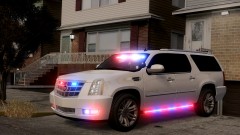
That's a very nice car with a lot of pretty lights, lol
-
That's pretty cool
-
I will beta test!
-
Look awesome!
-
 Is there a template for this?
 -
Its working for me.
-
Alright, I will look at some videos
-
Yeah except I have no clue how to change light colors.
-
Nice!
-
ok
-
nope. Well not anymore, lol


