


kingalexnormal
Members
-
Joined
-
Last visited
Everything posted by kingalexnormal
-
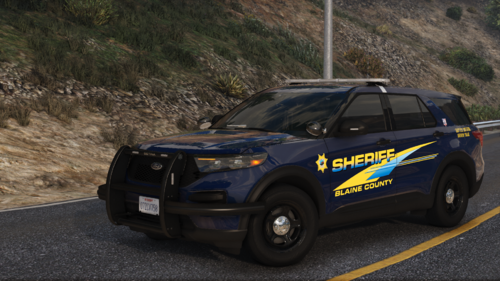 Holy this shit is clean, and the synced lighting when they're next to each other is amazing. Hope you add a 2025 FPIU soon! Awesome work!
 -
 I actually managed to do that before you mentioned it and did it for my CHP vehicles as well as LAPD, but it didn't work, i even left it stock to use with the vanilla police vehicles. The menu didn't pop up for me at all as well so I'm not even sure if it is loading in the game despite all my other mods being loaded.
 -
I've tried to install it multiple times but it seemingly wont work for me, it won't even show the menu for me in game, i installed into plugins/lspdfr exactly. Could you give a tutorial on how you did it or the path you followed exactly? I use DLS so I'm not sure if that is conflicting
-
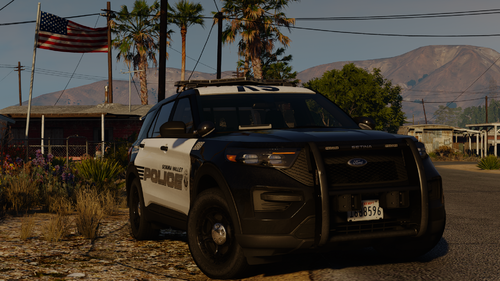 Hey there I have a question, do I need to rename the DLS files for their respective vehicles? Im having trouble with stage 3 lighting only, im asking because in the DLS file for VALOR20FPIU it has, "<Model vehicles="VALOR20FPIU,VALOR20FPIUA,VALOR20FPIUK9"> <Audio>" Edit: I tried renaming each to have their own file didn't work, this is stage 3 for me. I don't have advancedhook at all, my other DLS vehicles work fine!
 -
Couldn't agree more, just switched to DLS from ELS 2 weeks ago. Best change I ever made, and amazing packs like these makes DLS even more popular.
-
-
 Having issues with ELS.asi as well with the new update Update: the AdanvcedHook on 1.05 did work for me finally
- 2,699 comments
- 240 reviews
-
-

- 1
-
-
Game crashes frequently after installing this. Would love for it to be fixed and be updated to be able to use grammar police and ultimate backup. RagePluginHook_18022023_014348.log my_EMSUnits.xml
-
Would I be able to copy and paste it and just redownload the vehicles in openiv?
-
Im looking to move my GTA 5 and LSPDFR and RPH files and everything to my D drive to make more space. I want to do this safely without losing any of my plugins mod and ELS and vehicles. Could someone help me with this and guide me through the process or link me to a forum or video on how to do this specfically.




