


gowisely
Members
-
Joined
-
Last visited
Everything posted by gowisely
-
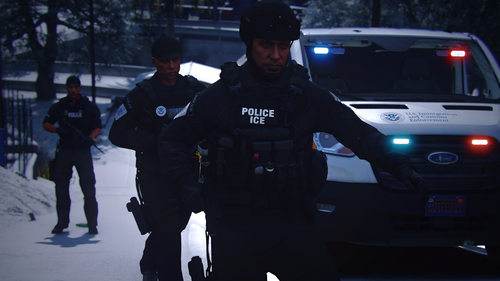 Nice pack, everything works, I haven't had any handling or vehicle meta issues. Vehicles look good.
 -
Nice pack, the van is a little slow but I can work with it. Would be cool to see this pack expanded on. I've been on LSPDFR for awhile now and transport vans, for personnel or prisoners, isn't a regular vehicle to be released publicly so huge W there!
-
Hi Mate, a solution which worked for me was disabling any other plugins that launched with LSPDFR and reducing the graphics of the game. I believe my CPU is not capable of handling so much at once, if you have a low grade CPU this may apply to you.
-
 it would be cool to see a bearcat being apart of this pack and prisoner transport van
- 168 comments
- 19 reviews
-
-

- 2
-
-
This issue persists even though I have reinstalled GTA V again according to a tutorial walkthrough.
-
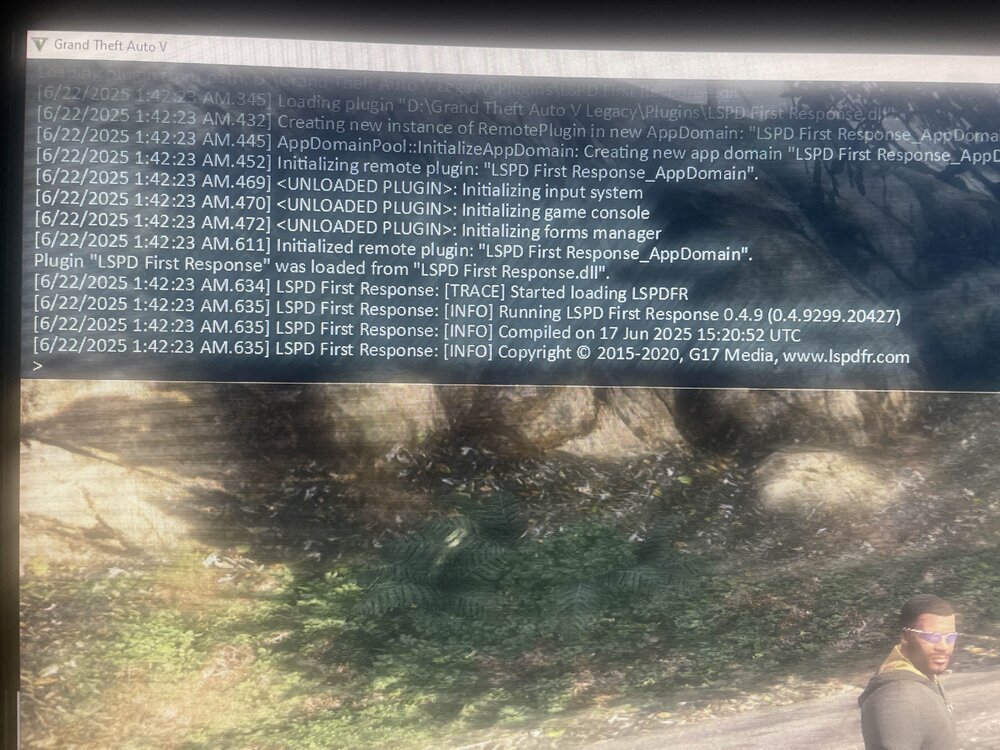
Fresh Installed, everything is updated to latest including mod requirements unless told otherwise (like ELS). I installed all the mods I wished to and I experienced a freeze in LSPDFR yesterday (unknown why), to which I removed LSPDFR and reinstalled it, it all worked, and then I installed EUPFR basic configurations and EUP menu which then made my game freeze when loading LSPDFR. The game DOES launch with rage when LSPDFR isn't loaded, and even when it's loaded from the console after loading, LSPDFR will freeze when it reaches the copyright line. Since installing EUPFR basic and EUP menu which caused the game to crash, these have now been completely removed and replaced with the original LSPDFR files and I am still experiencing the game to freeze after the copyright line of the LSPDFR execution. The log just shows the console, there is no RPH log as it does not crash, the game just freezes perhaps as a result of LSPDFRs loading protocol idk how it works. I can still move the cursor in GTA even though nothing else is responsive or interactable. RagePluginHook_22062025_175253.log
-
 Im experiencing a few issues with RIOT and FIRETRUK where NPCs cannot get into the 3rd passenger seat, they will do the animation and continue walking into the vehicle until they timeout and teleport into it (which takes awhile, perhaps forever if theyre not your partner). Is there any fix for this issue?
- 359 comments
- 26 reviews
-
Most of the vehicle models aren't loading/spawning when trying to insert them. I have done everything correctly according to the installation video. Fixed. vehicle ytd files were not installed, my mistake!
- 359 comments
- 26 reviews
-
@RicyVasco Did you find a solution?
-
@GtaGamerKid Did you ever find a solution?
-
-
I'm experiencing the exact same issue with ELS not working as it did before; lightbars not working with the emerg lighting system.
-
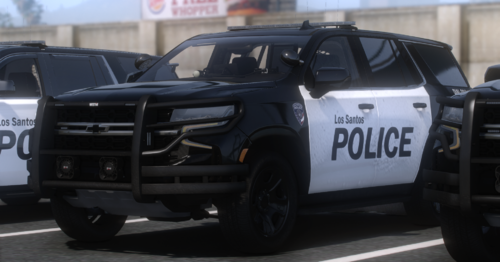 Make a car pack
 -
Installed a few british mods and game doesnt work, the mods installed today are listed below (previous to these mods the game worked) crashreport1.txt
-
Rage plugin hook has only started to do this since the new LSPDFR build release, when I updated all my LSPDFR files to the new ones. As soon as I open RPH, with or without administrative permissions, it just instantly closes after the 'Validating handbook' or sometimes it will go as far as 'Loading up game launcher' something along the lines as that. After reading other support topics I came to the conclusion it's best to reinstall my entire GTAV, thus starting with fresh files, however the issue still persists, RPH continues to crash straight after opening it. I have checked all my files are up to date to which they may cause the crash, didn't affect the outcome. Files: Fresh copy of official GTAV retail All LSPDFR files Scripthookv Packfile limit adjuster HeapAdjuster Ragenative UI ELS And I have ultimate backup As far as them causing the crashing, GTA V launches perfectly fine without using RPH (thus not being able to use lspdfr). Not able to get a log as it isn't open long enough to do it. Any solutions will be greatly appreciated.
-
Ever sinse I installed a new car pack LSPDFR has just crashed. I have removed this car pack and replaced it with one many use with thousands of downloads and I am still experiencing crashing RagePluginHook_14072023_131342.log
-
@Cyan Thank you I was using an outdated version of RAGENativeUI
-
Today I uninstalled GTA V completely and reinstalled it so it was clean and I didn't have to worry about outdated code from previous mods etc The only thing I installed into GTAV today was LSPDFR 0.4.9 (latest), Ultimate Backup, Stop the Ped, CompuLite, ScripthookV files, and Scripthookvdotnet files I launch RagePluginHook and go to the police station and I have to create a character - so I did and after doing so and hitting submit RPH crashed I then tried again and was successful setting up my LSPDFR character however I am yet to actually go on duty - doing so causes RPH to crash after a few seconds where you get to customise your outfit and access garage (vanilla lspdfr on duty menu) I have tried and looked on the faq and my plugin timeout threshold is 60000 as it says to do, I've followed steps to try resolve this, but nothing works. RagePluginHook_02072023_214814.log RagePluginHook_02072023_215647.log
-
Forgot to close this. Somehow - randomly, I must of messed up the installation of EUP and Ultimate Backup. I have since received these issues updated RageNativeUI and Scripthook for anyone asking. Thank you @AikoCutie for responding anyway. - Park
-
LSPDFR crashing occurs when Ultimate Backup is installed to my plugins folder, once removed it works, but surely it should work? I've met all requirements and this has only happened after this new title update. I'm also getting issues with EUP, when that's installed it just doesn't get past the Rockstar loading screen - appears to be infinite. Has anyone got a fix or do these essentials need updating by their creators? Thanks, Park
-
SOLUTION! I forgot to add a NativeUI.
-
I have installed the following mods, to my knowledge, all correctly: and yet I am still crashing even though installing the latest gameconfig https://www.gta5-mods.com/misc/gta-5-gameconfig-300-cars/download/147179 https://www.gta5-mods.com/tools/heapadjuster/download/73919 https://www.gta5-mods.com/tools/packfile-limit-adjuster/download/140703 http://www.dev-c.com/gtav/scripthookv/ crashlog.txt
-
 I have installed the addon car crash fix mod that's mentioned to fix crashing upon start up and it has not worked! Please can someone help me
- 445 comments
- 108 reviews


