




Raylan Givens
Members
-
Joined
-
Last visited
Everything posted by Raylan Givens
-
Thanks ill pm you!
-
I dont really like covers on the bed, but idk ill think about it :)
-
Im looking for legit bars, not R*'s Just dosent look right
-
Dont know how... Well no not really. I know right :)
-
The Amber Alert, wouldn't work because there's no children in GTA IV. LOl :]
-
Hello guys, quick question ive been modding a few vehicles, and im currently working on a F-150 and i was wondering does any body have anything like these: the back bars in the truck... Please if you got any please pm me or comment on here, thanks guys! UPDATE:
-
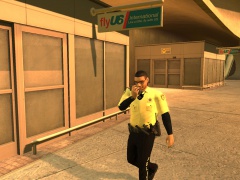 were is that ped at, lol that is sexy!
 -
 Thanks guys!
 -
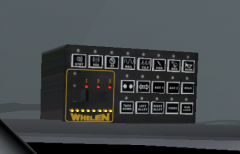
From the album: Srgt.Scales [WIP] [REL]
Hey all, just thought id show you i took the whelen box and added els function very nice, *not for release at the time* waiting on permissions.... -
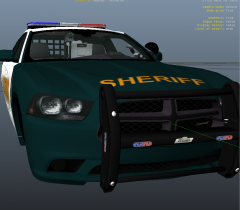
From the album: Srgt.Scales [WIP] [REL]
Added more lights to my baby! -
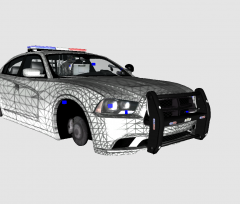
From the album: Srgt.Scales [WIP] [REL]
Yes im at it adding more els lights to it! Those whelens are sweet! -
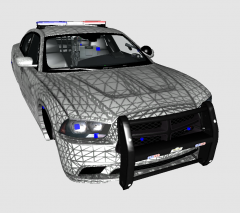 Video: http://www.youtube.com/watch?v=fZLjZJVOoQ4
 -
From the album: Srgt.Scales [WIP] [REL]
Howdy, it's my 2012 Dodge Charger with the code 3 21TR and now im adding whelen IONS.. you download the test version at SNIP Link removed~c13 < Sorry c13, heres a link -
wow ninja :) lol that sucks. And also guys ill try to get pics next time i go into game!
-
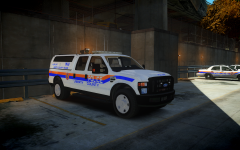 I love those antennas!!
 -
Hey no prob! its really fun! ill tell you that.
-
Sorry to double post but i want everyone to know this "A funny story" *Also sorry moderators but i wanted people to see the review of the game.* * Today after myself and RCMPCarter buying DAY Z mods we find Mr.Quiggles. He asks hey do you want to play some DAY Z. And we say sure lets go play, *now talking about in game* So we were just randomly playing in game. The RCMPCarter just dies randomly in game. We think he just fell down the stairs which is what he thinks to but wow falling down the stars can be dangerous! That was pretty funny, So after regrouping about 15 min later. We stay in the town and find some cools things in the towns like m4's vests, clothing, equipment, safety items, foods and drinks! Even though its in beta its worth buying atm the game is stable reliable and perfect for a alpha. Mr.Quiggles was our awesome supporter in game like showing us around, finding equipment and other cool features in game! Thanks Mr.Quiggles *No Mr.Quiggles did not die nor did i srgt.scales, just RCMPCarter.* Also special thanks to ineseri for telling me about this awesome mod! Yes there are some glitches but hey its worth it! Here's a link to the steam version * I recommend the steam version for friends and others you might play with* Also if you ever want to play DAY Z with me and maybe some of my friends and there online just shoot me a pm or chat message me steam. ~ Srgt.Scales Friends: Myself: srgt.scales Friend: Mr.Quiggles Freind: ineseri < telling me about the game Friend: RCMPCarter Links: DAY Z *steam*: http://store.steampowered.com/app/221100/ DAY Z Website: http://dayzmod.com/ Srgt.scales lcpdfr profile: http://www.lcpdfr.com/user/55548-srgtscales/ Steam profile: http://steamcommunity.com/id/srgtscales Mr.Quiggles lcpdfr profile: http://www.lcpdfr.com/user/5650-mrquiggles/ Steam profile: http://steamcommunity.com/id/mrquiggles1 Ineseri: lcdpfr profile: http://www.lcpdfr.com/user/972-ineseri/ Steam profile: http://steamcommunity.com/id/ineseri RCMPCarter lcpdfr profile: http://www.lcpdfr.com/user/121567-rcmpcarter/ Steam profile: http://steamcommunity.com/profiles/76561198078034476
-
Ok Alex
-
Very nice guys now ill have to get it! Cause it looks sweet!
-
Hey guys, I was talking to ineseri about finding a cool game on steam. So we were talking about games I said things about Arma 2 and he said how about standalone meaning DAYZ. Well he gave me a link to it on steam, I got to say wow! it looks great. But before I get it I want to ask you guys what do you think about the game? Have any of you played it? Thanks everyone ~ Srgt.Scales Pics: ^ Cool pics! *EDIT*- Added pics.
-
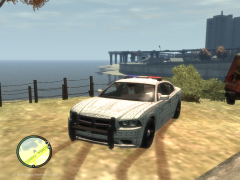 Thanks!
 -
zmodeler 2.2.4 or zmodeler 2.2.6 but id use 2.2.4 :)
-
-
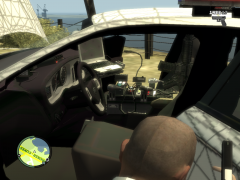 Nah bud its good :) LOL i love interior
 -
You are correct bud!


