




Raylan Givens
Members
-
Joined
-
Last visited
Everything posted by Raylan Givens
-
Were is Sniper? waiting for the bomb :)
-
-
'?do=embed' frameborder='0' data-embedContent>> love it just came out <<
-
I think that's santas wife :)
-
little harsh? maybe lol I like that kadu! "Keep in mind that English isn't his first language, so this is actually new to him." true true. its pretty cool to see someone learn your language
-
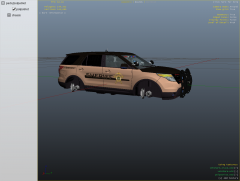 Hey thanks for the feed back!
 -
 usa usa usa usa
 -
 Oh my god will it be released?
 -
model is not public
-
are you a cop?
-
From the album: Ya'll It's Srgt.Scales
haters gonna hate -
oh yeah :) ha-ha
-
Were are the safety vaults?
-
all i now is that els is fast and can run enbs and iec's so it has to be decent ha-ha!
-
the setting to make the screen bigger^^?
-
ok what does it do. and also would be helpfull to turn settings to high? could that be a reason.
-
Then how do i get my video quality better?
-
will it make my video better quality?
-
link to vegas? and set it up to half? << what?
-
i import it to windows movie maker and save the movie.
-
i had it on my first time but switched it to half. see heres a video. like others here there vids are high ass quality. thats what i do to upload.
-
hey guys i have fraps and when i play gta and record its low res. like 140p or the lowest. what do i do to make it better?http://www.lcpdfr.com/uploads/monthly_12_2013/post-55548-0-71497400-1386290460.pnghttp://www.lcpdfr.com/uploads/monthly_12_2013/post-55548-0-98976400-1386290473.png
-
all ready said it! ha-ha :)
-
-
www.badgecreator.com you might like it! maybe search a little more.


