Eagle
Members
-
Joined
-
Last visited
Everything posted by Eagle
-
-
Everything is the same as I wrote in my instructions. Just you use different program (OpenIV) to open componentpeds and pedprops.
- 6 comments
- 1 review
-
-
You can either play with ELS only on your vehicles (AI ELS is disabled) or switch to non-els vehicles. There is no third solution. Also, this section is only for those who have problems with installation or errors related to the LCPDFR on clean game (no mods or such).
-
You can turn on the siren normally by pressing G, however none of the lights on lightbar won't shine/glow/rotate whatever.
-
-
Uk cars are great but they don't fit well in the whole game.
-
-
-
-
-
I prefer IVDashCam over this. Also, Ridgerunner was making one but never finished it, he showed an image and that's all.
-
-
It's not on cops, it's on security guard. You will have to have Simple Native Trainer in order to change the model. Or you can just edit the files I sent, instead of m_m_securityman, you write m_y_cop (all extensions must be the same). Then it will be on cop model. Don't forget to backup files!
- 6 comments
- 1 review
-
-
-
-
On the stock cop models it must work (except fbi/security). On the other note, you say you didn't backup peds.ide, okay I hope you have stock models. Just post lines you were changing in peds.ide and I'll fix it.
-
It depends on what ped you have chosen. If you have chosen FBI agent/armoured security by any chance, you won't get any sound while doing traffic stop. Try using police officer or traffic officer or state trooper.
-
-
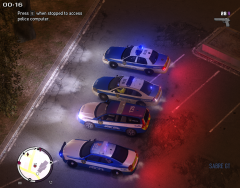 Nice idea of livery, I must say.
 -
-
 Thanks mate. :)
 -
Just open notepad and paste vehicles.ide into it. If it says that file is read only, go to properties and uncheck Read-only.
-
============= NYC Sheriff Department Skins ============= - Information: These are not authentic real life skins as they same as NYPD officers, just another badge and patch. ============= INSTALLATION ============= REMEMBER TO BACKUP ALL FILES IF SOMETHING GOES WRONG!!! Using SparkIV or OpenIV, open componentpeds.img. Import files m_m_securityman.wtd; m_m_securityman.wdd; m_m_securityman.wft Save archive. Using SparkIV or OpenIV, open pedprops.img. Import files m_m_securityman_p.wtd; m_m_securityman_p.wdd; Save archive. In order to ped walk properly and not like as a fat securityman go to C:\Program Files\Rockstar Games\Grand Theft Auto IV\common\data and open peds.ide. Find: M_M_securityman Replace that line with: M_M_securityman, M_M_securityman_p, COP, move_cop, GESTURES@MALE, GESTURES@M_PHONE, FACIALS@M_LO, visemes@m_lo, 0, move_cop, null, -1,-1, PED_TYPE_PLAYER, M_M_Securityman, VOICE_PLY_CR Save. If it says that file is read only, go to properties and uncheck Read-only. ============= CREDITS ============= Main textures, badges, fixes and overall paint by Eagle. Campaign Hat by Ridgerunner Designs. Model is from Olanov's Fit security guys mod. YOU MAY NOT: - PUBLISH/REDISTRIBUTE THIS ARCHIVE ANYWHERE - EDIT/MODIFY FILES OF THIS ARCHIVE
- 6 comments
- 1 review